Pass on "Asset ID" to Maintenance form

snehal0909

Registered User.
Local time
Tomorrow, 03:05
Joined
Feb 4, 2008
Messages
74
Hi All,

I have an asset db. (it is attached) - - Access 2003 File
It has two forms

1) Assets
2) Maintenance

I want to have a button on Asset Form which opens Maintenance form (i can do this myself) but how do i pass on "AssetID" to maintenance so i don't have to type it into Maintenance form again?

Please see the database attached. - - Access 2003 File
Could somebody add me a button that does it please?

Note: attached db is just an example. My real db has lots of tables & fields.
 

Attachments

You might have notices on the Docmd.OpenForm the last argument in the command is something called OpenArgs. OpenArgs allows information to be passed to the form that is being opened. In your case the AssetID.

could use something like;
Code:
     Dim stAssetID As String
    stAssetID = Me.AssetID
    DoCmd.OpenForm "YourFormName", , , , , , stAssetID

Then in your OnLoadEvent of your form you can test the OpenArgs, and decide what action should be taken, put;

Code:
If IsNull(OpenArgs) Then
    ExitSub
Else
     Me.AssetID = OpenArgs
EndIf
 
Thanks John
That solves my one problem.

How do i go about creating a new record and keep the same "ASSETID" ?
e.g. when i click on "Maintenance" button on Assets form, it opens the maintenance form & shows only the maintenance records related to that particular asset that is open in assets form.
I want to add a "NEW RECORD" button which keeps the current "ASSETID".

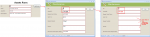
Attached is an image that shows what i need be done in my db.

attachment.php

How do i go about doing that?

Thanks!
 

Attachments

  • 1.png
    1.png
    46.9 KB · Views: 465
Last edited:
If I understand correctly, you now have the Maintenance form open and want to add a new record with the same AssetID that you've carried forward from the Assets form; is this correct?

In the "new" button on the Maintenance form

Code:
Private Sub NewRecordButton_Click()
 DoCmd.GoToRecord , , acNewRec
 If Not IsNull(OpenArgs) Then
   Me.AssetID = Me.OpenArgs
 End If
End Sub
 
Missinglinq,

I'm implementing this set-up on my form(s) as well. I'm wondering if this code can be modified... So far you solution works for me, except if I were to open up the "Maintenance" form on it's own and select the "NewRecordButton". When I select the button in this way VB gives me a "Compile Error: Method or data member not found" and it highlights (text in red) Me.AssetID = Me.OpenArgs.

Am I getting this error because it's looking for the value "AssetID" from the "Assets" form?

Thanks,
Matt


If I understand correctly, you now have the Maintenance form open and want to add a new record with the same AssetID that you've carried forward from the Assets form; is this correct?

In the "new" button on the Maintenance form

Code:
Private Sub NewRecordButton_Click()
 DoCmd.GoToRecord , , acNewRec
 If Not IsNull(OpenArgs) Then
   Me.AssetID = Me.OpenArgs
 End If
End Sub
 
If you open the Maintenance form on it's own, Me.OpenArgs will be Null, and the line Me.AssetID = Me.OpenArgs won't be executed, so I'm guessing you're getting a compile error because you don't have a textbox named AssetID on your Maintenance form. That's the data member that Access can't find.
 
Thanks for the replies...

Missinglinq... Yes, I found the problem... the AssetID field I had on my form form was from the Asset form, not from Maintenance.AssetID.

Problem solved. Thanks!
 
What would be the best way to approach this if you had more than one opening argument?

For example, I want to carry two bits of information...

Me.txtStaffID.value

and

Me.txtSaleID.value

I can move one, but I'm not sure what to do to get a second.

Thanks in advance
 
DoCmd.OpenForm can only have one OpenArgs.

What are the two pieces of information you are trying to pass?

Are they both numbers? What do you wish to do with them in the form you are opening?
 
DoCmd.OpenForm can only have one OpenArgs.

What are the two pieces of information you are trying to pass?

Are they both numbers? What do you wish to do with them in the form you are opening?

They are both numbers.

One refers to the Sales Order Number, the other the Staff Number. But they are always both different.

All I want is to to take the two figures from form A and pass them to the same fields in form B, so the user doesn't have to (or isn't allowed to!)

Ta
 
One thing you could do is multiply one of the numbers by a large number say 1000 (the number has to be big enough that the new number has enough zeros behind it to accommodate the number you are going to add to it so they do not interfere with each other) then add the two ID's together before you passing them/it to the OpenArgs. Then in the new form reverse the process to get your two original numbers.
 

Users who are viewing this thread

Back
Top Bottom