
Help Storing text value of combobox not ID

scottemotive

Registered User.
Local time
Today, 09:59
Joined
Oct 13, 2004
Messages
36
Hi,

I have a db (fiel too big to attach i can email if required)
which has three comboboxs which are all related to their relevent tables.
i.e Employee combobox links to employee table etc...

The question:

the three comboboxes output to a table calls CMS Compliance Table, (which is where i want to store my records)
however the data stored in their is the "ID" from the tables and not the text values of the fields.
I want to be able to store the text values in the table
for example i select (the numbers are the ID column which is hidden)

cbo 1: Joe Bloggs, 24
cbo 2: Joes Manager, 2
cbo 3: Joes Dept, 31

I want the text value stored in the table and not the ID
can anyone help me on this please?

thank you for any assistance

Scott.
 
becuase i export the table into a excel pivot table where i report and compare results of my data. which is the reason i need text values

thank you
 
scottemotive said:
becuase i export the table into a excel pivot table where i report and compare results of my data. which is the reason i need text values

thank you

Why not use the Access Pivot Charts - saving you the hassle of exporting.

Have you tried me.txtbox = me.cboCombo.colum(1) in the afterupdate event of your combo box
 
i like the sound of the make table query, how would i format this?

sorry to be a complete newbie pain.

thanks

scott
 
I'm trying to get this to work for me and it creates the new table, but it is blank. The query works fine until I add the POC table that contains the linked information.

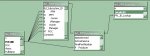
See attached image to see the relationships I need. I've had to blank out some of the information on the image.

Here is the SQL code it generates:

Code:
SELECT tbl_RDFVersions.CName, tbl_RDFVersions.AID, tbl_RDFVersions.RDFVersion, tbl_RDFVersions.RDFName, tbl_PPLInstances.LFile, tbl_PPLInstances.RDFFile, tbl_PPLInstances.Instance, tbl_PPLInstances.Description, tbl_PPLInstances.Type, tbl_PPLInstances.PFile, tbl_RDFVersions.PClass, tbl_PPLDetails.SOR, tbl_PPLInstances.PN, tbl_PPLInstances.FF, tbl_PPLInstances.LF, tbl_PPLInstances.EventID, tbl_PPLDetails.LIFL, tbl_PPLDetails.VMth, tbl_PPLDetails.RUpdated, tbl_PPLDetails.RActual, tbl_PPLDetails.EVersion, tbl_PPLDetails.EActual, tbl_PPLDetails.FComplete, tbl_PPLDetails.FActual, tbl_PPLDetails.SComplete, tbl_PPLDetails.SActual, tbl_PPLDetails.Concurrence, tbl_PPLDetails.Version, tbl_PPLDetails.EML, tbl_PPLDetails.SML, tbl_RDFVersions.tbl_Subsystem_ID, tbl_RDFVersions.BPFM, tbl_RDFVersions.BOwner, tbl_RDFVersions.BManager, tbl_PPLInstances.PProducer, tbl_RDFVersions.NPFM, tbl_RDFVersions.NOwner, tbl_RDFVersions.NManager, tbl_RDFVersions.MPOC, tbl_PPLInstances.Purpose, tbl_PPLInstances.InstallationScenario, tbl_PPLInstances.Constraint, tbl_PPLInstances.OIFL, tbl_PPLDetails.SCR, tbl_PPLDetails.SIF, tbl_PPLDetails.SDN
FROM tbl_POC INNER JOIN (tbl_RDFVersions INNER JOIN (tbl_PPLInstances INNER JOIN tbl_PPLDetails ON tbl_PPLInstances.InstanceUID = tbl_PPLDetails.PPL_ID_Lookup) ON tbl_RDFVersions.RDFUID = tbl_PPLInstances.tbl_RDF_ID) ON (tbl_POC.POCUID = tbl_RDFVersions.MPOC) AND (tbl_POC.POCUID = tbl_RDFVersions.NManager) AND (tbl_POC.POCUID = tbl_RDFVersions.NOwner) AND (tbl_POC.POCUID = tbl_RDFVersions.BManager) AND (tbl_POC.POCUID = tbl_RDFVersions.BOwner) AND (tbl_POC.POCUID = tbl_RDFVersions.NPFM) AND (tbl_POC.POCUID = tbl_RDFVersions.BPFM) AND (tbl_POC.POCUID = tbl_PPLInstances.PProducer)
WHERE (((tbl_PPLInstances.Obsolete)=0))
ORDER BY tbl_RDFVersions.CName, tbl_RDFVersions.AID, tbl_RDFVersions.RDFVersion, tbl_PPLInstances.Instance;

Any assistance is appreciated.
 

Attachments

  • maketablequery2.jpg
    maketablequery2.jpg
    24.3 KB · Views: 242
No, that doesn't make a difference.

What I'm thinking I may have to do is run the query and append it to a blank table, then use VBA to go through the six columns, get each lookup id, go to the appropriate lookup table, find that id, then get the real data and put it in the table to replace the lookup id.

Now I just have to figure out how to do that.
 
It may, but I can't get it to work with my database. The example has the id and data in two different fields, not in a lookup field.

I'll have to upload an example database later this evening to my personal site since its larger than the allowed attachment size and I can't upload to my site until I get home. It will have the problem tables/queries with a sample of two tables. I actually have over 250,000 attributes between the tables spread out over 44 fields, although I only included three fields.

The query, qry_GetMaturity is what I need but if that is exported, then the maturities are replaced by numbers because those fields are lookup fields.

The query, qry_ForExport, is the same basic query as the GetMaturity one, but it creates a new table. If you run it, you'll see that there are numbers in the maturity fields instead of text. I need the text not the numbers.

dB is Access2K.
 
I understand what you're saying and see how the way the database is set up is causing problems but not sure I can split up the tables like this since its not the only one. There are about four with one that is referenced by 7 other fields, six in one table and one in another. This second table has about 100 records and lists points of contact, of which there are seven types, but one POC can be assigned several roles. One of the reasons I used the lookups is because the database is already 8 MB in size and the tables are used by the database admin to maintain the large amounts of data. It's a lot easier to paste 500 cells at once in a table than one at time in a form. So the admin needs to see the actual text and not numbers. The users don't see these tables, just forms and reports, and they don't modify the data either.

However, I can now take this and see if there are ways to modify the database design to get what I need.

Thank you for your assistance.
 

Users who are viewing this thread

Back
Top Bottom