Hi,
I'm a major newby on Access and trying to configure a database to work how I want.
I've read many forum posts that seem similar but still not managed to get it working.
I have 2 tables named Candidates & Comments. CandidateID is the Primary key for Candidates and CommentID is the primary key for Comments.
I have CandidateID as a foreign key in the Comments table to link the two together.
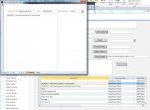
I have a form "frm_CandidateMain" which lists a candidates details and a subform within it "frm_Comments" (in datasheet view) which lists comments that have been made for that candidate. These forms are linked by CandidateID as the Master/Child fields. This is working fine, and when double clicking the comment field, another form opens "frm_expanded" which is a pop up and has a larger field to that detailed comments can be written/read without the need to scroll along in datasheet view.
However, when double clicking on a blank line in the "frm_comments" field the "frm_expanded" form opens a blank form with no CandidateID selected, but I'd like it to auto populate the CandidateID from the main form that is currently open.
I've tried to do with with a Macro within Macro builder, but failed to do this.
Could someone point me in the right direction? Most posts relate to VBA, but ideally this needs to be a web compatable form, so would ideally be a macro.
Thanks in advance
I'm a major newby on Access and trying to configure a database to work how I want.
I've read many forum posts that seem similar but still not managed to get it working.
I have 2 tables named Candidates & Comments. CandidateID is the Primary key for Candidates and CommentID is the primary key for Comments.
I have CandidateID as a foreign key in the Comments table to link the two together.
I have a form "frm_CandidateMain" which lists a candidates details and a subform within it "frm_Comments" (in datasheet view) which lists comments that have been made for that candidate. These forms are linked by CandidateID as the Master/Child fields. This is working fine, and when double clicking the comment field, another form opens "frm_expanded" which is a pop up and has a larger field to that detailed comments can be written/read without the need to scroll along in datasheet view.
However, when double clicking on a blank line in the "frm_comments" field the "frm_expanded" form opens a blank form with no CandidateID selected, but I'd like it to auto populate the CandidateID from the main form that is currently open.
I've tried to do with with a Macro within Macro builder, but failed to do this.
Could someone point me in the right direction? Most posts relate to VBA, but ideally this needs to be a web compatable form, so would ideally be a macro.
Thanks in advance