Need a query to identify duplicate customer orders

Ingeneeus

Registered User.
Local time
Today, 10:52
Joined
Jul 29, 2011
Messages
89
My company deals with institutional purchasing departments, rather than individual customers. Because there are multiple persons ordering under a single CustomerID, we frequently receive more than one order for a specific item from the same institution. This results in us shipping more of that item to the institution than they actually want, which in turn results in our having to swallow a Return.

We would like to avoid this, for obvious reasons. Our Access-based Orders system imports the orders from a Web-based shopping cart, so we can't effectively catch these duplications manually.

I'm approaching the solution with the idea that we could catch the duplications if we were able to check each day's import against previous orders.

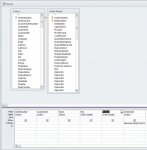
I think I've got the FIRST part of this. I've created a query -- I imaginatively named it TodaysOrders -- that we can run after each day's import of orders.
The fields it checks -- in this order -- are:
OrderDate (today), SKU, ProductName, SourceOrderNumber (from our shopping cart), and CustomerID.

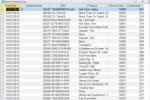
Works like a charm. The results look like the attached screencap. This, unfortunately is where I hit the wall.
I think what I need is another query which looks at the CustomerID and SKU results from TodaysOrders and compares them to earlier orders.

This query -- let's imaginatively call it CompareOldOrders -- would need to look at two tables in the database: Orders (which stores OrderDate, CustomerID and OrderNumber) and Order Details (which stores SKU). OrderNumber is common to both tables.

So, what I have in mind is that CompareOldOrders will find the CustomerIDs in the results from TodaysOrders, look at what SKUs are assigned to each CustomerID. It would then find the corresponding CustomerID in the Orders table and look at all of the orders placed under that CustomerID. For each OrderNumber associated with the CustomerID, it would look at the OrderDetails table and compare the SKUs in the order to those in the results of TodaysOrders.

Ideally, I would like to put this into a small module which throws up a MessageBox if CompareOldOrders finds a match ("Customer 277 has previously ordered Item 891458756843 in Order Number 26524")

Does this make any sense at all to anyone? I may be going about this all wrong; I'm open for other suggestions that get me the same results.
 

Attachments

  • QueryCap.jpg
    QueryCap.jpg
    97.6 KB · Views: 232
it is tricky. you would;nt expect to have to do the customer's admin for them.

Anyway, as Tony suggests, you can test whether an item has been ordered within the last 7 days and ask

Code:
 test last order date
 if date-lastorderdate <=7 then
     if msgbox("This item was last ordered on: " & lastorderate  & " on order: " & lastordernumber & vbcrlf & _
     "Are you sure this order is correct",vbquestion_vbyesno)=vbno then
          cancel order line
    end if
 end if


you can get as fancy as you want. display the last order; show all matching orders; hold the order and confirm; send an email to the customer.
 
I don't think you should aim to compare the "SKUs" maybe do that later. I think all you need to do is count them and if there is more than 0, then you know that there was a recent order. I think it would be a good idea if you provided a small sample dB with just the tables in question and possibly the queries you have created so far. This might provide a breeding ground for inspiration!

Hi, Uncle -- thanks for responding.

I'm afraid I may be a little obtuse; is it your suggestion that I count the instances of SKUs in the OrderDetails table? Wouldn't I still need to compare (i.e. match up) the SKUs in that table to the results from the TodaysOrders query? If I'm just looking at the OrderDetails table, I won't be able to tell which SKU I'm looking to count.

Could you perhaps clarify your suggestion? Sorry if I sound a bit dense on this.

Unfortunately, I am unable -- well, unwilling, really -- to post up the tables in question as you suggested, as the Orders table has customer data in it and I really don't feel comfortable putting that out there.
 
OK, had a thought that MIGHT make this simpler.
If I eliminate the TodaysOrders query from the equation altogether, maybe we can simplify this.

I'll recap so you don't have to wade through my initial post again. At the heart of this, I need a query to tell me if a given item has been previously ordered by a given customer. The problem is that the SKUs for our items are in one table -- OrderDetails -- and the CustomerIDs are in another table -- Orders. The two tables have a field in common -- OrderNumber.

To find out which customer ordered what item, we need to look at both tables. A simple query which uses OrderNumber and CustomerID from Orders and SKU and ProductName from OrderDetails yields who bought what. I can add OrderDate from Orders to limit my results to, say, the past 90 days to keep this from getting too big (screencap attached).

What I can't figure out is how to use this result to look for duplicate orders from the same customer. Everything I've read about Find Duplicates queries seems to indicate that they will only work within one table. Since my
CustomerID and SKU fields are in two different tables, I think I'm out of luck.

I need some way to look at both of those fields and let me know that CustomerID 277 has ordered SKU 855114005270 before.

OrderNumber..CustomerID………….SKU………………………….Product ………………………………………OrderDate
26209…………………277…………………….855114005270………..Love in the Time of Civil War…….10/23/2015
26298…………………196…………………….887936951893………..Years of Living Dangerously………10/27/2015-
26298…………………277…………………….855114005270………..Love in the Time of Civil War…….10/27/2015


The above is copied from the aforementioned query result, quite a few rows in between omitted; sorry for the odd formatting -- I was hoping that this would accommodate a tabular format, but no such luck.


Can this be done? If so, can you offer some specific advice as to how to go about it?


Attachments

  • QueryCap2.jpg
    QueryCap2.jpg
    67.7 KB · Views: 193
Avoid the problem. Change your Terms and Conditions to include a fee for returns. Your customers will soon learn to be more intelligent with their ordering.;)
 
Unwilling? You've already posted around 25 records!

And of those 25 there were only around 8 customers so you only need a customer table with 8 customers in. All you need to do is change the name to mister Smith mister Jones mister Brown Mr Green Mr Happy!

Thanks, Uncle; I see your point. I will try to put up a sample DB here later today. Oddly enough, we had a small disaster with the very Orders table in question yesterday. Took most of the day to get us back to where we needed to be :eek:
 
If you were to post a sample database I would be interested in knocking up an example of an inner and outer loop to put on my website as I don't have an inner/outer example yet. However I won't be able to do anything until tomorrow night because I am off to bed now!

I seem to be having some issues with posting a sanitized sample DB as you suggested. When I export my Orders table to a sample DB, any changes I make (for example changing a customer's name or address), those changes affect my original table as well. I don't know why that's happening, but I really don't want to mess anything up in my "live" data!

I'm just using the built in export feature in Access 2010, but I don't think this should be happening. I even selected export only definitions, not data.
 
Are you using linked tables?

Yes, Orders is a linked table. Maybe I should just create a small table from scratch and copy a bunch of records into it. That seems like it might be a viable way to go.

I'll try to squeeze that in today.
 
Are you using linked tables?


OK, I scraped together enough time to create some sample tables in a database. These are pretty abbreviated tables, but I think I've provided enough of a sample to work with.

Any additional insight (and examples!) you can provide would be most appreciated!

Thanks again
 

Attachments

Please find attached sample database that uses an inner and an outer loop to check the two sets of records for matches.

I don't “know” your data, and I was tempted to write some simple sample data to make it easier to see if the test was working properly. However I thought it might be easier for you to do the testing with the existing data. Please check you are getting the results back you expect.

At the moment the code is dumping the test data into the test table. If you look in the code behind the form you will see a remmed out line which, if you unrem it will show a message box showing you the SKU associated with a customer ID for each record where there is a match between the outer and inner loops. It looks to me like it's returning too many records. Please check you are getting the results back you expect.

Please note the default date is set to 02/11/15. You will see in the test results for 02/11/15 the top row dated 23/10/2015 contains an SKU 019962171215. If you look down the “list of selected date” you will find the same SKU but it's date is the 02/11/2015.

If you change it to 23/10/15 you will see an empty list, “No Match”.

If you change it to 27/10/15 another list of past matches is returned. You will see that the test results top row dated 23/10/2015 contains an SKU 855114005270. If you look down the list of selected dates you will find the same SKU but it's date is the 27/10/2015.

As I mentioned above to get the message box you mentioned in your post you will need to activate the code below.

'Unrem This >>>>
'This Message box reports the hits
'If (strOutSKU = strInnSKU) And (strOutCustID = strInnCustID) Then MsgBox "SKU >>> " & strInnSKU & " > " & strOutCustID

Hi, Uncle -- thank you for your efforts on this. Sorry for the delayed reply; things got busy at the office on Friday and my primary responsibilities must take precedent. I've downloaded your sample DB and hope to take closer look at it tomorrow. I'm keeping my fingers crossed that it won't be TOO far over my head!
 
Please find attached sample database that uses an inner and an outer loop to check the two sets of records for matches.

I don't “know” your data, and I was tempted to write some simple sample data to make it easier to see if the test was working properly. However I thought it might be easier for you to do the testing with the existing data. Please check you are getting the results back you expect.

At the moment the code is dumping the test data into the test table. If you look in the code behind the form you will see a remmed out line which, if you unrem it will show a message box showing you the SKU associated with a customer ID for each record where there is a match between the outer and inner loops. It looks to me like it's returning too many records. Please check you are getting the results back you expect.

Please note the default date is set to 02/11/15. You will see in the test results for 02/11/15 the top row dated 23/10/2015 contains an SKU 019962171215. If you look down the “list of selected date” you will find the same SKU but it's date is the 02/11/2015.

If you change it to 23/10/15 you will see an empty list, “No Match”.

If you change it to 27/10/15 another list of past matches is returned. You will see that the test results top row dated 23/10/2015 contains an SKU 855114005270. If you look down the list of selected dates you will find the same SKU but it's date is the 27/10/2015.

As I mentioned above to get the message box you mentioned in your post you will need to activate the code below.

'Unrem This >>>>
'This Message box reports the hits
'If (strOutSKU = strInnSKU) And (strOutCustID = strInnCustID) Then MsgBox "SKU >>> " & strInnSKU & " > " & strOutCustID


Hi again, Uncle -- I don't know if you are still following this thread, but I hope so. I was finally able to take the time to take a look at your solution. I am officially intimidated :D.

That said, I have a general idea how it's doing what it's doing. I couldn't replicate it with a gun to my head, of course, but at least I think I understand the underlying principles.

The reason that it's returning too many results is that strInnSKU is including the SKUs "Sales tax" and "Shipping" in with the actual product code SKUs. It needs some kind of Not Like line to make it ignore those two items.
I tried adding the line:
Code:
If strInnSKU <> "*Sales Tax*" Then If (strOutSKU = strInnSKU) And (strOutCustID = strInnCustID) Then
before
Code:
If (strOutSKU = strInnSKU) And (strOutCustID = strInnCustID) Then MsgBox "Customer #
but I get a Compile error: Loop without Do error box. I thought I might need to put an End If following the MsgBox line, which lets the code run, but then it still includes the "Sales Tax" SKUs.

I'm not sure this is the right place to be excluding those SKUs, but I also can't figure out where I should be doing it.

I'm off until next Monday, but will be watching my e-mail in case the forum notifies my that there is a response.

Thank you again!
 
OK, I'm back, if you are by any chance still monitoring this thread (and I hope you are). I managed to eliminate the, uh, false positives that were being generated by the "shipping" and "sales tax" SKUs.
Code:
If [COLOR=Green](Not strOutSKU Like "Shipping") And (Not strOutSKU Like "Sales Tax*")[/COLOR] And (strOutSKU = strInnSKU) And (strOutCustID = strInnCustID) Then _ 
MsgBox "It appears that Customer " & strOutCustID & " has previously ordered " & strInnSKU & " - " & strInnProduct & " within the past 60 days"
You are correct that it's still returning too many records. When I run it with the date set to November 2 2015, it's reporting each repeated SKU, but doesn't seem to be using the CustomerID to determine whether a specific customer has ordered a specific SKU before. Thus, if SKU 855114005270 has been purchased by both CustomerID 115 and 277 (which in this date range it has), the MsgBox is triggered. It appears to be just looking at repeated purchases of the same SKU.

That seems to be the rub. I'm afraid your code is still above my head. Is there any more information I could provide that would help unravel this?
 
Here's one way that might work:
1. Create a query with your order header and details tables linked, with criteria on the order date field where order date <Date() and >Date()-7 (or however many days you want to check against).
2. For each order you cycle through in your import, check customer ID and SKU against that query called as a recordset, and if a match is found, report it to your user via MsgBox.

Edit: Sorry, I didn't see page 2 of the thread. Looks like UncleGizmo has it well in hand.
 
Layering queries is perfectly legal.

Starting with innermost query: Join your OrderDetails, Orders, and OrderNumber tables to extract Customer, SKU, Order Date, Quantity, perhaps your Product Name, etc. Here, you would filter the input by asking the query to do something like taking the difference in days between OrderDate and Now() and saying that you only accept the last 7 days (or 14 days or whatever window you seek.) Or you could do a DateAdd of Now() and a negative number of days and then saying you would take only dates equal or later than the computed cutoff date. That limits the number of records to the most recent x days. LIMIT THE INNER QUERY DATA SIZE. This is based on a hypergeometric consideration of how to most efficiently limit the sizes of sets for subsequent computation.

Next layer of query: Using the innermost query as the basis, do a GROUP BY of CUSTOMER then SKU (leaving SKU/Product Name, Order Date, and any other fields as detail items.) Write queries to compute the DMax and DMin of the Order Dates for that customer and that SKU. E.g.

Code:
DMax( "[OrderDate]", "innerquery", "( [Customer]=" & CStr( [Customer] ) " ) AND " _
         "( [SKU] = " & CStr( [SKU] ) & ")" )

Something similar to the above... and name the query's field MinDate or MaxDate as appropriate. Also do a DSum similar to the above for the Quantity field, title it as something like TotOrdered.

Now, one last layer ... Retrieve the CUSTOMER, SKU, MINDATE, MAXDATE, TOTORDERED - and include a DateDiff in days between MAXDATE and MINDATE showing the positive number of days between the earliest and latest orders. Here, you can do ONE MORE FILTER - "WHERE TOTORDERED > 1" - so that you don't waste time considering orders that weren't duplicated.

That outer query returns to you all records where the customer ordered multiple quantities of a single SKU within the window of consideration. You could easily build a list of these records showing customer, SKU, quantity, and the number of days between the first and last order.

Now... you can ask yourself why all the gyrations? Answer: Consider Julius Caesar's advice when trying to subdue Gaul. Divide and conquer. Break the problem up into pieces-parts where you manage an individual sub-task needed to complete the whole task. By doing nested queries, each with a different purpose in the computation, you can break it up into manageable pieces. You can ALSO open the inner query or middle query to see what each intermediate recordset looks like - an easy form of debugging.
 
I think the results you are getting are the answer to the question, however maybe your question has changed slightly?


My interpretation of the question is:- Produce a list of today's orders, run through that list and find any duplicates within the Last 60 days.

I've done a screen recording showing the code working for a particular day that day being the 2nd of November 2015. See YouTube Video HERE:- MS Access - Find Previous Orders

Hi, Uncle -- thanks for the YouTube video. I apologize if my original post wasn't clear about what I was trying to; I had hoped to articulate it better. I should have said that I need a way to get an alert if a given customer is attempting to make a repeat purchase of a particular item. With the nature of our business, this is almost always a mistake. Ideally, we'd like to be catching those before we generate purchase orders to our suppliers.

Quick edit -- I liked the YouTube idea so much I decided to borrow it. Here are the results I'm getting: https://youtu.be/vuwDZ5iACCU
(I changed your MsgBox text to make it a little easier for me to follow)
 
Last edited:
Layering queries is perfectly legal.

Starting with innermost query: Join your OrderDetails, Orders, and OrderNumber tables to extract Customer, SKU, Order Date, Quantity, perhaps your Product Name, etc. Here, you would filter the input by asking the query to do something like taking the difference in days between OrderDate and Now() and saying that you only accept the last 7 days (or 14 days or whatever window you seek.) Or you could do a DateAdd of Now() and a negative number of days and then saying you would take only dates equal or later than the computed cutoff date. That limits the number of records to the most recent x days. LIMIT THE INNER QUERY DATA SIZE. This is based on a hypergeometric consideration of how to most efficiently limit the sizes of sets for subsequent computation.

Next layer of query: Using the innermost query as the basis, do a GROUP BY of CUSTOMER then SKU (leaving SKU/Product Name, Order Date, and any other fields as detail items.) Write queries to compute the DMax and DMin of the Order Dates for that customer and that SKU. E.g.

Code:
DMax( "[OrderDate]", "innerquery", "( [Customer]=" & CStr( [Customer] ) " ) AND " _
         "( [SKU] = " & CStr( [SKU] ) & ")" )
Something similar to the above... and name the query's field MinDate or MaxDate as appropriate. Also do a DSum similar to the above for the Quantity field, title it as something like TotOrdered.

Now, one last layer ... Retrieve the CUSTOMER, SKU, MINDATE, MAXDATE, TOTORDERED - and include a DateDiff in days between MAXDATE and MINDATE showing the positive number of days between the earliest and latest orders. Here, you can do ONE MORE FILTER - "WHERE TOTORDERED > 1" - so that you don't waste time considering orders that weren't duplicated.

That outer query returns to you all records where the customer ordered multiple quantities of a single SKU within the window of consideration. You could easily build a list of these records showing customer, SKU, quantity, and the number of days between the first and last order.

Hi, Doc Man -- thank you for taking an interest in my request. I hope I'm up to following you on this. I've got my first -- innermost -- query ("Items Ordered") up and running. It's reporting every SKU ordered by every CustomerID going back 60 days.
So far, so good.
Then, I create a second query ("Items Ordered pt2"), using Items Ordered as the data source. This second query will have the same fields as the first query, but I set it up for "Group By," making CustomerID the first grouping element and SKU the second.

This is where it gets a little murky.

Do I create a VBA module and designate Items Ordered pt2 as a recordset
Code:
Dim ItemsOrdered as DAO.Recordset
Set ItemsOrdered = Items Ordered pt 2
So that I can then employ your DMax and DMin code (once I figure out what it's doing)? Sorry if this seems like a strange question, but I'm in a little over my head here.
 
Not required.

You might have some typing to do, but basically all three queries are created in the query design window (or at worst in the query SQL window). When you use the query builder, point to that JOIN query as the data source.

DMax( "[OrderDate]", "innerquery", "( [Customer]=" & CStr( [Customer] ) " ) AND " _
"( [SKU] = " & CStr( [SKU] ) & ")" )

This would be in one field (followed by "AS MaxDate" ) and you would have those other domain aggregates in two other fields - for MinDate and TotOrdered.

I'm not going to swear on a stack of Bibles here, but I think the date difference between MinDate and MaxDate can ALSO be created in this query, but if that one causes SQL to balk, you can do the date difference in the THIRD layer of the query, which you design by first selecting the SECOND layer query as the source of your data.

Now, if you wanted to do something special here regarding how you ask whether to ignore the second/subsequent order, that can be driven by a form using the THIRD layer query as its recordsource. You could populate a combo box or list box (probably list box, since that allows multi-select) with all records from the FIRST query (that shows individual order entries) that have the correct SKU and Customer ID.

Then, if you select one or more elements from the list box, you can make a command button to whack the order with the right SKU, product, etc. ... whatever your business rules suggest you must do. You could either cancel the entire order or choose to modify the order by removing elements thereof. That is going to be a decision for you because I don't know (and don't want to know) your business rules.
 
Hi, Doc Man --
Sorry for the delayed response. This site was down for me most of yesterday afternoon. Just kept getting "can't find server" errors. A colleague of mine said she was having trouble with several UK-based websites as well, so maybe it was something more systemic.

In any case, I researched DMax and DMin (and CStr), and attempted to implement your suggested query parameter. It took a bit longer than I had hoped -- I had to insert a couple of additional ampersands between some of the quotes. It was my intention to post the modified code here to see if what I did was viable. Unfortunately, the changes are on virtual "sticky note" on my PC at the office, so I won't be able to get around to doing that until Monday.

I ran the second level query with the DMax and DMin parameters to see what it would do, and I think I may have not done something correctly. It seems to be returning far too many results, and the DMax and DMin columns are producing "Type Mismatch" errors.

I will provide more details on Monday. Thank you again for following up on this -- I really appreciate it!
 
Ah, Monday, when nothing can possibly go wrong.

All right, this is what I was trying to post up here when the forum went down on Friday. As I said, I had to insert a couple of "&s" into your sample code, because Access kept telling me "The expression you entered contained invalid syntax: You may have entered an operand without an operator." I eventually changed it to
Code:
MaxDate: DMax("[OrderDate]","Items Ordered","( [CustomerID]=" & CStr([CustomerID]) [B][COLOR=SeaGreen]&[/COLOR][/B] " ) AND _ 
" [B][COLOR=SeaGreen]&[/COLOR][/B] "( [SKU] = " & CStr([SKU]) & ")") 
and
MinDate: DMin("[OrderDate]","Items Ordered","( [CustomerID]=" & CStr([CustomerID]) [B][COLOR=SeaGreen]&[/COLOR][/B] " ) AND _ 
" [B][COLOR=SeaGreen]&[/COLOR][/B] "( [SKU] = " & CStr([SKU]) & ")")
and stopped getting that error.

Unfortunately, when I ran the query with those parameters, I got a "Data type mismatch in criteria expression" warning the moment I hit the ! Run button. Over and over and over again.
I noticed that Access had assigned the DMax and Dmin parameters to Group By, so I removed that from each and that time it ran, but the MaxDate and MinDate columns in the resulting datasheet view had nothing but #Error. If I clicked into any of the #Error cells, I got the "Data type mismatch in criteria expression" again. It also appears to be creating some duplicate lines (see attached image)

I will continue tinkering with it :banghead: but any insight you could share would be most appreciated.
 

Attachments

  • Items Ordered pt2.jpg
    Items Ordered pt2.jpg
    64.8 KB · Views: 192

Users who are viewing this thread

Back
Top Bottom