Table Design & Relationships

PuzzledNH

Registered User.
Local time
Today, 10:55
Joined
Nov 4, 2019
Messages
36
I was provided a database (with inadequate limited data already dumped in by a predecessor) and told to make it work. The end goal is to include all product lines and their component details at the time of shipment to a customer. Currently, the database includes one table with 1200 records. Each record contains multiple fields of data and appears to have originated from an Excel spreadsheet.

In most cases, each SHIPMENT would include multiple records. Each record would capture the details of each component shipped in a single system (product line). The product line includes multiple component part numbers that stay the same. Each component part needs to capture the following variable data: serial number, revision, software info, notes, etc. The customer and tracking info is duplicated for each line.

I have the following chunks of data I need to work with:
A customer may have multiple Purchase orders.
A purchase order may have multiple delivery addresses.
A purchase order may have one or multiple product lines.
A shipment may have one or more systems containing multiple serialized components, -and/or- individual components going to one address.
Each product line will have multiple serialized components and other info (revision, software version, etc.) to track.
Each component will have an independent serial number (and/or other info to track).
Each shipment will have a top level system serial number (and/or other info to track).
A product line (or component) can be shipped to multiple customers (or ordered from multiple purchase orders.

My initial thoughts were to have each product line as a separate table since the components stay the same and only a few fields for each component (serial number, revision, software version, notes, etc.) might vary from shipment to shipment. If I know how to format one product line (such as the 60cm dish in the provided sample) I am sure adding another product line will be fairly straight forward.
Other tables I was considering include one to capture the tracking info, ship date, contract shipped under, and destination. A Customer table is probably warranted (address, phone, contract/PO number, notes, etc.). Right now I am just trying to keep data capture going (record updates) as I figure all this out.

A copy of the database in question is attached.

This is my second database project. (The previous project was a few years back when in college. Thus this is a real struggle to pull this together. Any suggestions on table layout are very welcome.

Thank you in advance for your help.
 

Attachments

you can breakup the 1 table into its relative components.
run some make table queries from the source table to create the new tables and atomic values:

POs,
Addresses, shipto, mailto
prod line,
etc.
 
you can breakup the 1 table into its relative components. run some make table queries from the source table to create the new tables and atomic values:

Hi Ranman256,
You completely lost me. What are make table queries and atomic values?
 
In case he doesn't respond, I think Rahman was suggesting making several new tables to hold each 'section' of the underlying data.

Here's another suggestion with the same aim.
Use the Analyse Table feature in Database Tools. It will recommend ways of structuring your data better to remove repetition. If you follow the advice, the end result should be 'normalised' data which is how it should be structured. Same idea but Access will do the work for you. If that doesn't mean anything to you, I suggest you do an online search and read about it.
 
I can't make any sense out of table1. Looks like everything to the right of email has a data value as the column name and the values are all empty so I have no idea what they are for.

You started out with a description of the types of data you have. Now try to map the columns to each of the entities you defined.

Field labels to the right of Customer Email are part number designations for individual components.

I.e.: 60cm-140087-MO
is looking for the manufacturing order (-MO) we used to build a 6 pin configured connector (140087) for the 60cm product line (60cm).

The 60cm- would be a specific product line. The database I provided was only configured (or set up) to capture one product line (and a few components). My predecessor had just started data capture and had not used these fields yet. The database will have multiple product lines. Each product line will have it's own starting designation, set of component part numbers, and similar data to capture.

The 6 digit number 140087 is the component part number.

Characters after the (-) dash indicate the data type being collected for this part number.
-MO is a manufacturing Order
-Rev is the part revision or software version
-Contract is is to capture contract data from a bar code scan.
-3D code is to capture data from a bar code scan.
-SN is the component serial number.

Those items with a yes/no data type would be checked off to indicate the item was shipped with the system.

Thus a full 60cm system may (or may not) require a data capture for each 60cm part number if the component is shipped as part of the system.

Hopefully this makes sense.

I am finding that as I answer these questions I am readjusting how I think the data structure should be. So thank you for all the prodding. :)

I have most of the data fields for a second product line defined and entered in Table1. (No data, just field names and data types.) I figure that once I can normalize the data, the effort would just move into a different table. (or so I hope.) I will try to map the entity types to the columns and post in the next day or so. Thank you.
 
Last edited:
Sorry for being silent on this the past couple days. I played around a bit to try and clarify Product Lines. I now have 2 tables (one for each of two defined product line) to show the data that would need to be captured when that product is shipped.
Table-60cm_Data
Table-PRS11_Data​
I entered a "Description" for many of the fields in the table design view. Each of the two tables also includes a small portion of data. Table 1 still exists, with only the data that has not yet been assigned to a product line. I.e. I am trying to determine if I am on the right track with the two new tables and if they need to be broken down further or if I am heading the wrong direction and need to rethink the structure.

I also attached a two page PDF to try and depict what I am trying to transition this mish-mash of data to actually do.

Hopefully this makes some sense.

Again, thanks for any assistance in laying out my data relationships.
 

Attachments

There isn't enough detail for me to ascertain with certainty that parts are used on multiple products but given all the manufacturing systems I have developed, it would be totally surprised if there was no overlap.

Each product line has a completely different set of components. The components may look similar, However the component part number will vary from product line to product line. I.e. There are no component part numbers that are used on more than one product line. Additionally, a product line may have a choice between two or more similar components (customer can choose the blue one or the red one but not both). When looking up the records for warranty and/or customer support needs, we would already know what product line to run a query on. The product line is defined by a top level part number which is assigned a system serial number at time of shipment. This part number defines a family tree (or BOM). The family tree defines all the components of the system. The database is capturing the "as shipped" information of the system serial number (including each components serial number, revision, and other details scanned from bar code labels).

In some cases, system components will go obsolete and replaced by new part numbers that may require capture of new criteria. Trying to locate the updated components associated to a system in a large table (when updating reports, queries, forms, etc) seemed like it might become painful. (Just a perception.)

This is why my first thought was to have a separate table for each product line. If all the components were captured in one table, the table might have a couple of hundred columns. As the data gets populated I was not sure if performance would be impacted using one table vs multiple tables.

My next step is to separate the "customer" and "shipping" information from everything else. This would include contractual information, shipping addresses, delivery locations, tracking numbers, shipment dates, what shipped on what date, etc. I am thinking this should be two tables (one for customer & contract, and one for shipment)?

Having said this, does it still make sense to keep all the component parts on one table? I am trying to educate myself if there are any positives or negatives in this layout.

Again, I sincerely appreciate the help and input. Thank you.
 
In general; someone who has no idea what your organization does, should be able to look at your tables and have a rough idea what each field is for. [PRS11-900204-UID] means nearly nothing to me. I say "nearly" because the UID part is generic enough that I know it probably represents some sort of ID. That means the "PRS11-900204" portion is actually data and should itself be a value in a field, and not part of any field name.

You've made that mistake a lot. Further, even without knowing what the data is I see you have sets of fields (e.g. [PRS11-...-SN], [PRS11-...-Contract], [PRS11...-MFR])) . When you start doing that, its time for a new table to hold those sets of data. So you would strip those fields out and put them in a new table like so:

tblInsertGoodTableNameHere
igtnh_ID, autonumber, primary key of table
ID_Data, number, foreign key back to table you are taking the fields out of
igtnh_PRS, text, this will hold the PRS data in the field name (e.g. PRS11)
igtnh_Code, text, this will hold the 6 digits after the PRS data (e.g. 930424)
igtnh_Type, text, this will hold the suffix at the end of the current field name (e.g. SN, UID, MFR, etc.)
igtnh_Value, text, this will hold the actual value in each of those fields

That's it. So instead of all those sets of values you would have 1 record in this new table for those values.

You've made that mistake a lot and you resolve it in the same manner--with a new table for that data. I believe that one table could accomodate a ton of the data you have.

Lastly, only use alphanumeric characters and underscores in table/field names. All those hyphens and slashes are going to make coding and querying more difficult later on.
 
In general; someone who has no idea what your organization does, should be able to look at your tables and have a rough idea what each field is for. [PRS11-900204-UID] means nearly nothing to me. I say "nearly" because the UID part is generic enough that I know it probably represents some sort of ID. That means the "PRS11-900204" portion is actually data and should itself be a value in a field, and not part of any field name.

You've made that mistake a lot. Further, even without knowing what the data is I see you have sets of fields (e.g. [PRS11-...-SN], [PRS11-...-Contract], [PRS11...-MFR])) . When you start doing that, its time for a new table to hold those sets of data. So you would strip those fields out and put them in a new table like so:
Lastly, only use alphanumeric characters and underscores in table/field names. All those hyphens and slashes are going to make coding and querying more difficult later on.

I think I am missing something.
Each of these would be a field name to capture data, not data itself. The first section of the field namePRS11- or 60cm- is just to help me differentiate which product line that field is associated to. This would actually be dropped from the field name once I have the tables set up properly. The numerical part of the field name 900204- refers to a specific component. Some components may have more than one bar code to scan and each scan is delineated by the characters after the second dash. So if you see PRS11-900204- more than once, each instance is capturing a different data set for a component.

PRS11-900204-UID (Captures an Identification Number)
PRS11-900204-SN (Captures a Serial Number)
PRS11-900204-Rev (Captures the item revision)


If I have two fields "PRS11-900204-SN and PRS11-900225-SN" that end in SN (or other designation), they are two completely different parts that require capture of that component's serial number (or other data). Thus, a system shipment will require capturing multiple serial numbers from different components.

Thanks for any input that can be provided.
 
Lastly, only use alphanumeric characters and underscores in table/field names. All those hyphens and slashes are going to make coding and querying more difficult later on.

I am trying to fix this now. Spaces will be replaced with underscores (or completely deleted). Some fields will be renamed to shorten them and to align with the specific data being captured. I am also verifying that field types and sizes make sense for he captured data.

Again, My initial goal is to get the table layout to make sense. This was a hand-me-down from a predecessor and I am doing this as a side function to my actual job. :)

Thanks again.
 
The first section of the field namePRS11- or 60cm- is just to help me differentiate which product line that field is associated to

You agreed with me there-- "PRS11-..." is data. In a normalized table structure data goes in as values in fields, not as part of field names. Since you need to differentiate between products you do so in the data. You would accomodate this new data by adding a field to hold the product data, not by putting it in a name.

In a sales table you would record sales by Year like this:

SalesPerson, SalesAmount, SalesYear
3, 151, 2019
3, 202, 2018
3, 351, 2017

Not like this:

SalesPerson, Sales2019, Sales2018, Sales2017
3, 151, 202, 351

The year is data, therefore it gets its own field, not crammed in the field name.


Further, each discrete piece of data gets its own field. If "PRS-123456-UID" represents 3 pieces of data, you accomodate all that data with 3 different fields.
 
You agreed with me there-- "PRS11-..." is data. In a normalized table structure data goes in as values in fields, not as part of field names. Since you need to differentiate between products you do so in the data. You would accomodate this new data by adding a field to hold the product data, not by putting it in a name.

In a sales table you would record sales by Year like this:

SalesPerson, SalesAmount, SalesYear
3, 151, 2019
3, 202, 2018
3, 351, 2017

Not like this:

SalesPerson, Sales2019, Sales2018, Sales2017
3, 151, 202, 351

The year is data, therefore it gets its own field, not crammed in the field name.


Further, each discrete piece of data gets its own field. If "PRS-123456-UID" represents 3 pieces of data, you accomodate all that data with 3 different fields.


PRS11-123456-UID actually represents only one data point, not three.

To accommodate three different 3 data points for the same part, the characters at the end of the field change.
PRS11-123456-UID
PRS11-123456-SN
PRS11-123456-MFG

If I were to use just UID, there could be 15 different parts (I.e. 6 digit part numbers) in a system that have a UID number. By including the 6 digit number before UID I now identify which specific part the scan is associated to. The UID for 123456 may be an alpha numeric 50 character field and the UID for 987654 may be a numeric only 5 character field that does not allow for duplicates.

PRS11 (as it stands in the database today) is not data. It is a temporary beginning of the filename (or a quick reference) to let me know what product line that field is associated to. The actual filename (once I have all the different product line fields defined) will delete PRS11- and only retain the six digits and ending characters (I.e. 123456-UID) as the filename.

So the 60cm product line consists of approx. 20 components and 25 points of data to track. PRS11 product line consists of 40 components and 75 points of data to track. Placing 60cm (or PRS11) in front of the filename allows for a quick check that I addressed all data points for this product line without having to look up if the field name belongs to which product.

Hopefully this makes sense.
 
PRS11-123456-UID actually represents only one data point, not three.

Semantics is getting in the way, your just not thinking general enough. When you put a value in the field [PRS11-123456-UID] that is one data point, but it represents 4 pieces of data: PRS11 is data, 123456 is data, UID is data and the value you've placed in the field is data. That is wrong. Those 3 pieces of data should not be in the field name, they too should be values in a field. See my sales by year example.

So the 60cm product line consists of approx. 20 components and 25 points of data to track.

This data should be accomodated in another table, and the amount of components and points of data is irrelevant in the structure of your database.

tblComponents
comp_ID, autonumber, primary key
ID_ProductLine, number, foreign key to Product line table
comp_Type, string, type of component--it sounds like you want to jam this in a field name
comp_Value, string, this is holds the value you are putting in your table currently

That's it, those field accomodate an unlimited amount of components and product lines. Instead of 20 fields for 20 components, you insert 20 records into this table for them.
 
Also,

PRS11 (as it stands in the database today) is not data...PRS11 product line consists...

Your so close to the data, you've lost sight of what actually is data. PRS11 represents a product line, therfore it is data. Data goes in as values in fields, not in field names. It goes into a field that describes in general what that data is a specific example of. In this case you should have a field named: [ProductLine]
 
One of the most important skills that you need to learn is alternation of scope. There will be times when you need to get into the weeds. There will be time that you have to look at the overgrown field as a single thing. Right now, you are focusing on the weeds and not recognizing the overgrown field.

When you make tables for the purposes you have described, you are building a business model of some sort. The idea is to build abstractions so that you can treat them all in the same way at some level. You put together those things that are treated similarly. Maybe the detailed contents are different, but you probably treat each product line in the same way at the high-altitude viewpoint. And that is where all of those products you are naming become simple data records in a single table that doesn't contain a serial number or part number as a table name OR as a field name.

As my managers often did for me, I'm suggesting that you try to step away from where you are standing and look at the big picture. Not trying to be a downer here, but if you cannot step away and see the problem in overview, you will not be able to make this project work in a reasonable time frame because you will rapidly become overwhelmed with an intractable number of tables.
 
Your so close to the data, you've lost sight of what actually is data.

You are really struggling with the concept of data being rows rather than columns.

Right now, you are focusing on the weeds and not recognizing the overgrown field.

OK, I get the hint. :)
I am struggling with what is data vs what should be considered field names. And I thank everyone for pointing me in the right direction.

However, If I am looking at the following fields for the table:

tblComponents
comp_ID, autonumber, primary key
ID_ProductLine, number, foreign key to Product line table
comp_Type, string, type of component--it sounds like you want to jam this in a field name
comp_Value, string, this is holds the value you are putting in your table currently​


...I am also struggling with how I present the fields to the person who will be entering the data so I am collecting the correct system configuration for the shipment. As an example, I have a form "Form-60cm Dish" that captures scanned data and inputs it in a specific field.
I.e. Item 4 Scan1 enters scanned serial number data into the field for 60cm-900338-SN.
Item 4 Scan2-Contract enters scanned contract number data into the field for 60cm-900338-Contract.


I already know the table structure needs to be laid out before any form is created. This was set up as a sample to show the specific info the 60cm product line must capture based on a documented inspection instruction that tells the person how and what to capture. So no need to beat me up on this. ;).

My struggle comes from how do I associate the scanned serial number to the specific part number being scanned?

If I have this correct, the scanned data would be collected in the tblComponents table. Each scan would go into a new line
comp_ID, autonumber, primary key
which is the primary key for this table. This part makes sense to me.

I would have a field for each data type to be collected.
comp_Value, string, this is holds the value you are putting in your table currently

I.e. In the case of Item 4 Scan1 I would have a field called SN (Short Text). Item 4 Scan2_contract would be a field called contract(Short Text). Item 1 900339-MO would be a field called MO (Short Text)
Since I have multiple parts that collect SN, Contract, MO, etc. I would need some way to associate the scanned data to the component part number. Is it correct to assume the part number is in the ProductLine table?

Now we have a second table that comes into the picture:
ID_ProductLine,
This is a number field (long integer?) that directly links as a foreign key to a Product line tables primary key.
This is where my struggle starts. Is this one table per product line similar to the Table-60cm_pn_lookup? Or will this be one table that includes all product lines? Would the primary key be the unique part number or should this be an autonumber field with part number as a seperate field name?


comp_Type, string, type of component--it sounds like you want to jam this in a field name
I would think the type of component (or component name) to be included in the Product line lookup table. A Product line consists of multiple part numbers. Each part number has a part name.
Think of a product line as a full computer system with a part number for individual components.
1234=CPU
2345=monitor
4567=keyboard
6789=hard drive,
9876= installed software version,
etc.
 
Hi

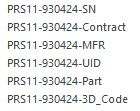
In your table "PRS-11-Data" you have the following fields together with many more:-

Fields.PNG

So when you create your Form for Data Input what value would you Input for each of the following fields:-

PRS11-930424-SN
PRS11-930424-Contract
PRS11-930424-MFR
PRS11-930424-UID
PRS11-930424-Part
PRS11-930424-3D_Code
 
First and foremost, I wouldn't concern yourself with forms at this point. They are the last portion of Access development. After you set your tables, you should move on to Reports and the queries that support them. There's no point making beautiful forms if your just throwing your data down a hole from which you can't effectively retrieve it. Reports and the queries that support them make sure your tables are capturing your data correctly and that you can retrieve it in the manner you need.

With that said, let's explore this:

My struggle comes from how do I associate the scanned serial number to the specific part number being scanned?
...
I.e. Item 4 Scan1 enters scanned serial number data into the field for 60cm-900338-SN.

How did you envision that scanned serial number getting to the correct field? Even in your unnormalized database, at some level a person had to let the computer know that the next piece of data was to be associated with "60cm", "900338" and "SN".

In the normalized world this might be achieve by either direct input for each piece of data--> user selects 60cm from a drop down, 900338 from a drop down and SN from a drop down and then scans;

or via a subform--> user enters 60cm and 90038 on the main form, then every item in the subform inherits that data and the user selects SN and then scans in the data in the subform.

Your tables and their relationships dictate how your forms operate. The way your forms operate does not dictate your tables and their relationships.
 
Hi

In your table "PRS-11-Data" you have the following fields together with

So when you create your Form for Data Input what value would you Input for each of the following fields:-

Hi Mike,
Below are some sample data (in Bold) that could be entered in the field along with a brief description on how we would enter it.

PRS11-930424-SN
BN12345 , BN34567 , 12547839BC12345
Serial numbers are scanned in using a bar code scanner and will vary from part to part and product line to product line. This particular part (reference the first two examples above) has a 2 character alpha and 5 character numerical serial number that cannot have duplicates.Other parts may be tracking manufacturer serial numbers and an unknown number of characters. (reference the third example above)​

PRS11-930424-Contract
FA8823-18-F-0001 , GX-1478
This could be a contract number or purchase order and may vary from shipment to shipment. One customer may have multiple contract numbers. The info for this particular field is scanned in from a bar code applied to the part. It would then be compared against a contract number in the customer table to confirm it contains the correct info.Multiple part numbers may ship on one Contract.​

PRS11-930424-MFR
71HU5, Robertson Machine
The info for this particular field is scanned in from a bar code applied to the part. The five characters are assigned by our customer and must match the assigned number (I am thinking this would be a field in a lookup table ProductLine table?).​

PRS11-930424-UID
71HU5 BH0028 , 71HU5 AC0147
The info for this particular field is scanned in from a bar code applied to the part. The first 5 characters are assigned by our customer (See above), The characters after the space should match the part serial number. This is a check to verify the data on the bar codes and the data on the contract all match and results would be output on a report for the customer.​


PRS11-930424-Part
930424
The info for this particular field is scanned in from a bar code applied to the part. It would then be compared against the six digit part number (a field in the ProductLine table?) to verify it contains the correct info.​


PRS11-930424-3D_Code
[)>DDMFR 71HU5Part No 930424SER NO BH0028
The info for this particular field is scanned in from a bar code applied to the part. Sections of the scan would then be compared against the UID, part number, serial No, etc. that were scanned for this part to verify it contains the correct info.​

Hopefully this makes some sense.
Thank you for the help.
 
Hi

OK , So what you need to do is delete all of the PRS11 items which you currently have as fields in"Table-PRS11_ Data.

This is just Excel in Access.

You need a table for Purchase Order Items that is linked to Customers.

The structure would be:-

tblCustomerPOItems
-CustomerPOID - PK - Autonumber
-CustomerID - FK (Linked to tblCustomers - PK)
-PRS11ID - FK (Linked to List of all PRS11 Items in tblPRS11Data
-Description

You would then have a Combobox on the Form based on this structure that allows you to select 1 or More PRS11 items and then add relevant data.
 

Users who are viewing this thread

Back
Top Bottom