
You are using an out of date browser. It may not display this or other websites correctly.
You should upgrade or use an alternative browser.
You should upgrade or use an alternative browser.
Solved Listbox
- Thread starter kavehrad
- Start date


Gasman
Enthusiastic Amateur
- Local time
- Today, 02:29
- Joined
- Sep 21, 2011
- Messages
- 17,497
Why no V ?Hi all
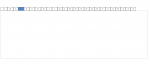
Can I have a list box in a form that looks like the attached image and I can search for records that begin with each letter?
Thanks
What is the cod if i want to have buttons A-Z and then a listbox. when i click on Ex buton A so listbox shows all records starts with A?Use textboxes or buttons.
I have tried to do that but it doesn´t work. I attach my DB here. Maybe I did something wrongSet listbox RowSource property. Code in each button Click event:
Me.Listboxname.RowSource = "SELECT * FROM table WHERE somefield LIKE 'A*';"
Attachments

moke123
AWF VIP
- Local time
- Yesterday, 21:29
- Joined
- Jan 11, 2013
- Messages
- 4,752
moke123
AWF VIP
- Local time
- Yesterday, 21:29
- Joined
- Jan 11, 2013
- Messages
- 4,752
It just occurred to me after posting an easier way to code this.
There is a function as so
each button has a letter in its Tag property.
if you select all the buttons at once and type in the onlick event
the code will run when you click the button
see this example
There is a function as so
Code:
Private Function SetRowSource()

Me.lbxNamn.RowSource = "SELECT * FROM tblKund WHERE Namn LIKE """ & Screen.ActiveControl.Tag & "*"""

End Functionif you select all the buttons at once and type in the onlick event
=SetRowSource()the code will run when you click the button
see this example
Attachments

cheekybuddha
AWF VIP
- Local time
- Today, 02:29
- Joined
- Jul 21, 2014
- Messages
- 3,235
moke123
AWF VIP
- Local time
- Yesterday, 21:29
- Joined
- Jan 11, 2013
- Messages
- 4,752
Interesting approach. I bookmarked it and want to try it later.
Unfortunately Office 365 says it can not open this file

cheekybuddha
AWF VIP
- Local time
- Today, 02:29
- Joined
- Jul 21, 2014
- Messages
- 3,235
@Tera
Just create a label containing the alphabet and use a fixed width font. (Name it 'lblAlpha')
Then use the code in the link:
Just create a label containing the alphabet and use a fixed width font. (Name it 'lblAlpha')
Then use the code in the link:
Code:
Private Sub lblAlpha_MouseDown(Button As Integer, Shift As Integer, X As Single, Y As  Single)
  Me.Filter = "fldLastName LIKE '" & Chr(64 - Int(-X / Me.lblAlpha.Width * 26)) & "*'"
  Me.FilterOn = True
End Sub
Last edited:
@cheekybuddha
Million thanks
Million thanks
cheekybuddha
AWF VIP
- Local time
- Today, 02:29
- Joined
- Jul 21, 2014
- Messages
- 3,235
If you start clicking from A, your sample file works until letter H
The letter I doesn't filter the listbox.
From J it filters the previous letter. J filters I, K shows J etc.
Once this happens, nothing filters correctly anymore.
This is what I receive after clicking Y.
Last edited:
cheekybuddha
AWF VIP
- Local time
- Today, 02:29
- Joined
- Jul 21, 2014
- Messages
- 3,235
What font are you using? It must be a Fixed-Width font.
Make sure the label width doesn't have any space after the 'Z'
Make sure the label width doesn't have any space after the 'Z'
I didn't use any font. I simply opened your form in sample file attached in #17What font are you using? It must be a Fixed-Width font.
Make sure the label width doesn't have any space after the 'Z'
Edit : to be sure, I opened the form in design view and changed the font to Courier New. Still the same.
cheekybuddha
AWF VIP
- Local time
- Today, 02:29
- Joined
- Jul 21, 2014
- Messages
- 3,235
I used a font called Consolas.
I guess you don't have it installed (The one in your screenshot is different).
Pick a fixed-width font.
Remember to size the label to fit.
I guess you don't have it installed (The one in your screenshot is different).
Pick a fixed-width font.
Remember to size the label to fit.
Similar threads


Users who are viewing this thread
Total: 1 (members: 0, guests: 1)