
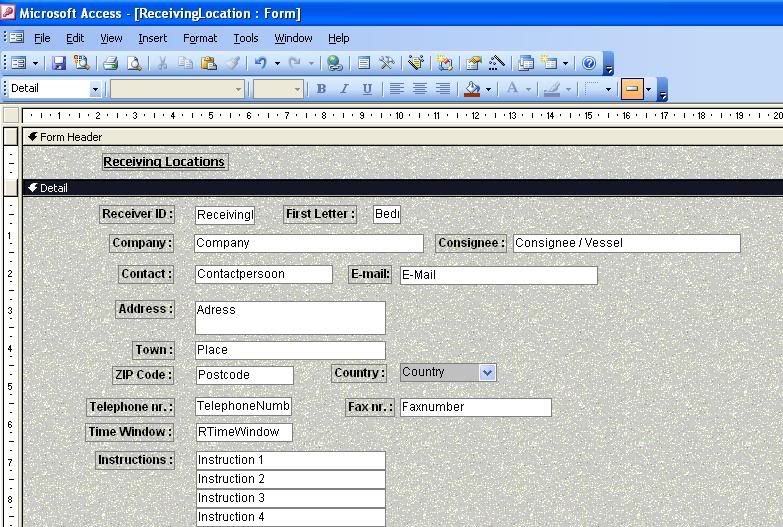
Background color problem

TomBP

Registered User.
Local time
Today, 08:11
Joined
Jul 6, 2006
Messages
49
changecolor.jpg


I want to change the background color to a plain white color. So I used the coloring bucket to fill it in. The problem is that it does not have any effect. In the picture you can see that the greyish color with the white dots remain.

This is some kind of standard template. Is there anyway I can remove it so I can fill in plain colors?
 
In Form Design, select the form object (as opposed to selecting a section or control). View the properties (of the form) - from the View menu, select Properties... On the Format tab of the Properties dialogue, Delete the contents of the Picture property.

HTH

Regards

John.
 
1) Where do I find the form object?

2) Where can I find the view menu
 
see image...
 

Attachments

  • chgclr.jpg
    chgclr.jpg
    91.1 KB · Views: 154
I see now that you got it figured out :cool: whilst I was busy with my fine artistry :D LOL !!!
 
I have this problem asking to fast instead of trying a bit.

Nice picture tho ;)
 

Users who are viewing this thread

Back
Top Bottom