Cascading Combo Problem

scouser

Registered User.
Local time
Today, 22:27
Joined
Nov 25, 2003
Messages
767
I have attempted to implement Mile-O's example of a Cascading Combo box but surprise surprise my one does not work!! (his is superb!!)

Maybe I misunderstand the concept (more than likely). Maybe I am unable to acheive what I have been trying to acheive for more than 3 days now!!

I have a main Orders form with a sub orderDetails. Both forms are designed from queries. I have attempted to make cboMakeList and cboModel cascading. So when a user selects a make the next combos show only the models for that make!! After selecting a make a query parameter box appears. I can close that or enter a value. The next combo is then blank??

What am I doing. Can somebody help or loan me a gun!!!!
Phil.

PS: Various Access versions of the database are attached.
 

Attachments

Last edited:
Change the code in the After UpDate event of cboMakeList to ...

Me.cboModelID.RowSource = "SELECT tblModels.ModelID, tblModels.Model FROM tblModels WHERE tblModels.MakeID =" & Me!cboMakeList & ";"
Me.cboModelID.SetFocus
Me.cboModelID.Dropdown
 
Love

I love you!! What can I say, what a good xmas present!! I still have lots to do but I am SOoooooooooooooooo chuffed.
Have a good Christmas (if you celebrate!!).
Phil.
:D
 
Meltdown said:
Me.cboModelID.RowSource = "SELECT tblModels.ModelID, tblModels.Model FROM tblModels WHERE tblModels.MakeID =" & Me!cboMakeList & ";"

Me.cboModelID.RowSource = "SELECT tblModels.ModelID, tblModels.Model FROM tblModels WHERE tblModels.MakeID =" & Me.cboMakeList & ";"

Also, I'd just save the query and set that as the RowSource instead so that Jet doesn't have to recreate a new query every time.

SELECT ModelID, Model
FROM tblModels
WHERE MakeID = [Forms]![FormName]![cboMakeList]
ORDER BY Model;
 
Hum Bug

Hi Mile-O. I was up late last night attempting to implement your Cascading Combo example....wish I could have 5% of your knowledge (that would be 5% more than I currently have! Ha!).

I have had a play and it is not quite there. If I select a vehicle Make then yes the next combo displays the Models for that make. However if I enter a second record in the order details for this updates the previous entry to match?

Therefore. If I have an order say (ID001) and I input an order line I would select:

Make Model
Ford Mondeo

the for line 2 of the order I may select:
Make Model
Audi A3

If I do this then both lines become:
Make Model
Audi A3
Audi A3

Any ideas why?
Cheers,
Phil.
 
Are you doing this on a continuous form?
 
Internet!!

My works Internet crashed....power outage.....not a happy bunny!

Mile-O, yes the form is continuous.

Secondly I attempted your suggestion:

Me.cboModelID.RowSource = "SELECT tblModels.ModelID, tblModels.Model FROM tblModels WHERE tblModels.MakeID =" & Me.cboMakeList & ";"

I put that on the AfterUpdate event of the cboMakeList.
On the Row Source of the same control I put:

SELECT ModelID, Model
FROM tblModels
WHERE MakeID = [Forms]![FormName]![cboMakeList]
ORDER BY Model;

This does not work for me (for whatever reason).
I get a Parameter Query window pop up requesting:
'Forms!FormName!cboMakeList'

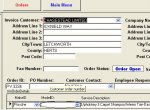
I also tried to make the row source: qryOrderDetails. This just produced a number 8 in the cboMakeList? So I am back to the selection problem...see attached jpeg to give you an idea (I hope this will help!)

Any ideas?
Phil.
 

Attachments

  • OrderForm.JPG
    OrderForm.JPG
    68.4 KB · Views: 180
Last edited:
Nealrly There??

I KEEP plugging away.....The form works but it doesn't work?
The attached DB opens on frmOrders. If you select a vehicle Make from the combo (cboMakeList) then the next field (cboModelID) shows only those Models for the selected make. If you then Tab away from this field (next field = service description) an error is generated:
Code:
The Microsoft Jet database engine cannot find a record in the 'tblServices' with key matching field(s) 'ServiceID'

I read up on this but can not see why I receive the error as the ModelID field has nothing to do with the Service table? However, the field I want to tab to takes its value from the ServiceID.

It does allow me to click in the desired filed without error?

If I navigate away from the record and back again it loses the data entered for the Vehicle Model.

Enough rambling, the attcahed database explains all!!!

Help appreciated as always.....I feel that I am close!!!
Thanks,
Phil.
 

Attachments

The Microsoft Jet database engine
cannot find a record in the 'tblServices' with key matching field(s) 'ServiceID'

OK, I appear to have got round this by swapping the field order around (probably not correct!!).

Now.... If I enter 3 lines in the frmOrderDetails and then delete one line, ALL Vehicle Model Fields are deleted also? WRONG!!!

Once again DB attached as I find it helps to view........picture paints a thousand words and all that!!

I am hoping somebody will make my Christmas!!
:D
 

Attachments

Lastly!!

I do not know if what I am attempting is possible the way I am attempting it!
This is what I have: (all the relevant tables etc regards this issue).

Tables:
tblCustomers / tblOrders / tblOrderDetails / tblServices / tblMakes / tblModels

Relationships:
tblCustomers (PK CustomerID) to tblOrders (CustomerID FK) 1-M
tblOrders (PK OrderID) to tblOrderDetails (OrderID FK) 1-M
tblServices (PK ServiceID) to tblOrderDetails (FK ServiceID) 1-M
tblMakes (PK MakeID) to tblOrderDetails (MakeID FK) 1-1
tblMakes (PK MakeID) to tblModels (MakeID FK) 1-M

Note: tblOrderDetails contains FK's MakeID and ModelID.

Queries
qryOrders and qryOrderDetails

Forms
frmOrders and frmOrderDetails

The form frmOrders contains a sub form frmOrderDetails. (Master / Child Link is OrderID). The forms are designed from the queries qryOrder and qryOrderDetails.

I have included MakeID and ModelID in the qryOrderDetails and have attempted to make these fields on the form ‘Cascading Combos’. (cboMakeList and cboModelID)

Form-frmOrders (Master) is a Single Form. Form-frmOrderDetails (Sub) is a Continuous Form.

On the frmOrderDetails MakeID I have made the Row Source for cboMakeList:
Code:
SELECT tblMakes.MakeID, [Make] AS Expr FROM tblMakes ORDER BY [Make];
I have put the following on the After Update Event of the combo cboMakeList
Code:
Me.cboModelID.RowSource = "SELECT tblModels.ModelID, tblModels.Model FROM tblModels WHERE tblModels.MakeID =" & Me!cboMakeList & ";"
Me.cboModelID.SetFocus
'Me.cboModelID.Dropdown

On the cboModelID I have made the row source:
Code:
SELECT tblModels.ModelID, tblModels.Model FROM tblModels WHERE tblModels.MakeID;
I want the user to be able to enter ‘Many’ order details lines on a single order.
I want the user to be able to select a Vehicle Make from the cboMakeList.
I want the cboModelID to display only those Vehicle Models relative to the Make selected. (ii.e. If Ford is the selected Make, then the cboModelID will show only Mondeo, Galaxy, Sierra).

I want the user to be able to select different Makes and Models for each order detail line if required.

Well I hope that is comprehensive!!

My last posted DB does not function as it should.

I am hoping for a solution for my Christmas Pressie!!
Many thanks to all that have helped me over the past 12 months.
Kind Regards,
Phil.
 
Nearly 2005

Hi guys. Hope you all had a good Xmas.
I am still stumped by this one. Can anybody advise?
Thanks in advance,
Phil.
 
Me too - but different

I also had problems with cascading combo boxes that were on tables linked together. I didn't put the select statement on the event - I created unbound combo boxes that when updated put the new data in the bound boxes. However when it goes to perform update I get the error:

Unable to update table due to PK or index multiple key violations. (not exactly word for word but you get the drift.

I may test out adding the select statement for the event and see if I can solve the problem.

KG
 
Hi scouser,

I don't know what are you trying to do to the sub form combos, anyway, you did not bound the field "MakeID" and "ModelID", that's why they disappear.

As for the "[Forms]![frmOrderDetails]![cboMakeList]" delete it for the query of MakeID rowsource.

I had a hard time at first, but at the second time seems to work.

PS: Also you need to adjust your Tab Order, i think is the cause of the error message. Your Service Description field was skipped, this may be the cause.
 
Last edited:
Thanks

Many thanks to all those that have responded to my plight. With what is going on in the world at the moment this is of little relevance.

Particular thanks to the last 2 posts 'unclejoe' and 'Pat'. Joe thanks for taking time to look at the DB, I will implement your suggestions the first chance I get.

Pat great explanation.....I may choose to shelve the idea.....I will speak with my brother and see if he can live with the glitch!!!

Hope 2005 is a good year for us all.

Once again, many thanks.
Phil.
 
Requery Problem?

Right.....I am ready to compromise!!

I have made the frmOrderDetails a Single Form as opposed continuous.
However each new order will not retain the selected Vehicle Details?

Any ideas on how I can do this? I tried the following on the On Current Event of frmOrderDetails:
Code:
Private Sub Form_Current()
Me.cboMakeList.Requery
Me.cboModelID.Requery
End Sub

The above did not have the desired affect!
Thanks Guys,
Phil.
 

Attachments

Row Source

Hi Pat, thanks for taking time to reply.

I replaced the 'Row Source' on the cboModelID with your code.
However it defaults back to:
Code:
SELECT tblModels.ModelID, tblModels.Model
The selected value is then lost when a new record is entered?
What am I doing wrong? Must be something simple...........(he says in hope!)
Many Thanks,
Phil.
 
Requery not working as I wish?

I am muddling through......
A user can input a New Order and select a Vehicle Make and Model.
However if they naviagte away from the record the Vehicle Model selected is lost?

I have attached a screen dump to better explain. Also I ahve tried numerous variations of On Current Event Requery. My latest offering being:

frmOrders is the Master Form
frmOrderDetails is the sub

The code below is on frmOrderDetails On Current Event

Code:
Private Sub Form_Current()
With Me
.cboModelID.Requery
.cboMakeList.Requery
End With
End Sub

As with the others the above does not work!!

I simply want the user to be able to select a Vehicle Make and Model for each Order Input.

Can anybody complete the puzzle?
Thanks in advance,
Phil.
 

Attachments

  • Requery.JPG
    Requery.JPG
    41.2 KB · Views: 120
hi scouser,

Pat had mentioned that this will happened. If you have bound that text field, you can see that the table field is set correctly.

What i can suggest is a command button for a popup form to insert new rows for the "frmOrderDetails" and make it as a single form, set properties to - Data - Data Entry to "Yes".

First, create a new popup form from the "tblOrderDetails" with wizard and save. Then on the main form, create a command button to open the popup form. The wizard will show you the list of form to open. And at the last textbox entry, use VB to close the popup form and refresh the main form.

As for the "frmOrderDetails", i would make as a query form for viewing the data entered.

HTH
 

Users who are viewing this thread

Back
Top Bottom