dependent combo box by using vba programming

postingart

New member
Local time
Tomorrow, 01:19
Joined
Jun 27, 2021
Messages
17
hello ,

i want to create dependent combo box by using vba programming , can any one help me for this


thanks
 
Option Compare Database
Option Explicit
Dim db As DAO.Database
Dim rs As DAO.Recordset
Dim strSQL As String
Dim ind As Integer
Dim selectID As String
Private Sub Form_Load()
On Error GoTo err_msg


StateList

Exit Sub

err_msg:
MsgBox Err.Source & " " & Err.Number & " - " & Err.Description, vbCritical + vbOKOnly, "Error"

End Sub
Private Sub StateList()
On Error GoTo err_msg

strSQL = "SELECT ID,State from tblState order by State"
Set rs = CurrentDb.OpenRecordset(strSQL, dbOpenSnapshot, dbReadOnly)

' Check if not exist
If rs.NoMatch = True Then
Else

If cboState.ListCount <> 0 Then
' cboDistricts.RowSource = ""

End If

cboState.AddItem ("*;Select State")

For ind = 1 To rs.RecordCount
cboState.AddItem rs("ID") & ";" & rs("State")

rs.MoveNext
Next

Me.cboState = Me.cboState.ItemData(0)


End If

Exit Sub

err_msg:
MsgBox Err.Source & " " & Err.Number & " - " & Err.Description, vbCritical + vbOKOnly, "Error"

End Sub

Private Sub cboState_Click()
On Error GoTo err_msg


strSQL = "SELECT ID,cityName from tblCities WHERE stateID = " & Me.cboState.Value & " order by cityName"
Set rs = CurrentDb.OpenRecordset(strSQL, dbOpenSnapshot, dbReadOnly)

' Check if not exist
If rs.NoMatch = True Then
Else

If cboCity.ListCount <> 0 Then

End If

cboCity.AddItem ("*;Select City")

For ind = 1 To rs.RecordCount
cboCity.AddItem rs("ID") & ";" & rs("cityName")

rs.MoveNext
Next

Me.cboCity = Me.cboCity.ItemData(0)


End If

Exit Sub

err_msg:
MsgBox Err.Source & " " & Err.Number & " - " & Err.Description, vbCritical + vbOKOnly, "Error"
End Sub

 
I would imagine it is obvious that you would select a City ?
 
I would imagine it is obvious that you would select a City ?
That is grossly unfair Mike, considering what you continually ask on UA all the time? :(
Really disappointed with that response.? :(
 
i want default text in city drop down . like "select City" & "Select State
see previous thread
 
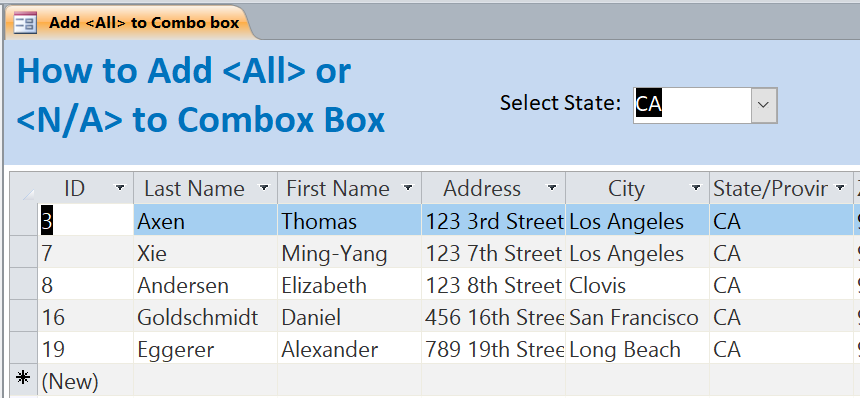
Pretty old trick. Here is a detail explanation of two methods. The OP seemed to be doing the latter.
 
Although not used here, I use this code to take a complex query and convert it into a value list. With a value list you can do things like move a value up and down in the list without having to know the sql of the listbox or add a value such as what the OP was trying. You can then add or remove items from the list. Multi column value lists are a pain to add records.
So if you have a need to convert a recordset into a value list this may be handy.

Code:
Private Sub convertToValueList()
    Dim rs              As dao.Recordset
    Dim strSql          As String
    Dim fldField        As dao.Field
    Dim fldCount        As Byte
    Dim strLstValue     As String
    Dim intColCount     As Integer
    Dim intRowCounter   As Integer
    Dim i               As Byte
   
    strSql = Me.ListBox.RowSource
    Me.ListBox.RowSource = ""
    Set rs = CurrentDb.OpenRecordset(strSql)
    Me.ListBox.RowSourceType = "Value List"
   
    'IF LBOX COLUMN COUNT PROPERTY > ROWSOURCE COLUMNS - ERROR
    fldCount = rs.Fields.Count
    If ListBox.ColumnCount > fldCount Then
        Me.ListBox.ColumnCount = fldCount
    End If
   
    intColCount = Me.ListBox.ColumnCount
    'Since converting to value list column heads do not work
    If Me.ListBox.ColumnHeads Then
       MsgBox "Unfortunately, this will not work with column heads. You will have to make your own.", vbInformation
       Me.ListBox.ColumnHeads = False
    End If
   
    Do While Not rs.EOF
       For i = 0 To intColCount - 1
          strLstValue = strLstValue & """" & CStr(Nz(rs.Fields(i), " ")) & """;"
       Next i
     
       intRowCounter = intRowCounter + 1
       rs.MoveNext
       strLstValue = Left(strLstValue, Len(strLstValue) - 1)
       Me.ListBox.addItem (strLstValue)
       strLstValue = ""
    Loop
End Sub

I use it in this class that turns any listbox into a sortable listbox where you can move things up and down. Really helpful for ordering items.
 

Attachments

Users who are viewing this thread

Back
Top Bottom