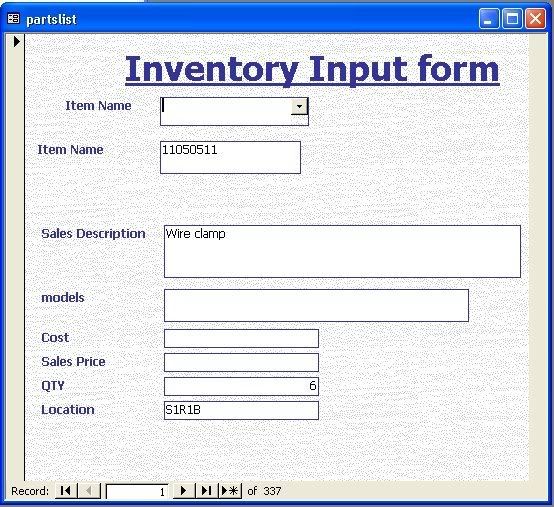
Hi, I am an extreme newbie to access. I would like to enter data into a table using a form. I have the table and the form built already, but it doesn't work like I want it to.
I am entering parts for inventory. The part number is the primary key. What I would like to happen is this: When inputing the part number, (maybe using a combo list) if the part has already been input have it go to that record so I can modify the quantity, if the part hasn't been input let it input it like a new record.
I have tried to make a combo box that is populated off of the table, but it wont let me add anything new. I also have no idea how to make it go that record so I can modify the other fields.
Thanks in advance for any help you can give on this.
I am entering parts for inventory. The part number is the primary key. What I would like to happen is this: When inputing the part number, (maybe using a combo list) if the part has already been input have it go to that record so I can modify the quantity, if the part hasn't been input let it input it like a new record.
I have tried to make a combo box that is populated off of the table, but it wont let me add anything new. I also have no idea how to make it go that record so I can modify the other fields.
Thanks in advance for any help you can give on this.