raziel3
Registered User.
- Local time
- Today, 01:59
- Joined
- Oct 5, 2017
- Messages
- 315
Not sure I phrased the question properly.
I have a form that opens and goes to new record. Data Entry property is set to No.
Everything works great for the past couple of months but now I get a Runtime Error (see attachment).
Clicking on End opens up the form but I am unable to add records.
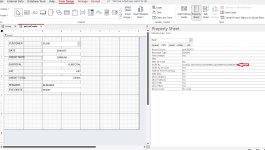
I've drill down the culprit to a parameter in the Order By property of the form. When I remove it, the form works as it should.
The question, and I have noticed this with the Filter By property also, why does closing off the database and/or the form retains the parameters in these properties?
I have a form that opens and goes to new record. Data Entry property is set to No.
Everything works great for the past couple of months but now I get a Runtime Error (see attachment).
Clicking on End opens up the form but I am unable to add records.
I've drill down the culprit to a parameter in the Order By property of the form. When I remove it, the form works as it should.
The question, and I have noticed this with the Filter By property also, why does closing off the database and/or the form retains the parameters in these properties?