Forms/controls Example

Dreamweaver

Well-known member
Local time
Today, 21:14
Joined
Nov 28, 2005
Messages
2,462
I am currently working on a forms, subform controls example if you are having problems with working with controls or subform please post a request for inclusion if you think a screen shot will help please post one but keep it simple like


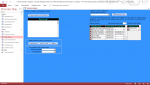
I'm trying to access subform 2 textbox from subform 1


I've added an image of what I've done today.
 

Attachments

  • 2019-01-06 (1).png
    2019-01-06 (1).png
    71.1 KB · Views: 152
I'm trying to access subform 2 textbox from subform 1


Is that a question? If so, then the code in a subform2 module would be

Code:
me.parent.Subform2.form.Yourtextbox
 
Is that a question? If so, then the code in a subform2 module would be

Code:
me.parent.Subform2.form.Yourtextbox


No I'm the one building the example thought that was clear.

I don't like using Me.parent just me lol
 
Ok. How about

Code:
forms!YourForm.subform2.form.YourTextBox
:)
 
I do remember reading in one of the books I learnt from That using me.parent was a bad idear and it stuck Still can't remember why though it's like referencing controls on a form I always use Me![ControlName] but if I want to access the data supplying the form I would Use Me.FieldName that's the way I learnt back in 1998 onwards Access V2 anybody remember that beast.


I do intend added forms working together as part of the example so may include the age but was thinking of collecting input for SLN or SYD Depreciation Another thing people don't Understand and to be honest it keeps me up at night sometimes lol
 
Last edited:
me.parent was a bad idea
That does not make sense to me because it is a proper pointer. There is a lot of folklore, like you have to set every object to nothing. Authors say things to be ultra conservative instead of explaining the rationale. The only issue is that the user needs to know what the parent of a given control is. The author may mean, that the parent of a control is not always the form. A strange one is a control on a tab. Its parent is the tab not the form; however, that control is not part of the tab's controls collection. So the control is not a "child" of the tab but its parent is the tab. I find that strange. Going the other direction there are some things that only can be referenced through the "child" control like a subform. You cannot get that through the forms collection.

always use Me![ControlName]
That, I would argue is a bad idea and I will provide rationale. You should always use Me.ControlName. With bang notation you have negated intellisense and will not be debugged if improperly typed. I type "me." then a letter or two and the proper name is always selected from the list. All controls are both a property of the class and also members or the control collection. Seems more direct to reference the property than reference the object through the collection. The other problem with Bang is that you cannot use a variable name to reference the control, like me.controls(someVariable).
 
Its parent is the tab


Actually, the parent of a text box on a tab is the tab page, which in turn has the tab as its parent.
 
That, I would argue is a bad idea and I will provide rationale. You should always use Me.ControlName. With bang notation you have negated intellisense and will not be debugged if improperly typed. I type "me." then a letter or two and the proper name is always selected from the list. All controls are both a property of the class and also members or the control collection. Seems more direct to reference the property than reference the object through the collection. The other problem with Bang is that you cannot use a variable name to reference the control, like me.controls(someVariable).


Sorry have to disagree I have used Me![ControlName] for the last 25 years without any problems maybe I'm wrong but I don't have problems with dealing with controls on a form Hence you would use forms!formname!contolname
I may be wrong but thats how I learnt I'm not a pro I just do it because enjoy the challenge it gives me.


I have created at least 20 examples over the years never had any complaints with using it in them.


My way is if it's the form I use me![ControlName] if I'm in the forms module
If I want to go deeper I use me.Field If it's in the dataset for a form but I hardly ever use that method.
 
Actually, the parent of a text box on a tab is the tab page, which in turn has the tab as its parent.
Thanks for correcting. To make it more confusing for subform inside a subform control on a tab, the parent is the main form and not the page. However, for the subform control itself, the parent is the page.
So yes the a user could get it wrong if they are unaware of the parent, so the advice is cautious but not absolute.

Sorry have to disagree I have used Me![ControlName] for the last 25 years without any problems maybe I'm wrong but I don't have problems with dealing with controls on a form Hence you would use forms!formname!contolname
I may be wrong but thats how I learnt I'm not a pro I just do it because enjoy the challenge it gives me

I never said you were wrong, I simply argued why I thought it was a bad idea and provided rationale. Similarly, have have provided rationale why it may be advisable not to use the parent property if you do not fully understand what the parent of a control is. I am just not a fan of absolute statements, that do not have a support. The statement "Be cautious of using the me property on a control reference, because it is not always the form" is very different than "you should never use the parent property". There are a lot of things that work, but are not the best idea. The fact something works or you can make it work is not necessarily justification as being the best way. I can make spaces in table and field names work, lookups in tables work, multi value fields work, etc. Does not mean I would use them or recommend it.
 
I agree with Me.myControl name. While it was stated that an incorrect reference wouldn't be debugged, I prefer the term "when compiled". Try misnaming a control in code when you use !. Click to compile your change and it won't be resolved. Change the ! to . still with the wrong control name and compile your code again. If the incorrect name isn't caught, you have bigger problems, but I've never seen it fail. Further to having the advantage of intellisense, when coding, I key variable names in lower case while my variables almost always contain camel case. When the name is complete, I know it's wrong if it doesn't change case. It's a sort of intellisense, I think.


This might provide better insight on the operator !

https://bytecomb.com/the-bang-exclamation-operator-in-vba/
 
I prefer the term "when compiled"
Thanks, that is a better explanation.
I key variable names in lower case while my variables almost always contain camel case. When the name is complete, I know it's wrong if it doesn't change case. It's a sort of intellisense, I think.
Yep, that is exactly what I do. Purposely but in a wrong case and watch if it corrects itself.
 
You should always use Me.ControlName. With bang notation you have negated intellisense


I started with access before intellisense to me it's just a lazy way of programming but thats me All I know is me.field could relate to both the form and the underlying recordset so if you have a control that does not have the same name as the Controlsource name me. will reference the controlsource not the form field
 
to me it's just a lazy way of programming but thats me
I am going to guess that is just you. I have never heard that from anyone else. You probably do not want to start programming in Visual Studio where it is indents and formats for you, you will really hate that.
if you have a control that does not have the same name as the Controlsource name me. will reference the controlsource
I guess that is a true statement, but does not really make any sense. If I have txtBxlastname with the control source LastName. One would expect that you hav to reference it as me.txtBxLastName and not me.lastname. That is the reason many people do not use the default name. But that is no different in bang.
me!txtBxLastName and not me!lastName if you want the control. There is no difference.

me.field could relate to both the form and the underlying recordset
Not sure what you are saying, but do not think that makes sense.
 
me.field could relate to both the form and the underlying recordset
Exactly why you should not name a control and field the same. If I use a wizard to create a form, I go through each and every control to give them a name according to my convention. While I've only seen the error once (Ambiguous name detected) it was for that very reason. As soon as I changed the control name, no problem, so no, it was not because I had 2 controls or variables with the same name.

Seems that you can't be convinced , which is fine because you are, of course, free to stand firm on your convictions regardless.
 
I could be wrong, maybe other people do not like intellisense since there is an option to turn it off so there must be a reason. I just never heard anyone say so.
 
One of the examples I'm going to include is different ways of getting 2 forms working together.


One way I've never used but dont know why


My question is:

I have form 1 Main form and form 2 which is open dialog with a number of unbound fields for data entry now my question is can I pass all the entries on the dialog to some global variables then use the variables to update form 1 is there anything wrong with this method?
 
I could be wrong, maybe other people do not like intellisense since there is an option to turn it off so there must be a reason. I just never heard anyone say so.


It does come in handy when dealing with properties etc I'm a really bad speller so it does save me at times lol
 
I have form 1 Main form and form 2 which is open dialog with a number of unbound fields for data entry now my question is can I pass all the entries on the dialog to some global variables then use the variables to update form 1 is there anything wrong with this method?

In my opinion it is not a good way, and I would never code that way. But again, if you understand the reasons and implications and weigh them it may make sense. That is why I like reasons not hard rules. Here is a good discussion (not vb specific)
http://wiki.c2.com/?GlobalVariablesAreBad

Besides that there are a lot cleaner and IMO simpler ways to do it. I am going to assume the form is opened ACDIALOG stopping code execution in the calling form. My normal way to do this is in the OK button of the called form I put
me.visible = false
in the Cancel button I put
docmd.close acform, me.name

When the form is hidden or closed, execution returns to the calling form at the point after the pop up was called. You check if it is loaded (but hidden). If so you read the values off of the popup and do what you want, then close the pop up. If it is not loaded (cancel was selected or Xed out) then you do nothing. This is clean and compartmentalized.

Another method I use often, but rarely see done is to trap another form's event. So in the calling form you can trap the afterupdate events of the called form.

If I was going to return many values from a popup and felt compelled to use global variables it would be a single global variable. I would build a class module and instaniate a single instance. The properties would be the return values. Still would be my last choice.

 
Don't think I'll include a popup form with global variables thinking about it I can come up with too reasons one security and the other if the program runs into an error the globals could be cleared i do add error handling to all my programs but it only takes one unhandled error.

Got 3 other ways ill include thanks for the input.
 

Users who are viewing this thread

Back
Top Bottom