Hi guys,
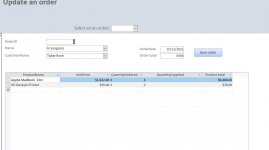
I've got a Save button that once clicked displays the Order total. I'm just not sure how to add the currency (dollars), and round to two decimal places. If it was a text box there is an option in the access interface, since it's a button i presume it needs to go into the code.
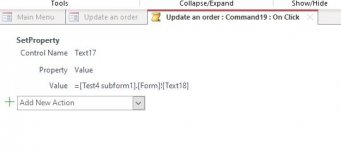
In the on click event macro I've simple got:
=[Test4 subform1].[Form]![Text18]
Text18 being the text box in the sub form the order total is calculated to.
See screenshots below if need be.
Thanks,
Nick
I've got a Save button that once clicked displays the Order total. I'm just not sure how to add the currency (dollars), and round to two decimal places. If it was a text box there is an option in the access interface, since it's a button i presume it needs to go into the code.
In the on click event macro I've simple got:
=[Test4 subform1].[Form]![Text18]
Text18 being the text box in the sub form the order total is calculated to.
See screenshots below if need be.
Thanks,
Nick