
In the query I've created, I want only the records that show an [End Date] that is greater than today's date to come up. Thus, I've entered >Date() in the criteria under Design View.
When I clicked on that column to sort the date while in Datasheet View, I get this pop-up (except my expression is called 'End Date', this is the closest example I could find online).
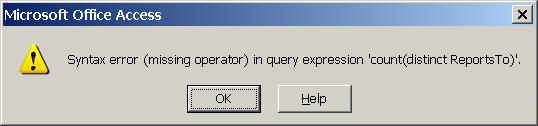
It doesn't seem to cause any real problems; I can still get the info sorted as I want it, but I don't like not knowing why this pops up.
Any help would be appreciated.
EDIT: It should be noted that another query I've created with <Date() as a criteria does not give the error message, hence my confusion.
When I clicked on that column to sort the date while in Datasheet View, I get this pop-up (except my expression is called 'End Date', this is the closest example I could find online).
It doesn't seem to cause any real problems; I can still get the info sorted as I want it, but I don't like not knowing why this pops up.
Any help would be appreciated.
EDIT: It should be noted that another query I've created with <Date() as a criteria does not give the error message, hence my confusion.
Last edited:


