
Subform wants to connect to a deleted table

Bobp3114

Member
Local time
Today, 23:28
Joined
Nov 11, 2020
Messages
80
I have a form with three subforms. all is well except for recent entries in subform frmContactDetailsSubformRF, linked by StationID that says..."you cannot add or change a record because a related record is required in table "tblStationData2".
"tblStationData2" is a table that has been renamed before replacing it with "StationData"
I have rebuilt the subform...no change
There are three main forms similar to this one but covering different sections of business....all are effected!
There has been considerable changes in the database to cover recent changes in freight etc.
Image1.jpg
 

Attachments

  • Image1.jpg
    Image1.jpg
    166.7 KB · Views: 145
maybe the foreign key of this table has been "orphaned" due to your changes.
if you will need major changes, make a Backup first so if any thing goes wrong, like this one,
you can revert to the backup.
 
What do you men "orphaned/ How to fix?
 
rebuild your relationship object.
 
I am sure you are correct as if I type the info into the back end directly the error message appears as soon as I type in the "StationID". I have rebuilt the relationship, via Database Tools. Still no luck Any further help much appreciated....I am obviously not a professional developer
 
Are you using table lookups?
You could just rename the table back?
All my tables are prefixed with tbl ?
 
I have a form with three subforms. all is well except for recent entries in subform frmContactDetailsSubformRF, linked by StationID that says..."you cannot add or change a record because a related record is required in table "tblStationData2".
"tblStationData2" is a table that has been renamed before replacing it with "StationData"
I have rebuilt the subform...no change
There are three main forms similar to this one but covering different sections of business....all are effected!
There has been considerable changes in the database to cover recent changes in freight etc.
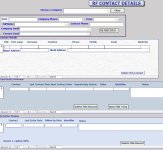
View attachment 116354
  1. Open each sub-form in design view
  2. Open the Record Source of the sub-form and make sure you don't get any reference errors and make sure you can enter new data
  3. Select the control in each sub-form that has a Control Source that references the tblStationData2 table Primary Key or the new StationData Primary Key. Make sure the Default Value is NOT referencing any blStationData2 field.
It is clear that this is a Foreign Key reference problem. You need to open each sub-form and find any Foreign Key reference and make sure it is correct. Since the original table was renamed, this is going to make the process a real pain but needs to be done. In fact, ANY reference to the old table name needs to be found and corrected in queries, forms and reports.
 
@Pat Hartman
You say this regularly but in my opinion your statement needs qualifying.
Some experts recommend switching off Name Autocorrect but many don't.
Exactly the same 'disconnect' can be obtained by leaving Name Autocorrect off all the time.
There are also risks in enabling & disabling NAC as you suggest.

Whilst you are searching out your old paper, I'll post a link to my articles so the OP gets both points of view:

 
Yes I know. I’ve read it previously.
 
Have read mentioned articles...tried to find any reference to "tblStationData2"...none found...rebuilt forms etc...no change
Need help at my self taught level.
 
I cannot find any such references. If it helps, the problems only exists when I enter a new customer and then try to add a contact. There is no problem in adding a contact to older customers
 
So how are you adding new contacts? or new customers.
Is the error on customers or contacts?
 
New contacts are added via a subform of the main form of customers. Customers are added via a separate form. If I look at the Contacts table the new contacts are listed but the joining StationID is missing. If I try adding it in datasheet view I get the error message "you cannot add or change a record because a related record is required in tblStationData2.....tblStationData2 has been deleted!
 

Users who are viewing this thread

Back
Top Bottom
