
Transparent sub form

Gismo

Registered User.
Local time
Today, 07:57
Joined
Jun 12, 2017
Messages
1,298
Hi all,

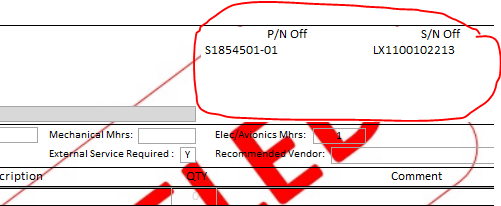
i have a report with an image as a back ground
i also have a sub report on this main report
i set the controls of the sub report to back style as transparent but it seems like the sub report properties takes priority
I can not get the sub report to be transparent to display all of the image
1593607647565.png
 
no, you can't you can only make a subform or report visible or hidden - you are effectively wanting to make the detail/header/footer section transparent which cannot be done. Suggest adjust the size/position of your image so they do not overlap (or move the sub report)
 
If that is a watermark, create an image, put it in an image control and make sure the control is transparent and on top of everything else. You can hide the image control so that the same report can be used for any situation, such as "approved" or "draft" for example. Can use Word Art to make the watermark.
 
think you will find that in terms of Z order (order of windows overlayed), subforms/reports trump all other controls for staying on top. The only control that can be on top of a subform/report is another subform/report
 
Hmm. A web browser control can definitely be on top of a subform.

1593646632404.png
 
I stand corrected - but image controls/listboxes/combos/textboxes can't. It may be the nature of the object - a web browser control is a bit like a subform in that it can contain multiple other objects with a subordinate Z values.
 

Users who are viewing this thread

Back
Top Bottom