Solved Validation Rules on Form Close/Click on Previous record

ahmad_rmh

Member
Local time
Today, 06:58
Joined
Jun 26, 2022
Messages
243
I am applying validation rules on form close/go to previous record on main form and subform. The requirements are as under;

1. If the user just enters the information on the main form and wants to save record or wants to exit then show a message,
"You cannot record a blank transaction".
2. Undo/delete the information if he wants to leave.

3. On the other hand, if the user directly enters the items detail on the sub form and leaves the main form blank and wants to save the record or exit then show a message,
"Warehouse information cannot be left blank"
4. Undo/delete the information if he wants to leave.

Suggestions are required please.
 
Hi
This statement is all wrong:-

"
3. On the other hand, if the user directly enters the items detail on the sub form and leaves the main form blank and wants to save the record or exit then show a message,
"Warehouse information cannot be left blank"
4. Undo/delete the information if he wants to leave."

The purpose of a Main Form / Subform is to ensure that you have details in the Parent before you are allowed to
enter details for a Child record.
 
Hi
This statement is all wrong:-

"
3. On the other hand, if the user directly enters the items detail on the sub form and leaves the main form blank and wants to save the record or exit then show a message,
"Warehouse information cannot be left blank"
4. Undo/delete the information if he wants to leave."

The purpose of a Main Form / Subform is to ensure that you have details in the Parent before you are allowed to
enter details for a Child record.

Who has told you this is all wrong,

It's up to you at which place you want to make limitionations or validations,

For the end user easiness, Many modern software are working like this.

So, I will move on this way.
 
The same thing I have written that if anyone of the conditions will not met then it will pop up message.

But mike said, this statement is all wrong.

I want codes for the said conditions.
 
Thanks, it's simple and easy to implement but as you know I am a learner if I want to implement like that way then what is the solution.
 
Actually I am busy in management tasks in office today so I will let you know tomorrow,

Thanks
 
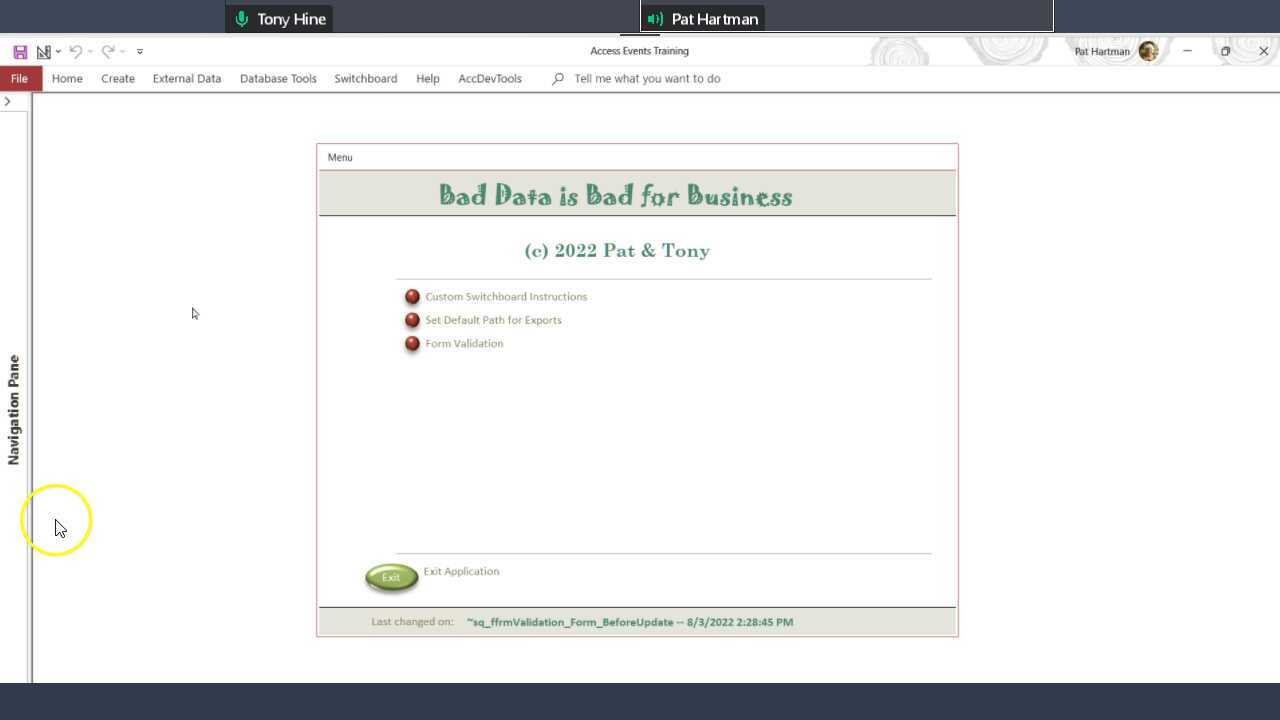
Very helpful to see the Order of Events. The dialog between you two is also helpful.

Tony, I tried adding a comment to the video at the ScreenCastOmatic site, but was told
"oops an error has occurred- something went wrong - we are working on it". And it did offer a button to Go Back-but it did not go back???
 
Last edited:
The simplest solution to preventing data entry in a subform is to use the subform's BeforeInsert event. This event runs ONLY for new records and it runs immediately after the user types the first character. In this event, you examine the PK of the main form. If it is Null, then you cancel the BeforeInsert event and give the user a message that he cannot enter data at this time.

Tony and I are making videos and this is referenced in our very first one.


You should be able to just click on play without creating an account.

Please let us know what you think. Thanks.
I think that's the clearest explanation of the situation I've ever seen or heard. (y)
 
Hi @jdraw ,
I went to the site to create a support ticket but I note that a comment appears in the list. From the way it reads, my guess is it was your comment... Can you see it it now?
Tony,
Yes that's my comment. Unsure what may have happened.

Just saw George's note, and I agree --very clear and focused info/explanation.
I like the idea of showing the events as they occur. I use it quite often - I think a forum or newsgroup (back in the day) encouraged people to show each event in order and review same. Event style programming is different than we were used to with Cobol. PL/1, Fortran....(y)
 
Tony,
I have a feeling she'll pick up on that little secret if she's following the forum.;)
Has she ever created Youtube content? Good voice, knowledgeable and experienced.

It would be nice if the Northwind 2 had some similar basic, but critical, info.
 
Tony,
I have a feeling she'll pick up on that little secret if she's following the forum.;)
Has she ever created Youtube content? Good voice, knowledgeable and experienced.

It would be nice if the Northwind 2 had some similar basic, but critical, info.
Stay tuned. It might turn out that way. ;)

Unfortunately, projects like this tend to take a long time to complete.
 
Tony,

See. George spotted a secret within my message.🕵️‍♂️
"It would be nice if the Northwind 2 had some similar basic, but critical, info"

I assumed you meant documentation and video support. We won't try to teach Access. We'll try to explain how "Northwind" illustrates features. But that's a big task, too.
 
Thanks Pat and Tony for the sharing of this knowledgeable and informative video.

You both have deeply cleared that what the access is doing at the back end on behalf of us if we are doing something wrong.

And cleared so many points which i was wandering around.

Thanks a lot.
 
I give a salute to @CJ_London and @Pat Hartman to drive me into a new direction of database and form making and pushed me to make a single form for all of my inventory project.

I was a lit bit nervous at that time and at the end I have got success to finalise in that way. Still some points are remaining which would be posted later on.

Thanks a lot all of those who have given response time to time.
 
Last edited by a moderator:
The same thing I have written that if anyone of the conditions will not met then it will pop up message.
 
Very helpful to see the Order of Events.
Absolutely. I did something similar a few years back but it was very crude - A MsgBox on each event so I could figure out what the blazes was going on. Their demo is MUCH more practical and informative.
 

Users who are viewing this thread

Back
Top Bottom