alvingenius
IT Specialist
- Local time
- Today, 17:06
- Joined
- Jul 10, 2016
- Messages
- 169
Hello,
This Post is following this post to know how to control a group of controls
I have a users table with permissions of accessing forms/reports
and in this table 2 more checkboxes as rules Manger / Custom ( later maybe i convert it to combo box )
in permission form i've set record source to a query for this table and i've set a combo box to get user names from users qry
and listed all controls by users query
and all controls disabled by default except users combo box
in combo box of users "after update" event i've set this code
to enable this section( Sec1 is tag for manager/custom controls )
then in Manager ON Click event i want all controls of checkboxes to be True
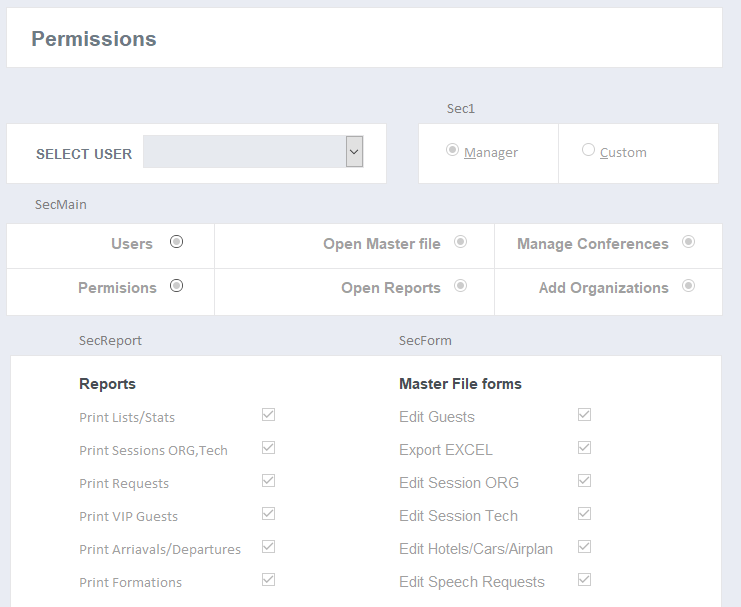
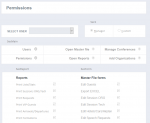
Tags is shown in screenshot attached
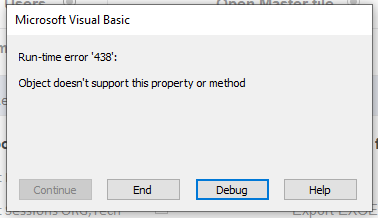
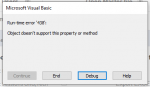
now , when i open form and choose user Rules section (Sec1) shown up and when click on Manager i'm getting error
my idea is
when to check manager then all controls in tags secMain, secForm and secReport = True and all this controls Disabled
and if unchecked it by clicking on Custom then all tag controls Enabled to choose whatever i want .
what i'm doing wrong here ! :banghead:
This Post is following this post to know how to control a group of controls
I have a users table with permissions of accessing forms/reports
and in this table 2 more checkboxes as rules Manger / Custom ( later maybe i convert it to combo box )
Manager have access to everything / custom have to set what to access
in permission form i've set record source to a query for this table and i've set a combo box to get user names from users qry
and listed all controls by users query
and all controls disabled by default except users combo box
in combo box of users "after update" event i've set this code
Code:
EnableControls True, "sec1"to enable this section( Sec1 is tag for manager/custom controls )
then in Manager ON Click event i want all controls of checkboxes to be True
Code:
Private Sub optManager_Click()
Dim ctrl As Control
    If Me.optManager = True Then
        For Each ctrl In Me.Controls
        If ctrl.Tag = "secMain" Or ctrl.Tag = "secForm" Or ctrl.Tag = "secReport" Then [COLOR="green"]' all control tags[/COLOR]
            ctrl = True [COLOR="green"]' check all controls[/COLOR]
            ctrl.Enabled = False [COLOR="Green"]' can't edit controls anymore[/COLOR]
            Me.optCustom = False [COLOR="Green"]' remove check from other checkbox[/COLOR]
        End If
        Next ctrl
    End If
End Sub
Tags is shown in screenshot attached
now , when i open form and choose user Rules section (Sec1) shown up and when click on Manager i'm getting error
my idea is
when to check manager then all controls in tags secMain, secForm and secReport = True and all this controls Disabled
and if unchecked it by clicking on Custom then all tag controls Enabled to choose whatever i want .
what i'm doing wrong here !
:banghead:Attachments
Last edited: