Hello,
I fear I have been dabbling again and am stuck despite good progress made in my application for my running club thanks to the help from this forum.
I am getting frustrated now as I frequently meet this decimal place problem.
I have been able to overcome this previously by simply shortening the text box control on a form or report to visually limit the numbers after the decimal place despite the quantity of numbers produced in the query.
This is my calculated field in a query as the control source for my report: AverageSpeed: (3.8/[TotalSeconds])*3600
Total seconds is a calculated field in the query which produces satisfactory results.
I'm trying to work out average speed in mph for a report based on this query using calculated field in query as above.
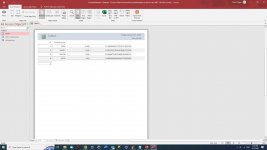
It works in the query but produces so many numbers after the decimal point, I can't open the field in the report enough to accommodate these numbers. I just get hashes I only want two decimal places.
I try to alter decimal places in the report properties but it has no effect. I don't understand what is going on here. Why does access provide this option but has no affect?
Please what am I not understanding?
Speed = distance divided by time
Average speed = dst 3.8 / totalseconds * 3600
11.2778235779060181368507832 mph
Many Thanks
Chris
I fear I have been dabbling again and am stuck despite good progress made in my application for my running club thanks to the help from this forum.
I am getting frustrated now as I frequently meet this decimal place problem.
I have been able to overcome this previously by simply shortening the text box control on a form or report to visually limit the numbers after the decimal place despite the quantity of numbers produced in the query.
This is my calculated field in a query as the control source for my report: AverageSpeed: (3.8/[TotalSeconds])*3600
Total seconds is a calculated field in the query which produces satisfactory results.
I'm trying to work out average speed in mph for a report based on this query using calculated field in query as above.
It works in the query but produces so many numbers after the decimal point, I can't open the field in the report enough to accommodate these numbers. I just get hashes I only want two decimal places.
I try to alter decimal places in the report properties but it has no effect. I don't understand what is going on here. Why does access provide this option but has no affect?
Please what am I not understanding?
Speed = distance divided by time
Average speed = dst 3.8 / totalseconds * 3600
11.2778235779060181368507832 mph
Many Thanks
Chris