
I have developed an MS Access database for tracking our ECO's (engineering change orders).
In the screen show blow you will see the report that list all our Active ECO's. I would like to Click that object [ECO #] and have it open the form that corresponds to the selected "ECO #"

Form name that I would like to open is [04B - Engineering - Firmware ECO Form F-04B-02]
So far this is what i have.
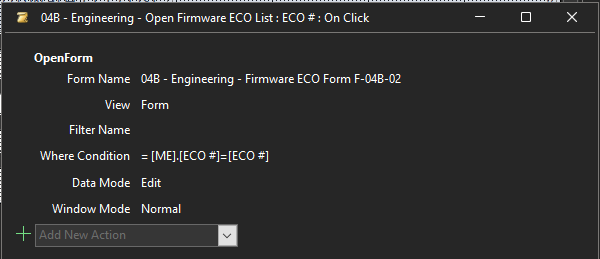
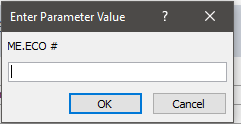
The above Where Condition is opening a box that I manually have to type in the ECO number and then it opens the correct form.
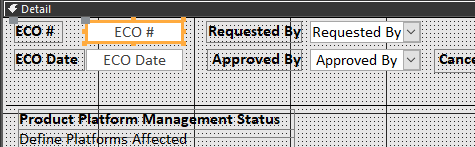
Below is a snip of the form showing the field control source. [ECO #]
Any assistance is greatly appreciated.
In the screen show blow you will see the report that list all our Active ECO's. I would like to Click that object [ECO #] and have it open the form that corresponds to the selected "ECO #"
Form name that I would like to open is [04B - Engineering - Firmware ECO Form F-04B-02]
So far this is what i have.
The above Where Condition is opening a box that I manually have to type in the ECO number and then it opens the correct form.
Below is a snip of the form showing the field control source. [ECO #]
Any assistance is greatly appreciated.


