tvanstiphout
Active member
- Local time
- Today, 03:29
- Joined
- Jan 22, 2016
- Messages
- 555
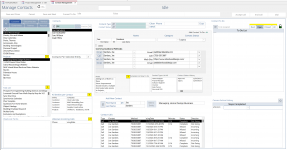
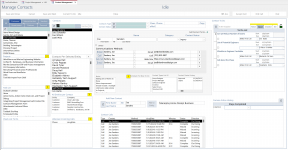
Let's see it.That's why I've tried to expand and modernize the way the old switchboard looks.
What you called "one line menu bar" are the tabs of the Ribbon.
Users of this app all have desktop computers and full size monitors.
Here's an example of the kind of data one can get from the Google API. There are other data points in the returned JSON file which I discard because they're not relevant to the purposes of this app.Here's a little app you can test for book searching and stuff, let me know if you want me to add features... it's using google's book api
Vite + React
obscene-boundary.surge.sh
I made it mobile first, but it will look ok for desktop too. Just to show a book app shouldn't be a nightmare to navigate.
I have to deploy this on a cellular enabled tablet or a smart phone; browsers or desktop applications are not currently an option.Here's a little app you can test for book searching and stuff, let me know if you want me to add features... it's using google's book api
Vite + React
obscene-boundary.surge.sh
I made it mobile first, but it will look ok for desktop too. Just to show a book app shouldn't be a nightmare to navigate.
I'm using Google's book API: https://developers.google.com/books/docs/v1/usingThat's just an internet search, right? Will that accept a barcode?
We're still discussing UI, so I personally don't think it's Off topic.But I feel like I've verged away from the original intent of this discussion, so maybe it's time for me to back out.
Did I mention spacing and size of controls? I am reasonably sure I did mention that. I use this app only on a tablet or a browser or in the desktop app. It runs on a smart phone, but as I started out saying, IIRC, in order to make it truly usable on a smart phone, it would have to be spread out over multiple screens. So we agree on that point.I'm using Google's book API: https://developers.google.com/books/docs/v1/using
Anything you see there, the app could do. Reading the thread further I see that George is also using the same API in his app and mentioned he scans the ISBN identifier, so searching for that can look like this: https://www.googleapis.com/books/v1/volumes?q=0007322593
Try it out. As for the barcode, I've never done such a thing, but I've been following this library for a while now, maybe I can give it a try if you're interested.
We're still discussing UI, so I personally don't think it's Off topic.
I admit I have no idea of what tools you have available to develop with PowerApps. However, if I open this thread using my smartphone and I scroll to your app's image, I see that my index finger covers too many controls to have any precision with that layout. If that's how it looks on a smartphone screen, then users have to zoom in and out to navigate that, which is a bad user experience. But it can be rearranged in many ways to adapt to a small space.
The app I deployed is one example of how you can arrange the information and place action buttons to make it interactive for a small screen, which is called "responsive" design. If you open the app on a desktop screen and you resize the screen, you'll see how the elements shrink or expand to take different proportions, if they have space to share, they share it, if not, they take the entire screen and stack on each other in a decent way so that a smartphone user can still see the information without having to zoom. You can also choose to hide information according to the screen size, so it becomes very handy.
Here's the breakpoints that I'm using:
View attachment 111496
There are lots of UI design resources for web development, a lot of them can be used for Access.

Yes, but...Did I mention spacing and size of controls? I am reasonably sure I did
I think what you've shown can fit on one screen without any problem. We can stack things up neatly and use the full width, and important actions can be put in discreet buttons, as demoed in my app. There are easy ways to make navigation smooth. But if there's more to it that I might not be getting, I trust you as the designer.in order to make it truly usable on a smart phone, it would have to be spread out over multiple screens. So we agree on that point.
It fits on one smart phone screen, yes, but it is not usable on one smart phone screen.
Thanks. Although I'm not interested in a redesign, others may want to see alternatives.@GPGeorge
I must have a issue communicating my idea, because I totally agree with this:
It is not usable. However, if the layout is rearranged like this, for example, there would be no problem on mobile, maybe?
View attachment 111515
It looks small.What does it look like on your smart phone?
Thanks for providing the alternative approach. It does look nice in this environment. And your confirmation of the usefulness of the Google Books API is reassuring as well. It's a powerful tool. In fact, I could not have created the LTF data collection app without it, but that's different story for another context. If anyone is interested, though: Why I helped create the LTF application.It looks small.
I quickly put together an example in Excel instead of dealing with CSS for styling, so it's not super precise. But, if we switch to just one column for the Google vs Foundation section instead of two, it'll look OK for mobile. I'm not sure what the app does, so excuse me if this is off.
I put a heavy preference/weight on Tasks that the user will need to do, corresponding with Permissions that different staff levels have.I thought I would start a thread on art and ergonomics. I imagine a thread of this nature could generate broad discussions,
I'm going to start it with one topic, Form Density.
Do we start with a question, or a statement? How about a question.
How do you determine the balance between too much info on one screen, and too much popup opening?
There that should get us started.
I edited this for punctuation and clarity. They still might be screwed up, but it is an improvement.
You make an interesting observation - the fact that along with web environments, seems to also automatically come an incredibly dumbed-down sequential process of data validation and branching - like really really really layered, almost to an extreme.Some people prefer "webby" designs and others don't. This is a data collection focused app. Forcing people through multiple screens to complete a record seems to me, at any rate, to be less user friendly. To me, that's the wrong approach for rapid data collection.
I am no expert on web design, but I think you make a good observation about the design approach in most web apps. For example. PowerApps, while they have many good features, are defined as a "low code" solution. I have argued for the hybrid approach for that reason. Only those parts of the application which require remote data collection (going into a warehouse to scan product codes for a stock-take using a mobile device) need to be, and should be, in that format. And the minimum number of screens to accomplish that is a goal.You make an interesting observation - the fact that along with web environments, seems to also automatically come an incredibly dumbed-down sequential process of data validation and branching - like really really really layered, almost to an extreme.
Most database architects aren't interested in making 20 screens to complete an order, and most db users aren't expecting to have to look at 20.
There may be other reasons that webby designs tend to go those long routes - I'm thinking they have to pertain to a more diverse audience, and you have to code to your least sophisticated consumer/denominator.
Whereas database entry applications (etc), are meant for a small group of people who are trained to use them. Intuitive, self-explanatory designs are always excellent, of course, but you don't necessarily have to design your db screen to an audience of 8 billion, whereas a webpage you often do.
MTBF. Mean time between failure.Did a small database way back in 2006; even uses the legacy switchboard. Quickly grew to the point where it needed rebuilding from new. The customer always required something adding ad-hoc to which there is only so many tabs you can use lol. It worked will for their requirement and is still being used today.. Must have done something right...