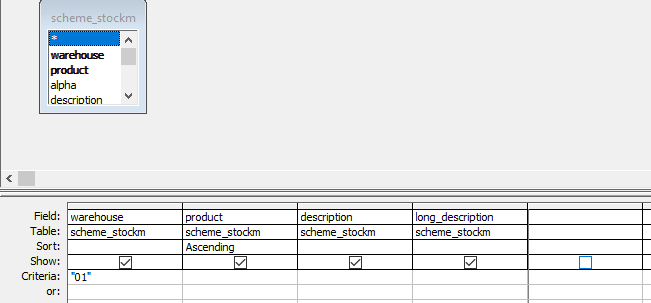
Hi, hopefully this makes sense. Just a bit confused as to why this is happening. I have a query in which has just one table.
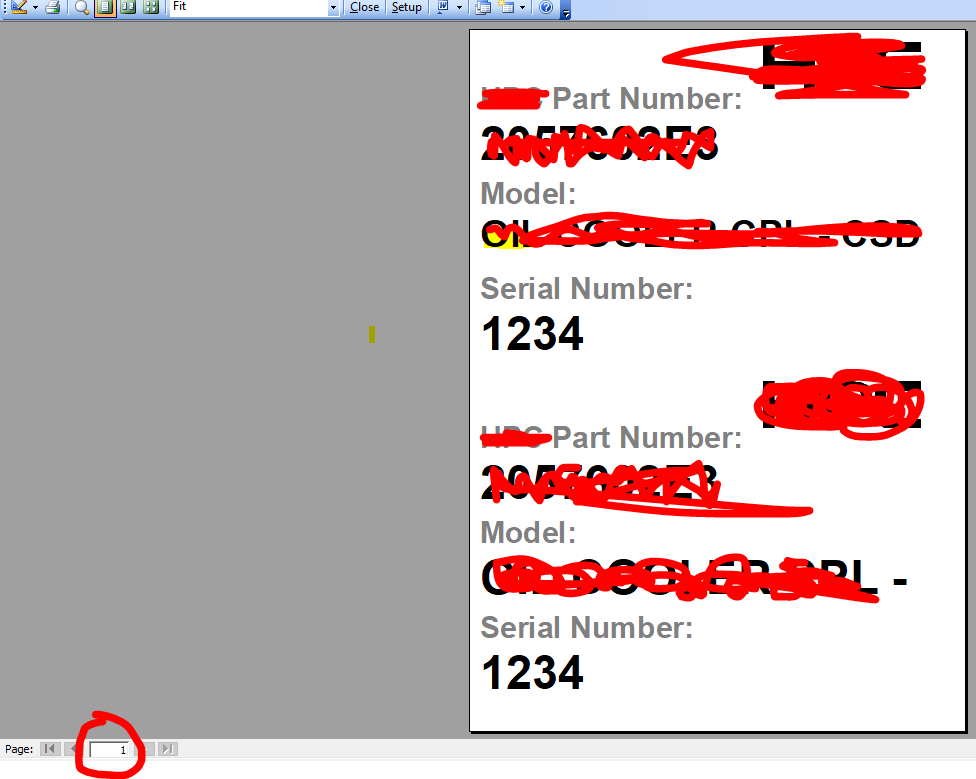
It produces the following report which i print as a label (1 A4 page). Note in the bottom left it is printing just 1 page.
However, i want to add another table to my query like the below.
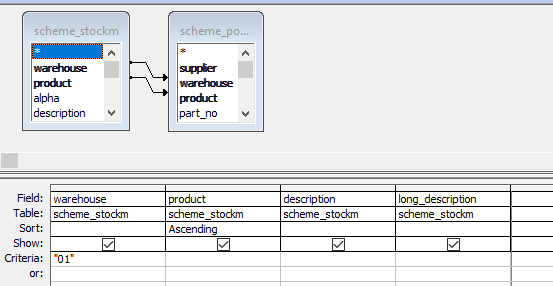
The issue with this, is without even adding any other fields or anything the label above prints 2 pages. It now says this report is 2 pages and both pages are the EXACT same label with no differences. Why would adding another table duplicate my label onto a second page. Any idea how i can get this back to 1 page whilst keeping the table?
It produces the following report which i print as a label (1 A4 page). Note in the bottom left it is printing just 1 page.
However, i want to add another table to my query like the below.
The issue with this, is without even adding any other fields or anything the label above prints 2 pages. It now says this report is 2 pages and both pages are the EXACT same label with no differences. Why would adding another table duplicate my label onto a second page. Any idea how i can get this back to 1 page whilst keeping the table?