Creating Diaries/journal in Access?

A|ex

Registered User.
Local time
Today, 06:41
Joined
Jul 11, 2004
Messages
90
has anyone created a diary in microsoft access or heard of anyone who has? I want to make a diary of appointments for certain people so when someone is making an appointment they can assign whatever rep is free for whatever time.

Is this possible to have it layed out like a journal in say microsoft outlook's journal?
 
It can be done I'm sure... when a timeblock has been booked for a rep it would just update their availability field for that time period to be "busy" so they would be not be invited.

As for making it look like office's journal... you can design it as you wish (have never used the journal, but I'm sure it wont be too bad)
 
do you have any ideas where to start? i mean how would i start on a form or would i not even use a form? ive never done something like this in a database before. I know its possible doing it other ways where users enter dates etc but this way is diff?
 
Alex -

Not trying to move people away from this site (sorry Jon) but in the interest of helping others if you go to the UtterAccess Site (www.utteraccess.com) and search for "Diary" or "Access Diary" one of the members there has posted a complete Diary Application for free for others to use/disect... may save the effort if you just want the program...


HTH,
Kev
 
Question about msflexgrid

I, too am trying to create a diary or appointment process in Access. I've seen several references to "msflexgrid" and have found the correct ocx for it, but whenever I try to put msflexgrid into a form, I get a message about the OLE server for the ocx not being registered. I've tried using both the "insert ActiveX" and references to it in code, to no avail. I'm running Access 97 on a Windows 2002 PC and know there's probably something real simple I need to do. Can anyone out there provide a little guidance for me? Microsoft's explanation is in typical "Microsoft-ese." Thanks so much!
 
Hello, Pat, and thanks for replying!

Yup, Access 97 is old.... however, the client I work for likes it and has no plans for later and greater versions. Concerning the flexgrid .ocx, I believe I registered it correctly (and didn't copy it from any other database). I first did a search to confirm the flexgrid .ocx was in my WINNT\SYSTEM32 folder, which it was. I then installed the Flexgrid .ocx in Access, using the ActiveX insert option from Access' menus. I also checked for a reference to the same .ocx in my VBA code (and did a recompile of all code). But.... when I go to place the flexgrid .ocx onto a form, Access goes crazy, saying I've got to reregister the PLE server. I've done everything correctly, like I've done with other .ocx's, but this one is aggravating!

If you have ant ideas or comments, I would love to hear what you have to say. Thanks again, and have a great day.

 
No.... we don't have anythng newer here than good old Access 97. I think I might try taking home a copy of the application, since I have Access 2000 at home, as well as Access 97. Thank you for the suggestion! And thanks for the offer to keep on trying! :)
 
does anyone want to get together to design and create a diary or journal?
 
Sound interesting!

That sounds like a great idea, especially where there seems to be a strong interest for such a concept! How might we go about it? Will we offer our ideas and code? And forms? I'm willing! Plus, keep in mind there is still a large Access 97 community that would need to be included.

Since it's the end of my work day, you won't hear any more from me until tomorrow, but as I said, the idea sounds great! Gee, maybe we could even put a Microsoft-type price on the application and become kazillionaires! :D

What's the next step????? :)
 
For what it's worth

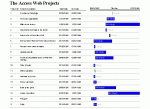
I found a code sample on this forum that produces a Gantt-chart type report and have tied it to my "activity" table. Enclose you'll see a screen shot of it. It might be something we could use. Incidentally, as I said, I did find the code on this forum, but for the life of me can't remeber where! If it looks familiar to anyone, please let me know the thread, so that I can give the proper credit for it. The code is not mine and I don't want to upset the person who so generously offered it.
 

Attachments

  • FormSubForm.gif
    FormSubForm.gif
    8.5 KB · Views: 426
Need to sort out contact information, i can offer web space to store the database so whenever we update it or have code we can share it to people within the group. I can also sort out a mailing list too so we can email between ourselves etc.

if the people who want to be involved in a project like this all email me their email addresses i will sort the rest out
 
That sounds great! Not to mention very nice of you..... Should I PM you with my e-mail address? :cool:
 
ive got web space free and bandwidth and i dont think we will be using bucket loads of bandwidth! the only problem is choosing a access format? atm i am using Access 2003 but save all access files in 2000 format just because the 97 > 2000 jump is a lot greater than 2000 > 2003.

yeah pm me ur address and i will sort out a mailinglist for us. Or we can just scrap the mailing list and just email back and forth and cc it to everyone else?
 
And therein lies my headache! My outfit is using Acc 97, with no plans of moving upward! I'm still willing to participate and contribute. And I betcha there's a bunch of Acc 97 out there who would love something like this!

I'm going to PM you w/ my info ASAP.
 
How are people creating Access 97 > 2000 databases? are they doing it in say Access 2000 and saving as Access 97? if so i can do that too
 
Not really sure..... I would think that is what's done, but only having Acc 97.... there also might be a few compatability issues (i.e., ocx's, etc). Most likely would have to tackle those as they show up.

Meanwhile, I guess what could be done is if / when you make something in 2000, also save it in 97, and I could be the "dissector."
 
did you get the email because i am going to write another?
 
I know I am posting a little late in this thread, but we did actually create a very nice appointment scheduler within acccess. We followed the steps roughly outline dbelow:

1. Create a recordset of appointment slots for the next several years. We used a quick excell program to generate these records, which started at 8:00am every 15 minutes until 8:00pm for three years (i have attached the excell file). After the file generates, you need to a add fields for the specific representative id# in every record. Use excell cut & paste to add this id# value to each record
2. You need to repeat this process and create a separate worksheet for each provider or representative.
3. Import each of the worksheets from the excel file into a base appointments table in your database. Add any other needed fields to the appintments table (reason (lookup field), notes (memo field), client name (lookup field), etc...
3. Build a query that Links the representative # field in the appts table to a cooresponding field in the representative table. Add Representative name to the query
4. Build a Main Appointments form form with a calander control.
5. Add a subform (single form) displaying records from the clients table.
6. Add a combo box that displays the representatives names on the Appts main form.
7. add a subform (Continuous) displaying appointment slots from the appointments query, and make the recordsource on the query tied to the calander control date value (you might need to first create a date field on the main form tied to the calander control) as well as the representative name displayed on the main form. When you use the subform control to insert the appts subform, it should prompt you to select records based on values on the main form (use both the date and client fields to tie it)
8. Create command button on the appts sub form that inserts the client name from the client sub form record.
In this way your appointments subform only displays the date reflected in the calander control, and only those records for that specific representative selected on the main form.

Anyway, It's just one way to do it. I am sure I left things out but you get the idea.

Hope it helps

jackson
 
Sorry guys,

I somehow relied on the wrong post.

Jackson
 
I know I am posting a little late in this thread, but we did actually create a very nice appointment scheduler within acccess. We followed the steps roughly outline dbelow:

1. Create a recordset of appointment slots for the next several years. We used a quick excell program to generate these records, which started at 8:00am every 15 minutes until 8:00pm for three years (i have attached the excell file). After the file generates, you need to a add fields for the specific representative id# in every record. Use excell cut & paste to add this id# value to each record
2. You need to repeat this process and create a separate worksheet for each provider or representative.
3. Import each of the worksheets from the excel file into a base appointments table in your database. Add any other needed fields to the appintments table (reason (lookup field), notes (memo field), client name (lookup field), etc...
3. Build a query that Links the representative # field in the appts table to a cooresponding field in the representative table. Add Representative name to the query
4. Build a Main Appointments form form with a calander control.
5. Add a subform (single form) displaying records from the clients table.
6. Add a combo box that displays the representatives names on the Appts main form.
7. add a subform (Continuous) displaying appointment slots from the appointments query, and make the recordsource on the query tied to the calander control date value (you might need to first create a date field on the main form tied to the calander control) as well as the representative name displayed on the main form. When you use the subform control to insert the appts subform, it should prompt you to select records based on values on the main form (use both the date and client fields to tie it)
8. Create command button on the appts sub form that inserts the client name from the client sub form record.
In this way your appointments subform only displays the date reflected in the calander control, and only those records for that specific representative selected on the main form.

Anyway, It's just one way to do it. I am sure I left things out but you get the idea.

Hope it helps

jackson
 

Users who are viewing this thread

Back
Top Bottom