Dynamic/reusable forms

OK, I'm bored. If you care to share anything concrete, maybe someone can ping me. Leaving for now.

Your choice is your choice is a good choice.

What kind of "anything concrete" you had expected?


Imb.

 
Additionally, if you have a YouTube video or other visual demonstration of your system in action, sharing that could go a long way in illustrating its capabilities and encouraging constructive feedback from other developers.
Hi Uncle Gizmo,

I am aware of all the points, and many of them I have not yet straightened out. Try to understand the concept was the first priority.

A visual demonstration would be the best. On hands is geographical undesireable, and I don't know how to make a YouTube video presentation.

But I stay open for questions.


Imb.
 
and I don't know how to make a YouTube video presentation
Install OBS, it's free.
Run it.
Add "display capture".
Click "start recording".
Show what you want to show.
Click "stop recording".
Go to youtube.
Click upload.
Choose the video you just recorded.
By default, the video is in your videos folder.
Done.
 
Install OBS, it's free.
Run it.
Add "display capture".
Click "start recording".
Show what you want to show.
Click "stop recording".
Go to youtube.
Click upload.
Choose the video you just recorded.
By default, the video is in your videos folder.
Done
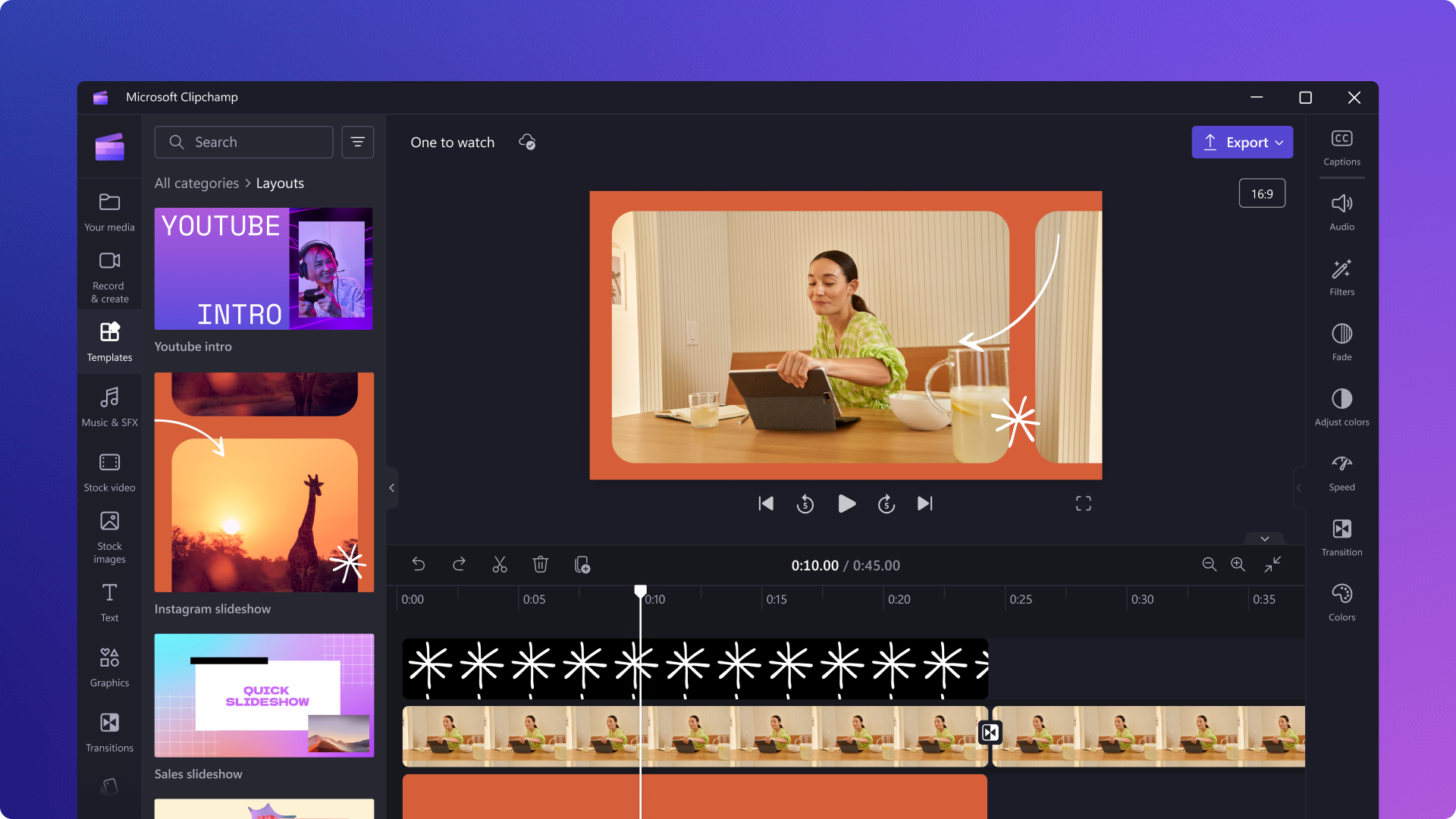
I do not have any skills in making videos, but that is pretty much what I did here, using OBS.

The only difference what that I also downloaded MS ClipChamp
And it makes editing easy. I did not have a mike on my computer, but could put in some captions.
 
Imb "Do you mean the metadata-tables? Or the data-tables?"
Aren't the data-tables dependent on the application? I would like to see the ERD of the metadata tables as well as some sample data.
 
@Imb : I would also be interested to see in a sample database how you replace two or more cascading combo boxes in the UI with whatever (you said you don't use any). I assume you are not replacing them with listboxes.
 
OK, I'm bored. If you care to share anything concrete, maybe someone can ping me. Leaving for now.
Hi Pat,

Even after two days, the tone of your answer still bothers me.
For my feeling you stepped across the border of respectfull communication, especially as a Super Moderator.

Imb.
 
Install OBS, it's free.
Run it.
Add "display capture".
Click "start recording".
Show what you want to show.
Click "stop recording".
Go to youtube.
Click upload.
Choose the video you just recorded.
By default, the video is in your videos folder.
Done.
Hi Edgar_,

Thank you for your answer. That is a constructive answer in the my struggle to clarify my thoughts about dynamic forms.

Next week I am a little short in time, but after that I start.

Thank you, Imb.
 
I also use generic forms when necessary (if appropriate), but not always.
I usually prefer to simplify form creation with add-ins. I don't see customizing the layout of the controls in a form as a major development effort.
I tend to use generic forms for certain tasks in which the customer (admin user) can design controls (visible as a TextBox control, if required a ComboBox that is activated when the TextBox receives the focus) themselves and also redesign them later without needing a new client version (e.g. attributes of an article depending on the article group, etc.).

One question:
How do you control events in your forms that should be handled when the value in a control is changed?
Do you have different classes that are associated with the generic form and respond to the events triggered by the controls?
=> only 1 form but n classes per displayed form?
 
Why? If the client can run using the Access RunTime engine, there are far better versions of Access to settle on. Or, if you are having the client purchase ONE full copy so they can make design changes if they have to, 2010 and 2016 are far better options than 2007.

I too am anxious to see a form where you provide some kind of list selection without using combos or listboxes. I suppose you could use tiny subforms, but unless you've built your own com control, I don't know how else you could provide a picklist.
Hi Pat,

It is hard to start this answer to you. Without knowing what the opinion or the view on a problem or possibility is, it leads more to controverse than to understanding.
So I like to know what exactly your use of the cascaded comboboxes is, and why you think the comboboxes are the preferred tool.

From my side I will make a description of how I work with selecting a "postcode", where in normal cases cascaded comboboxes would be used. But still it can be that you did not mean that.
I have no video-experience, so I have to do it with some screenshots, and in-between text.

On forehand, I do not use local postcode tables, but tables in a special postcode-database. So in fact all applications that uses postcode share the same tables. You have to take care synchronizing the collective database with postcodes form the different user-applications, but that is already in an advanced state.

The Dutch postcode system is quite complicated. A group of addresses, geografically close together, has it own postcode. This means that postcode together with the housenumber is unique for each address. One street can have more than one postcode (a long street, or the both sides of the street even/odd). The other way, one postcode with more than one streets, is also used, provided the housenumbers are unique.

I start with a form to add a new person/relation. T
 
Excuse me, I was totally locked in this session. Could not do anything in this forum, and had to start over the computer completely.

I will return soon.
 
Something I learned a LONG time ago is "One size DOES NOT fit all."
Preach on brother, preach on. 👏👏👏 This is my biggest workplace issue and how to translate this to management and worst of all I.T.
This is why I like MS Access. It is customizable and not bloated and restrictive like many out of the box solutions which, from what the op described, is what @Imb is trying to achieve. Many times I go into an organization and have to recreate a db from scratch or greatly modify a current template. Why? Because every company's data collection method and workflow is different.
 
Last edited:
It is customizable and not bloated and restrictive like many out of the box solutions which, from what the op described, is what @Imb is trying to achieve.
Hi raziel3,
Like many other in this forum, you missed the crux completely. All you people are only too overhasty in your own conclusions how this system works.
I don't have predefined forms to fit all, that would make things worser than it already is.
I have one dumb form, with only hidden controls. But I have pieces of code, both sharable over all applications and adaptive to the local context, to make millions of different appearances. Because all is done in memory, users can - within broad limits - have influense on the appearance.
It seems that nobody reaches that point, because they are too hastened to listen.

To explain the whole matter - what is important for understanding! - is too lenghty, I have experienced. People become impatient, and draw wrong conclusions, including the needfull humor/sarcasme.

If you have concrete questions, I am glad to answer, until the penny drops.


Imb.
 
Hi Pat,

I start with a form to add a new person/relation. T

I am sorry that the program stuck.
I will continue with an example to get the right Dutch postcode depending of "some" crooked data about street and city.
You see a form to add a new Person/Relatie. This form is - behind the screen - EXACTLY the same as all other forms.
Street and city are greyed, so not user-typed, but retrieved from the postcode database.
Schermopname (80).png

I want to search the postcode that belongs to a certain street in a certain city. Therefore I rightclick the postcode control.
A new form, but again just the same behind the screen, appears:
Schermopname (81).png


Now you can choose a city, and choose from all the streets in a city, like a cascaded listbox. But then you do the work instead of the program.
You can also let the program do the work by supplying (part of) the city name and/or part of the street name. For the lazy users not willing to type much, I will type only three characters. Any possibility you can supply: beginning, contains, ending, some kind of Soundex, etc.
Schermopname (82).png


Pressing "Zoek" results in (about 0.3 seconds) the next form:

Schermopname (84).png

in which form I have already clicked on "5663 GB", because that is the one I was looking for.
Finally clicking on "OK" closes the form and fills the original "new" record:
Schermopname (85).png

The choosen postcode is for numbers 3-37, all odd. If I also had filled in the housenumber (5), then the retrieved set would be much smaller, and is not so interesting for a demo.
If only ONE postcode is retrieved, it is directly inserted in the new record. If no postcde is found, a message is generated that the postcode is missing. In that case the user can select a special "unknown" land to make all controls free editable.
When you fill the housenumber afterwards with a different number than in the range 3-37 odd, that number is not accepted, only the numbers in the correct range.

I hope this gives you a first example of the dynamical forms. I works for all cascaded comboboxes, because it just uses the same definitions as its Rowsources.

Please start now your (structured) questions.


Imb.
 
Over 40 posts in this thread!!! ---- You don't appear to be able to convey your message very well.... In your last post you give the impression that it's everybody else's fault!!!!

Don't you think you should look closer to home???
Hi Uncle Gizmo,

Well, most of the posts are answers to the posts like yours. In fact it is a waste of effort from both sides.

But, to stay positive, I published an example as an alternative to cascaded listboxes.

Imb.
 
@ Ibm,

From the description of what you are trying to do, Access may not be the best fit. You would want a more generic environment where you can have a data table for events for each field and use Object Oriented Programing for your library. This would allow you to create controls as needed instead of having to preposition them. Also avoids issues Access has with creating and destroying controls.

Have you looked into VB?
 
@Imb
I must confess I have no idea of what this thread is about, but based on the first few posts, it seems you're trying to get ideas or contributions that help you scale your currently 50MB+ code base. But instead of scaling your app, what scaled is the heat in this thread in terms of the skepticism towards the solution you're currently showing, which you say is a single form that morphs into controls and that this approach helps you maintain more than 100 applications that may or may not be different.

Question 1:
Is the summary correct?

Question 2:
What are you actually doing? Are those textboxes being created on the fly or are they becoming visible?

Question 3:
How does this approach actually help you maintain many applications?

Question 4:
Did you even try to use classes to build your forms?

Question 5:
Do you know other technologies, like HTML or WPF, do this by default and are arguably much easier to write than making this work with Access?
 
@Imb
I must confess I have no idea of what this thread is about, but based on the first few posts, it seems you're trying to get ideas or contributions that help you scale your currently 50MB+ code base. But instead of scaling your app, what scaled is the heat in this thread in terms of the skepticism towards the solution you're currently showing, which you say is a single form that morphs into controls and that this approach helps you maintain more than 100 applications that may or may not be different.
Hi Edgar_,
I really feel more comfortable in the discussions with you.
My purpose is to present a way to develop applications very fast, for non-commercial organizations, that have not the budget to buy commercial software, and don't have the expertise to make these applications themselves. To service all kind of situations the program must be extreme flexible. And here starts the poo, poo and bla, bla.

Question 1:
Is the summary correct?
I am not scaling the code base, just to scale. The purpose is to add functionality and flexibility, whatever that is.
In standard Access all is fixed around forms, that all must be defined in the development mode of the application. In my opinion they are too static, because they can't be shared between applications. And if you encounter a special case, a new form must be defined.
Through many generalizations of code I came to the conclusion that not the form is the crucial object, but the control.
In standard Access, that is also accepted, and can be handled control classes. But still the static forms are there.
In my concept the form is reduced to a carrier of controls, and the controls are tuned to their "all-in" meaning (in standard Access terms including BeforeUpdate, AfterUpdate, Exit, etc
I really hope you see this not as bla, bla, but as a different way to use Access.
Question 2:
What are you actually doing? Are those textboxes being created on the fly or are they becoming visible?
With regard to the above, "The form" (in fact I use two template forms, one for continuous overviews and one for all the rest) is tuned in detail in the Open event of the form, through generalized code blocks, and these can be shared. The controls are already there, but must be "activated". An additional advantage is that you can create in memory all kind of form-representations to suit any situation.
It is even possible that a form on the screen, can be populated by a different overview from a different application.
But it seems all bla, bla in this community.
Question 3:
How does this approach actually help you maintain many applications?
In the separate applications I have no "hard-coded" forms, but only modules with generalized building blocks.
The effects of maintenance of the code base, is immediately reflected in all applications.
I also have one specialized database (DB.mdb) that can analyze every other application, and make corrections if necessary.
Also, in the develop-fase of an application I can automate the steps of adding table, modifying tables, adding field, modifying fields, etc. This only on the base of the tablename, and an "all-in" meaning of the control to be used. One of the "all-in" properties is, where the value of the control is stored: table/Item, field, type.
Modifications afterwards are as easy. All DDL-modifications of the FE are stored, including the procedures that are necessary to do for instance a fieldtype change. This is automatically synchronized on installation of a new version.
Question 4:
Did you even try to use classes to build your forms?
That is only necessary if you have many static forms, that must handle the different types of control per form. In principle I have one "fluffy" form.
Question 5:
Do you know other technologies, like HTML or WPF, do this by default and are arguably much easier to write than making this work with Access?
That is the point I want to clarify: that it is also possible in Access, with a different look towards forms.

Parallel to these "dynamical" forms I use "dynamical" reports: general building blocks to create HTML- or RTF-files on the spot by re-use of code. But that is an other story.


For explaining the concept you must know the total concept, but also all details, because these are determining the flexibilty.
I don't believe that from the code alone you can build a true view of the concept.
A working sample database does not give more insight, because then you can add records, and modify fields, and see all kind of handy things, but don't add to an understanding.
All is already in Access, but not integral.

Thanks to your questions, I have - finally - got the opportunity to clarify a little more what this concept means.

Thanks Edgar_,

Imb.
 
Last edited:
I have been following this lengthy thread from the start with both interest and a huge sense of frustration.
I have also seen some of your posts on other forums where I think your username is imb-hb.

As you may know I run the Access Europe User Group and am always on the lookout for innovative uses of Access that stretch the boundaries of what it can achieve. I thought initially that this topic might be an excellent candidate for a future presentation. However, over 50 posts in and I’m still utterly baffled by what this is all about.

I have long been an advocate both of reusable code and multi-purpose forms and have extensively used that approach in several of my commercial apps. For example, one of my commercial apps for schools has several multi-purpose forms used for selecting specific objects and data.

The multipurpose aspect is done using a combination of open args and controls that may be visible / hidden / enabled / disabled / locked / unlocked / moved / change caption / change use etc depending on the specific purpose / tag value.

It took years to develop and the approach works well. However, design view is a total mess with a large number of overlapping controls.

Similarly, each additional usage becomes increasingly complex and difficult to troubleshoot. Eventually, I reached a point where it was taking up more time to maintain than the amount of time it was saving and called a halt.

This method may or may not be similar to what you are doing. I’m really not sure as, despite carefully reading the entire thread, I’m still totally unsure what your approach actually is.

Your responses to the many experienced developers who have tried asking for clarification has really explained little or nothing at all. It seems that nobody yet understands what you are describing. It seems that either you can't or won't explain the concept clearly.

Several people have expressed interest in seeing a demo which should help seeing what this does and how it works. However, you seem totally unwilling to do this. As a result, more than one experienced developer has now given up on the thread.

Your screenshots provide little in the way of clarification either.

Surely, if this is such a great idea that you hope others will take up, you would want to make every effort to help them do so.
Why are you so resistant to doing so?
Thanks to your questions, I have - finally - got the opportunity to clarify a little more what this concept means.
I really wish that were the case!
 

Users who are viewing this thread

Back
Top Bottom