Form AutoFill

Barley

New member
Local time
Today, 15:12
Joined
Mar 21, 2023
Messages
4
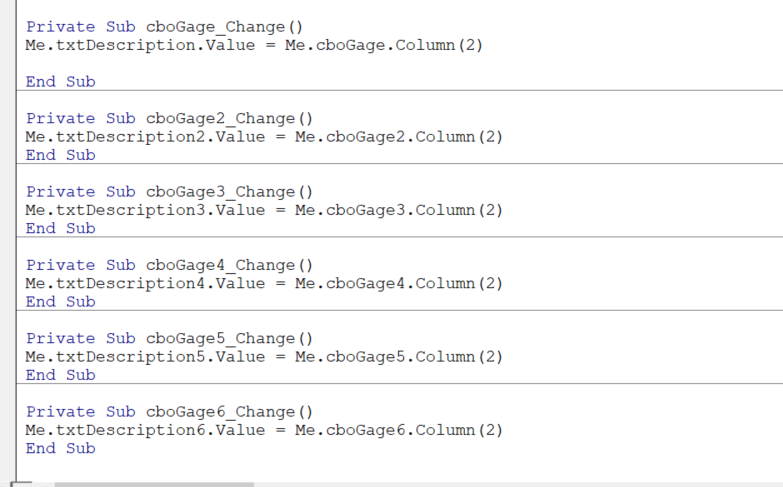
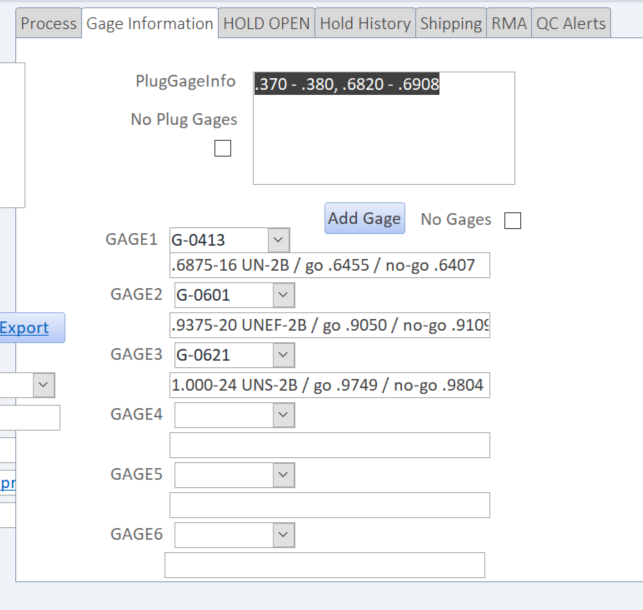
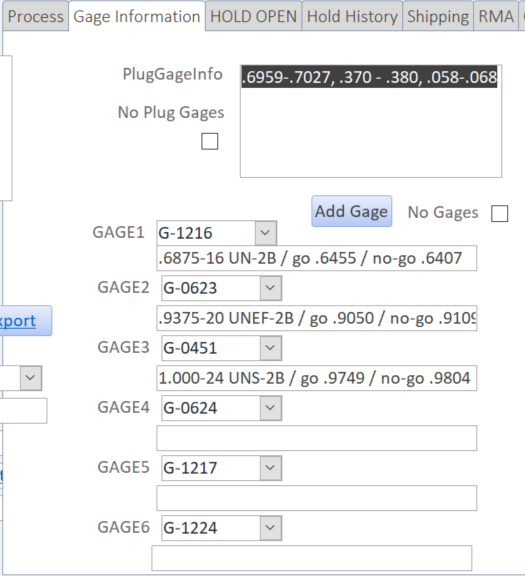
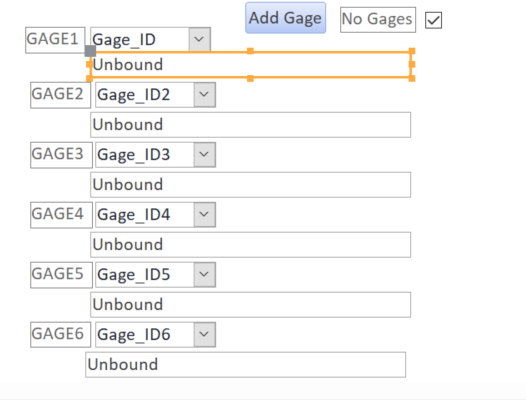
I have combo box's and I want the combo boxes to automatically fill in the box below them with the Gage Description. I got it to work but when I go to the next field the same information from the previous field is in the box. When I click the cbogage box it changes to the correct description for that particular gage but when I go back to the previous field it changed to the one I just changed. Sorry if this is confusing. As you can see below I inserted the Design view, Code and the live view. As you can see on the live view form the gage numbers are different but the Descriptions are the same.. I am sure it is some simple code but I cannot think of it.
1679409046480.png
1679409081808.png
1679409139265.png
1679409165190.png
 
Hi. Welcome to AWF!

I don't see the problem. Your screenshots show all the boxes have different values. You can also avoid using code to do the same thing by simply using an expression in the Control Source of each textbox. For example:
Code:
=[cboGage].[Column](2)
 
Hi. Welcome to AWF!

I don't see the problem. Your screenshots show all the boxes have different values. You can also avoid using code to do the same thing by simply using an expression in the Control Source of each textbox. For example:
Code:
=[cboGage].[Column](2)
Screen shot 3 and 4 Gage numbers are different but the Descriptions (under the gage number) are the same (from being changed in the previous record) which should also be different
 
Hi. Welcome to AWF!

I don't see the problem. Your screenshots show all the boxes have different values. You can also avoid using code to do the same thing by simply using an expression in the Control Source of each textbox. For example:
Code:
=[cboGage].[Column](2)
=[cboGage].[Column](2) Worked perfectly thank you for the compliment and the solution.
 
Screen shot 3 and 4 Gage numbers are different but the Descriptions (under the gage number) are the same (from being changed in the previous record) which should also be different
Maybe try what I suggested though, in case it's the effect of using your code.
 
=[cboGage].[Column](2) Worked perfectly thank you for the compliment and the solution.
Oops, I replied to your other post before seeing this one. Glad to hear you got it fixed. Good luck with your project.
 
I cannot help feeling that your DB is not normalized?
What happens when you need a Gage7 ?
 
I cannot help feeling that your DB is not normalized?
What happens when you need a Gage7 ?
If we need a gage 7 I would just enter it in "notes" box. We don't usually use 7 gages on a part.
 

Users who are viewing this thread

Back
Top Bottom