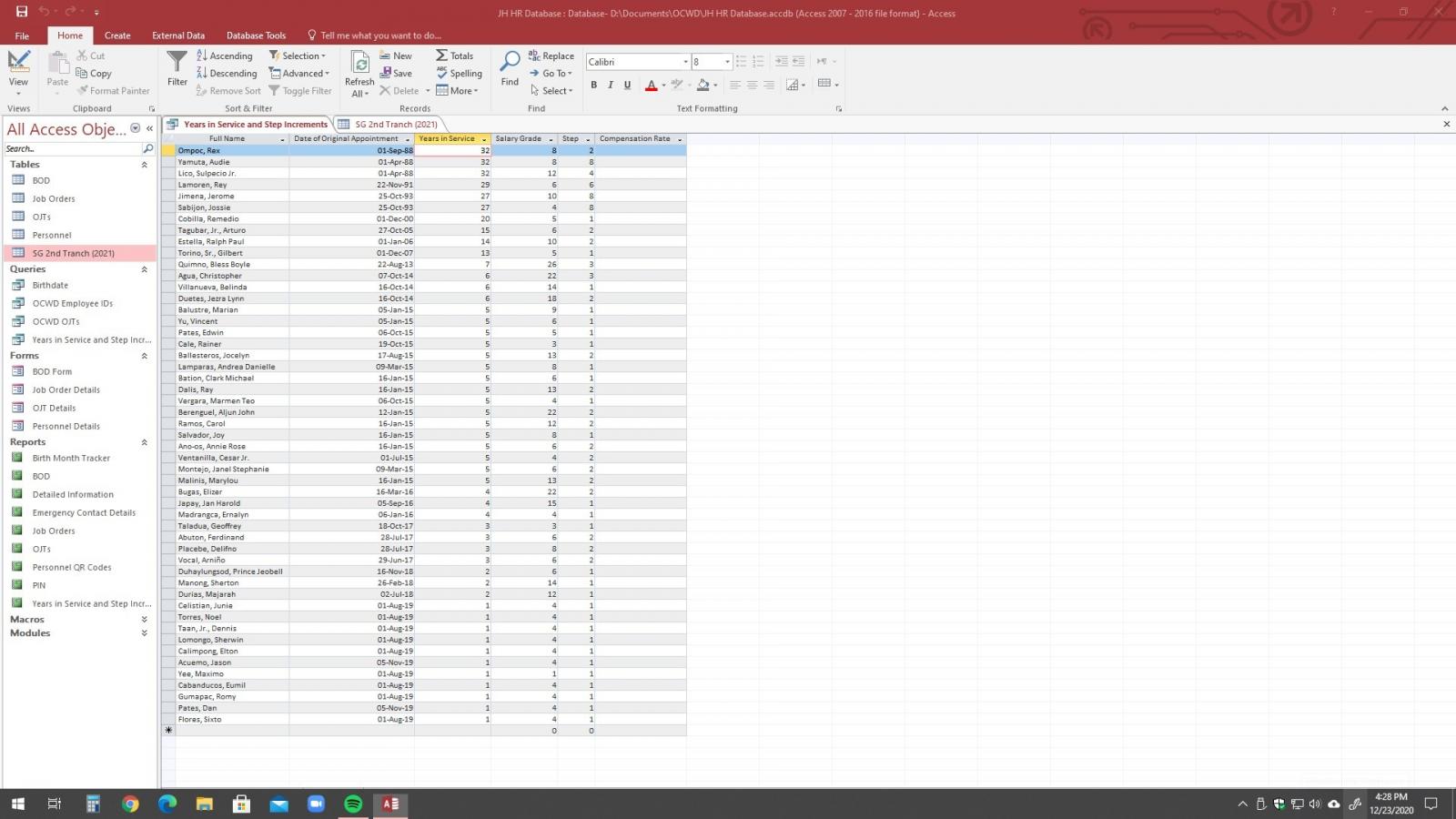
How to display Compensation Rate by entering the Salary_Grade and StepLevel?

jhjapay

New member
Local time
Today, 21:51
Joined
Dec 28, 2020
Messages
4
Hi guys! I wanted to automatically display the value in the "SG 2nd Tranch (2021)" table in the Compensation Rate cell by just entering the Salary Grade and the Step number. Can anyone please help me? Your help is very much appreciated. Thanks!
1.jpg

2.jpg
 
Hi. Welcome to AWF!

Don't do it in the table, use a query and check out the DLookup() function.
 
create a Query Joining the two tables:
Code:
SELECT T1.[Full Name],
    T1.[Date of Original Appointment],
    T1.[Years in Service],
    T1.[Salary Grade],
    T1.[Step]
    T2.[Salary] AS [Compensation Rate]
FROM [Years in Service and Step increments] AS T1
LEFT JOIN [SG Table] AS T2
    ON T1.[Salary Grade] = T2.[Salary_Grade] AND
    T1.[Step] = T2.[StepLevel];
 
create a Query Joining the two tables:
Code:
SELECT T1.[Full Name],
    T1.[Date of Original Appointment],
    T1.[Years in Service],
    T1.[Salary Grade],
    T1.[Step]
    T2.[Salary] AS [Compensation Rate]
FROM [Years in Service and Step increments] AS T1
LEFT JOIN [SG Table] AS T2
    ON T1.[Salary Grade] = T2.[Salary_Grade] AND
    T1.[Step] = T2.[StepLevel];
Hi Arnel! I've tried this code of yours but I'm getting a systax error. May I know were did I go wrong?
 

Attachments

  • 1.jpg
    1.jpg
    182.2 KB · Views: 383
  • 2.jpg
    2.jpg
    254.9 KB · Views: 481
  • 3.jpg
    3.jpg
    382.7 KB · Views: 483
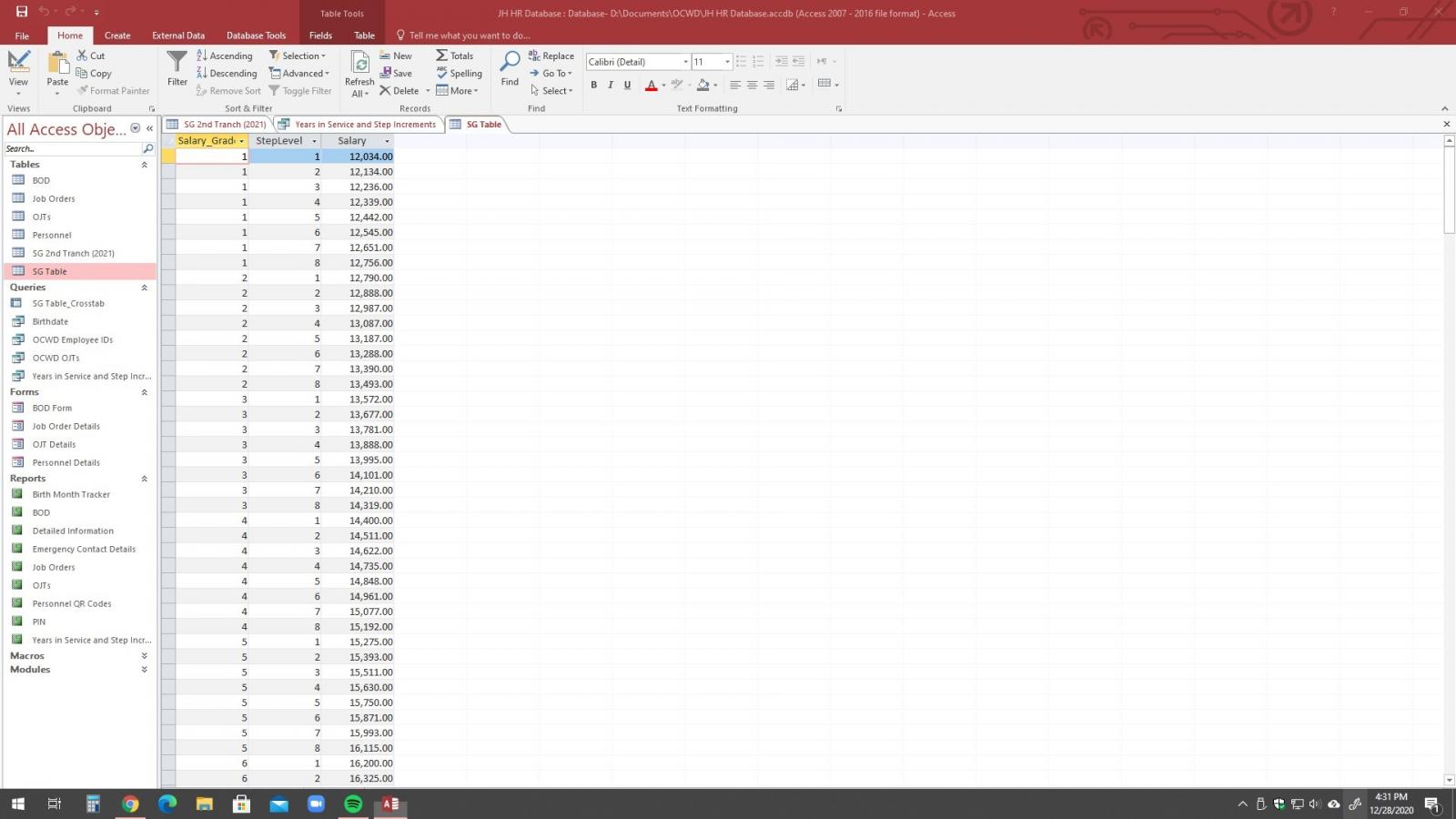
show me the table structure of "SG Table" and "Years in Service and Step Increments" table.
 
show me the table structure of "SG Table" and "Years in Service and Step Increments" table.
Attaching the "SG Table".
However, the "Years in Service and Step Increments" is not a table but a query.
Thanks in advance arnel.
 

Attachments

  • SharedScreenshot.jpg
    SharedScreenshot.jpg
    255.9 KB · Views: 475
  • Query.jpg
    Query.jpg
    432.9 KB · Views: 473
you already has the Compensation Rate on your Query!
 
here is the step:
1. Create->Query Design.
2. Pick your "Employee Table" and "SG Table"
3. Drag the "employee Grade field" to the "grade field of SG Table"
4. a relationship line will be drawn.
5. right-click this line to modify the relationship (Join properties...).
6. choose (2) include all records from "the query".

7. drag the "step field" from employee table to sg table.
8. repeat step 5 and 6, on the relationship line.

now double click on the fields (on either table) that you
want the query to show.
 

Users who are viewing this thread

Back
Top Bottom