Solved If Then Combobox based on value

Pat - I did try the page break option but unfortunately this does not solve my issue. I need to show the summary results for each customer along with each customer; not at the end in the report footer.

I have an idea which may solve my problem: Since each subreport is based off a separate query, I was hoping if i were able to combine the queries into one, I may be able to show all the data I need. Obviously the report format would change which is fine. I'm uploading a new sample. Is someone able to help merge the following queries? Thanks in advance!

- qryRTransactionsAll1Transactions
- qryRTransactionsAll3Summary

(Note: For some reason my subreport "rptTransactions2Summary" stopped displaying on the rptTransactions report but I'm not going to go into troubleshooting since I'm rebuilding the report.)
 

Attachments

Ok, new results:
I now have the one set of reports; no if statement required when choosing (All) or a single airline customer.
  • If a single customer is selected, the report runs correctly but never exports to PDF (this was working before).
  • If (All) is selected, I believe all the report data is there but I'm unable to verify because when using the next button on the Access report preview, Access prompts me for the value of the combobox. The PDF export is also missing on this (All) selection.
I'm thinking this would work if i could now figure out why the PDF export is not working properly...
Be warned, the report takes a while when using (All)
Reminder - use dates 4/1/21 - 4/7/21 for data
 

Attachments

Thanks for the insight!
1. I've indented my code as best as I could now (I'm not a programmer)
2. .text property has been removed; thanks for the explanation here
3. I did have a page break set but removed it for troubleshooting. I've added it back in the new db sample here.
4. PDF still isnt opening but one thing at a time...
5. I'm a little confused about the print loop; i believe the loop I have was for the progress bar? I'm looking for the entire report to be printed on a PDF.
6. Dim statements have been moved to top.
7. Ah yes, it makes sense the prompt was due to the form being closed.
8. I'll keep the report opening in print preview until I can figure out the PDF but I'll update my other reports; thanks.

After these updates and other troubleshooting, I believe the summary is only missing from pages where the summary subreport is not on the first page. I believe the summary subreport disappears after clicking the next page button on the report navigation bar. i.e., if I choose a single day (or short period) for any airline customer and it fits on a single page, the summary subreport appears. However if it doesnt fit on the first page, the summary subreport disappears.
 

Attachments

I removed the extraneous code used to set focus and I changed the If structure so that the main logic is not buried in a nested if. I did that by exiting the sub when an error is found rather than continuing.

I formatted the rest of the code so you could see how the indenting should be done. Whenever you have an If or a loop, the code should be indented until the end of the nested part and then the else or the next is aligned with the If or loop.

Then I realized that the loop was wrong and was not ending when it should so I commented out all the code relating to the loop.

Then I noticed that the report name you opened was different from the one you were writing to the PDF.

You can uncomment the code and fix the loop but if you fix the loop, the process will not take anywhere near as long as it was. I think you were looping 6000 times as you incremented the loop counter from 4000 until it exceeded 100000. Put a stop in the code and watch while it executes. That will help you to see the logic error.

It seems to be working but the report is nested too deeply and is not set up like I suggested. The subreport should be the main report. You might want to think about the report structure again because that is probably what is causing the summary to not appear when it should. Also, the headers are not repeating as they should and that might get fixed if you fix the report structure.

The Main report should be bound to the airlines. The subreport should be the transaction detail. The summary should go in the footer of the airline section of the main report.

.
WOOHOO! Thanks for all your help and suggestions!
Since the report is working faster, I no longer need the progress bar (sounds like this was part of the issue anyway).

I guess I was confused previously about your report suggestion. The main report now contains the summary and the detail is the subreport. This also allowed me to free up an unnecessary subreport as originally designed.

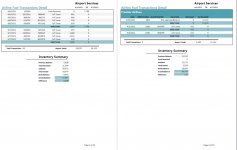
Everything appears to be working now! Here is a screenshot of the working PDF. It shows the end of one airline's details with its summary on one page, and the start of another airline's details and its summary on the next page :-)
 

Attachments

  • complete.jpg
    complete.jpg
    105.6 KB · Views: 185

Users who are viewing this thread

Back
Top Bottom