Is this possible with VBA?

PaulD2019

Registered User.
Local time
Today, 00:45
Joined
Nov 23, 2019
Messages
75
I'm thinking about a couple of new projects for work for use on site using laptops with touch screens or a windows tablet.

There are a couple of things I was wondering if they were possible or not.

1. If an access database is on a windows tablet & a form is being filled in would it be possible to have buttons on the form with VBA code behind them so once pressed the onboard camera can be used to take a photograph then import it into the form & then into a report once the form has been completed?

2. All the databases I have made have split front & backends & backup the backend using VBA on closing, what I was thinking was is it possible to complete a form on a database while on site on a laptop/windows tablet, once the form is completed for the day use a button with VBA behind it backup just the entry on the table rather than the whole backend so it can be emailed to the office & the table entry from the site laptop/tablet be imported into a table on the database there, be corrected if required?

Any help, links to something simular or VBA code would be appreciated.

Thanks in advance for anyone taking the time to read this & for any help
 
Last edited:
1. Yes - provided you know how to control the camera using vba. You should be able to find suitable code with a forum or Google search. I've never need to do this so don't have example code
2. Definitely Yes but it might be easier just to sync the data when the tablet is next connected to the network
 
A quick search for "vba control laptop camera" gave me over a dozen articles. Reading through some of them, the issue seems to be that the webcam driver needs a special library and for some folks, that is a sticking point. Some of the offerings are share-ware, others are commercial. Didn't see one that did it straight out, but I also didn't look at all of the articles.

You are describing an "incremental update" process, which is quite common among larger systems. The trick will be mostly figuring out the format of how you want the data sent. If there is no privacy concern, you could just build information as part of the text body of the mail message. Send it on one end, receive it on the other. Note: That probably implies using Outlook as the message receiver since Access doesn't play with other protocols and I don't recall that CDO reads SMTP directly. CDO writes it - but I don't recall that it reads SMTP.
 
just to add to Colin's comment
2. Definitely Yes but it might be easier just to sync the data when the tablet is next connected to the network
potential issue is that tablets have a (user) habit of being connected wirelessly - which is not recommended for Access. So if syncing, ensure it is wired to the network.

Years ago before fast internet I developed apps along the lines you require, users were at an event or literally out in a field, no connection possible. If the data requirement was 2 way - user sends activity and receives updates then better to sync when connected to the network. Otherwise, if one way (user activity only) then download data to a csv file (recommend not excel. Doc makes a good point about data security so encrypt the data) and email to a specific email address. Master app can monitor the inbox for new emails and process as required.
 
Thank you for all your replies, I could look at syncing the data when connected to the network for one of the databases I was thinking of but it wouldn't work for the 2nd as to get the data each day our staff would have to come back to the office each day which is one of the things I need to avoid, we have one of our supervisors who lives a long way from the office & is carrying out work near where he lives & another who travels from home to site by train.

I haven't got a windows tablet yet but I could look at x86 if it helps
 
It doesn't make any difference whether the tablet is x86 or x64 but it must be Windows in order to run Access.
I have used both with Access. I have several applications designed to run on tablets including apps designed for 'field use'.
Syncing the data safely is definitely feasible

As long as the tablet can be connected to the internet with an Ethernet cable, the user does not need to physically be in the office. Using remote desktop connection or something like Terminal Services, the data can be synced safely. If a hard wired connection isn't feasible, then do a data transfer in two stages
1. From tablet to local computer using WiFi. Make sure the local computer is hard wired
2. After verifying that the data is still intact, transfer from the local PC to the office network using RDP or similar.

If that's not practical, then the user will need to email the data securely and someone else will need to do the transfer safely.. Avoid that if possible.
 
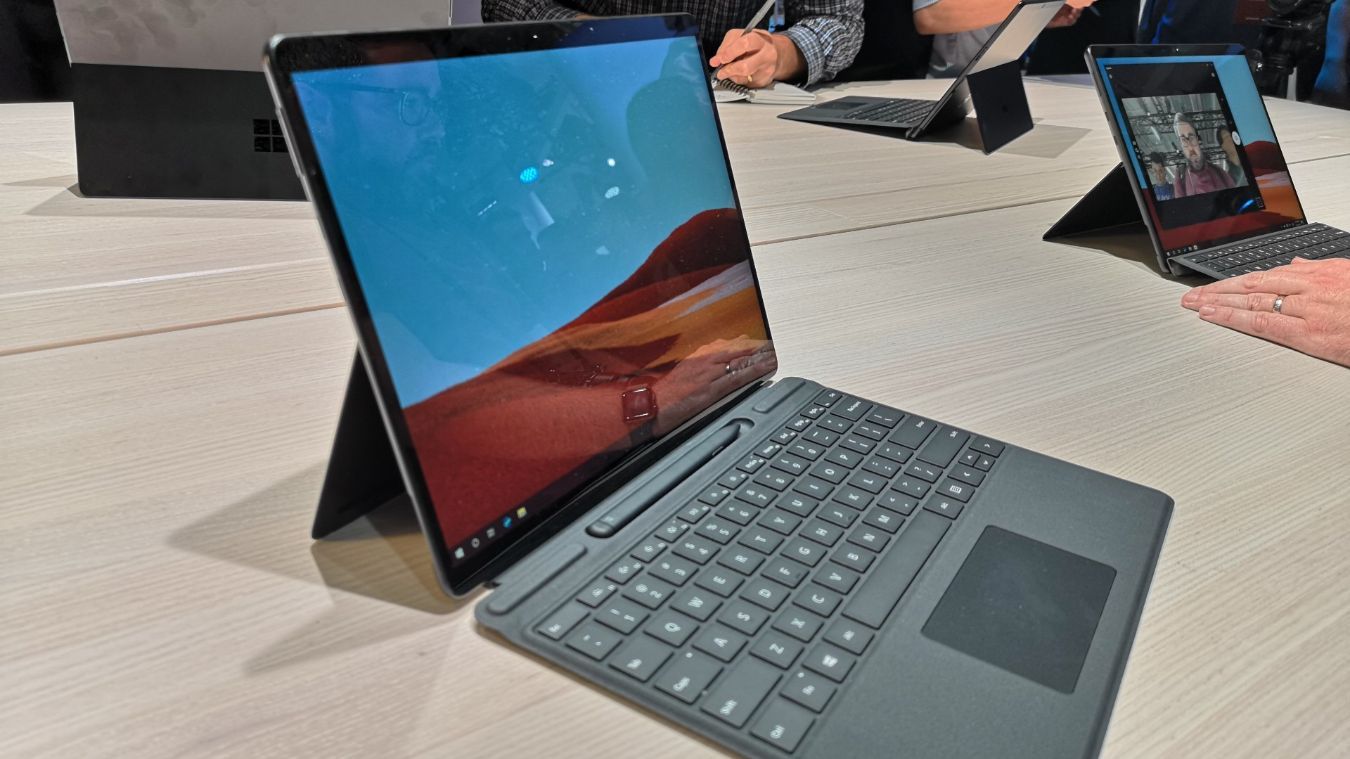
There was an issue with Surface Pro tablets running on ARM processors which did limit the range of Windows apps that could be run. That really was a own goal by Microsoft. Whether that affected Office programs such as Access I've no idea. However, the issue was apparently fixed last year Windows on ARM is about to get lots of apps thanks to new x64 emulation - The Verge

I have been using much cheaper Windows tablets made by Linx for the past four years or so. These all have Intel Atom CPUs and all run Office/Access successfully - both 32-bit and 64-bit. I have the full version of Access on the tablets as part of my Office 365 subscription but runtime might well be appropriate for the OP
 
Have you considered using Remote Desktop Services? You could host the app on an office PC and then your remote users would log in and make their entries & updates in real time. They could even use wifi because the actual program is running on the host.
 
There was an issue with Surface Pro tablets running on ARM processors which did limit the range of Windows apps that could be run. That really was a own goal by Microsoft. Whether that affected Office programs such as Access I've no idea. However, the issue was apparently fixed last year Windows on ARM is about to get lots of apps thanks to new x64 emulation - The Verge

I have been using much cheaper Windows tablets made by Linx for the past four years or so. These all have Intel Atom CPUs and all run Office/Access successfully - both 32-bit and 64-bit. I have the full version of Access on the tablets as part of my Office 365 subscription but runtime might well be appropriate for the OP
"X64" isn't really a thing; x86-64 is the actual name. So an Intel Atom would be fine as it's x86.

But if we're talking about ARM devices, like the kind that run iOS and Android, then you'll need to use the Runtime version of Access which should work in most cases except for some databases which it will baulk at. Just wanted to make that clear for the OP. He intends to use "Windows tablets" which is ambiguous and could mean either variant.

If it's newer and not one of the Windows RT types, there is a better chance:

"Using WOW64, an x86 emulator, ARM chips can run 32-bit apps, but not all 64-bit versions. The Surface Pro X can natively run 64-bit apps but only those that have been ported to ARM64, an evolution of ARM that supports 64-bit processing.

Confused? Check out the fine print on Microsoft's product page for the Surface Pro X:

"App availability and compatibility may vary. At this time, Surface Pro X will not install 64-bit applications that have not been ported to ARM64, some games and CAD software, and some third-party drivers or anti-virus software. New 64-bit apps are coming to ARM 64 all the time."

 
Lol. How did you know it was you whom I was referring to?!?

...it was, but still...
 

Users who are viewing this thread

Back
Top Bottom