Limiting Class Size

jane4587

New member
Local time
Yesterday, 18:58
Joined
Sep 8, 2019
Messages
5
Hello Everyone,
I am having some probelms with my database. I have the following tables with appropriate information
Family Information
Child information
Class list
class roster - where we add the kids to the appropriate drop down box icon from class list.

Here is what I need to do. I need to LIMIT how many kids can be in a certain class. I also want an error message to show up when people attempt to put a certain kid in a class that is full. However I want to be able to change my class size say from 8 to 12.

How do I do this?
 
Use VBA code in control (combobox ?) BeforeUpdate event to count records for the class. Use a DCount() domain aggregate function.
 
in addition, you will have to compare the results of the count to the current limit for the class and allow or not. However, I think your form ought to display the limit and the current enrollment count upon form opening. Then all you'd have to do is add the attempted number to the form field holding the current count and determine if the result exceeds the limit. The field to show the current count is for the user to see how many they can add, which ought to be better than letting them try some number only to find that they can't add that many. If you did it that way, then what? They keep reducing and trying again until it works?
 
Excuse my ignorance but exactly where and how would I put this in? Or rather which places if there are more than one.
 
create a form for your Class Roster table (eg, datasheet form).
add code to Class textbox's BeforeUpdate Event:
Code:
Private Sub Class_BeforeUpdate(Cancel As Integer)
    Cancel = Nz(DCount("1", "[Class Roster]", "[Class]=" & [Class]), 0) >= 12
    If Cancel Then
        MsgBox "This class is already full"
    End If
End Sub
 
@PatHartman, you say to use BeforeInsert but did you mean BeforeUpdate as shown in code?
I just tested and BeforeInsert executes when typing a single character into any bound field of new record, not existing. I have never used BeforeInsert.
 
Last edited:
Okay, but I would still prefer executing code only once as with BeforeUpdate.

What if user wanted to modify an existing record?
 
I should have clarified I would use BeforeUpdate of control, not form.
 
Ok i think I am understanding now. Let me further explain this database to all of you and maybe it will help. I have the following forms
Family information
child information
payment information
classes - we offer over 100 classes it is in 1 form the list of classes offered.
and a class roster.
All of these are linked in what I call our customer dashboard. They are linked in such a way that If i add someone in it auto populates in the appropriate field for each of the forms listed.
I need it to do 2 things that i cannot figure out.
I need when I add a kid from a combo box created from 1 form the classes form, i need it to pop up a warning saying the class is full if it goes above 6 kids. I need to be able to change this though on the fly with a customer standing at my window. It needs to be user friendly where I or the manager can do this.
Next I need the database to create class attendance rosters for the classes we offer where the kids from each class are automatically listed from being added to the class. also if a kid drops out of that class i need them to be removed as well as if they are doing a makeup class in a different class.

I appreciate everyones help so far. I think with your help I will have created everything we need for the database to function.
 
Pat Hartman,
I have every intention of building this thing myself I just need help in learning how to do it. Even if its a youtube video but I have tried for 5 years building it and learning this database myself and now I have reached the point i need help.

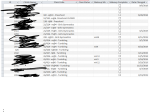
In response to your question about class size: I want to add a 7th child even if the limit is 6. No the student limit is not a field in the class table however I can add it if need be. Basically I have every class we offer and the times in 1 table. They are not separate tables. I have attached a screen shot of my roster table. The childs name auto populates to this table. Will this work for what you mentioned as my "roster" table in your previous message? I want to keep a record of every class lets say child john smith attends even if they drop out of that class i want a record of it. I want to set a limit for kids who status in the class is current. this way i only see kids who status is current and not dropped or something else.
 

Attachments

  • Annotation 2019-09-11 180444.png
    Annotation 2019-09-11 180444.png
    88.5 KB · Views: 106
Last edited:

Users who are viewing this thread

Back
Top Bottom