link multiple Tick Boxes And Auto Date Input

stu_c

Registered User.
Local time
Today, 22:17
Joined
Sep 20, 2007
Messages
494
Hi all
I have several tables in brief are below are two issues I am struggling with.

1) What I am trying to do is when the Ready button is ticked on the TBLVehicleDefect form I want it to automatically Tick the VehicleAvaliable in TBLVehicleDetails

2) When Ready button is ticked I am trying to automatically add DATEOUT to todays date.


TBLVehicleDetails
>Registration
>Model
>VehicleAvaliable (Tick Box Yes / No)


TBLVehicleDefect
>Issue
>DateIn
>DateOut
>Ready (Tick Box Yes / No)


if you can give me some pointers be great!
 
I fail to see how the title does not describe what I am looking to do?

The title of the thread and what you describe in the body don't relate to each other. Please could you give more information...
 
You need to add the Registration field to the second table and another field as the PK e.g. DefectID. Use Registration as the PK in the first table

1. You update the table not the form.
In the Ready_OnClick event, use a sql statement or update query to update the VehicleAvailable field to True

2. Do you mean update the Dateout field to today's date?
If so, add another Sql statement or update query and update the field to Date()
In both cases, make sure you filter for the selected vehicle only or all records will get updated.
 
As Ridders has advised, you need to relate your tables based on your business rule(s).

It seems you have 1 or many Vehicles
A Vehicle can have 0, 1 or many Defects

Vehicle-->VehicleHasDefect<---Defect

??What exactly is the meaning of
- Ready
- VehicleAvailable
 
Ready means ready to collect avaliable means avaliable to use just struggling to get the two boxes to link together:(
 
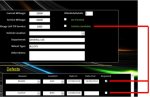
Basically this is what I need to do
When any Repair box is not ticked in the SubForm then the Available box in the MainForm is unticked. (Picture Attached)


MainForm
IDVehicle (AutoNumber) (Relationship To IDVehicle)
Available (Yes/No)

Subform
IDDefect
IDFKVehicle (Relationship To IDVehicle)
Repaired (Yes/No)
 

Attachments

  • Untitled.jpg
    Untitled.jpg
    36 KB · Views: 94
Basically this is what I need to do
When any Repair box is not ticked in the SubForm then the Available box in the MainForm is unticked. (Picture Attached)


MainForm
IDVehicle (AutoNumber) (Relationship To IDVehicle)
Available (Yes/No)

Subform
IDDefect
IDFKVehicle (Relationship To IDVehicle)
Repaired (Yes/No)

So this is really a calculated field used for display only then?

From a design standpoint, you may want to remove it as a "Yes/No" and change it to DtAvailable. You could then default it based off of repairs, but allow a user to change it to be later. If you go with that, add a text field to annotate why it won't be available when the last repair is completed.

This avoids issues when "Its done", but you won't have it as "Available" due to "Reasons". Often this will be something as trivial as "Waiting for Kay to clean the window" or such.
 
You can use it in your main form query or in a calculated control
Code:
Public Function IsAvailable(IDVehicle As Long) As Boolean
   Const TableName = "tblDefect"
   If DCount("*", TableName, "IDFKVehicle = " & IDVehicle & " AND Repaired = False") = 0 Then IsAvailable = True
End Function

if used in a query for the main form
Code:
Select * , IsAvailable([IDVehicle]) as Available from YourTable
 
And as mentioned get rid of the field Available. You just need to calculate it when it is needed. It can also be done as a subquery without any code.
 
MajP
thank you for the below code, I have tried it and for some reason the Repaired box now stays stuck on when I tick it and nothing happens with the Available box :\ im really stuck on what to do

You can use it in your main form query or in a calculated control
Code:
Public Function IsAvailable(IDVehicle As Long) As Boolean
   Const TableName = "tblDefect"
   If DCount("*", TableName, "IDFKVehicle = " & IDVehicle & " AND Repaired = False") = 0 Then IsAvailable = True
End Function
if used in a query for the main form
Code:
Select * , IsAvailable([IDVehicle]) as Available from YourTable
 
I am not sure about the stuck issue, that should not be related. The problem I was not thinking is that since it is built on a query you would have to do a requery after the update of the repair button change. If not it will just show you whatever the available status is when you first navigate in the main form

There are a few ways to do what you want. I will upload a demo mock-up.
 
In order to refresh the main form you add this to the subform of the repair checkbox.
Code:
Private Sub repaired_AfterUpdate()
  Me.Parent.Refresh
End Sub
I did two demos. The first uses a calculated control in the checkbox and no calculation in the query.
Code:
=IsAvailable([IDVehicle])

The other uses the calculation in the query.
 

Attachments

Users who are viewing this thread

Back
Top Bottom