ODBC SQL Server driver

mjdemaris

Working on it...
Local time
Yesterday, 18:04
Joined
Jul 9, 2015
Messages
426
Do I need to have a driver installed on each machine that will use the Access front end linked to the SQL back end?

If so, is there a way I can programmatically install the driver? If this is not an option, is there a way the IT admin can install the driver on all machines desired quickly?

Thanks.
 
Do I need to have a driver installed on each machine
yes
If so, is there a way I can programmatically install the driver?
possibly, but depends on user rights to install things like drivers, not enough info to provide a suggestion as to how
is there a way the IT admin can install the driver on all machines desired quickly?
you'll need to ask your IT admin
 
Well...that certainly complicates things a little. To the IT guy I go, lol.
 
perhaps I stand corrected but I think you still need the driver. Easy enough for the OP to test out
 
I have only ever connected Access FEs to SQL Server BEs using DSN less connections. One of the main advantages is that you don't need to setup each workstation individually. Just distribute the FE and it should 'work out of the box' on each workstation.

My only reason for hesitating is that I haven't had to do do this for a couple of years with clients. But that certainly is still the case on my home network
 
Colin: you are stating that you did not install the 32 or 64 bit SQL Server client driver?
 
Not on each workstation.
It must get installed on the machine running SQL Server Management Studio as the driver is used as part of the DSN-less connection string
For example, this connection string is used for one of my apps on my home PC
ODBC;DRIVER={SQL Server};SERVER=.\SQLEXPRESS;DATABASE=SDABE;APP=SchoolDataAnalyser;UID=SDAuser;PWD=SDApassword

SQL Server is installed on 1 PC which acts as the server. This has SQL Native Server 11.0 as part of the SSMS installation.

I even have a Windows tablet running Access FEs linked to SQL Server BEs. I know for certain that I've never installed any ODBC drivers on that

But I'm no expert on this topic and suggest you read up on the issue

This site is excellent for connection string examples:https://www.connectionstrings.com

Good luck
 
Do you have a coded function in Access that creates a connection?
Just reading about DBEngine.RegisterDatabase and also using the CreateTabelDef method to basically replace the DSN file.
Using the CreateTableDef looks like it could be a lot of work, since the code given takes each table name, local and remote, as arguments...so if I have 30 tables, plus views...
Here is the article: https://support.microsoft.com/en-us/help/892490/how-to-create-a-dsn-less-connection-to-sql-server-for-linked-tables-in

Thoughts on the usefulness or reliability of these two methods?
If I did use one of these, I would most likely use the AutoExec macro, since that is what I currently use.

But, I am still not sure that this negates the need for a driver, since it seems the Driver Manager is involved.
I may be able to work on this later this week.
 
It has been many years since I messed about with ODBC drivers but I think this is the story.

Some SQL Server ODBC drivers are included in Windows install. It depends of the version of Windows. You can see what is installed on the machine in Administrative Tools > DataSources(ODBC) > Drivers tab.

More specific drivers can be installed by downloading them at the Microsoft site.

If you want to use another specific driver version that is not already on the clients you need to install it on them. Easier to just use something that is already there.

To use DNSless connections simply create a FileDSN on your machine then use it to link the tables in Access. There is a lot of complex code on the net to convert table links to a DSNless connection. It isn't necessary if you use a FileDSN in the first place.
 
Well, Galaxiom and Pat, (and CJ hit on this right off the bat)
I just found out that you are both right. We have an Intel ComputeStick in use, and I played around with the file DSN and DSN-less connections to no avail.
I did notice that "SQL Server" was a driver listed, the version number was 10.xx, but that did not work.

So, it appears that you have done what I need to do: download the driver and ask the IT staff to install it.

Guess that'll have to wait...

Thank you for your help, I'll return on this topic when it gets solved.

Ridders: still not sure how you got it to work without a driver, but I suppose that depends on which versions of Windows, Access, and SQL Server you are using.

Also want to give additional thanks to the people on this forum: I have submitted this question to SQL server central and SQLTeam and have had no responses at this time. Even though this is designated as Access, the experience here is what I really appreciate.
 
Last edited:
To clarify, I didn't say the driver wasn't needed. My point was I didn't have to install it on each workstation as it's already there.

However, I stand corrected about what installs it. I suggested it was part of SSMS install, but it makes much more sense that all supported drivers are installed with Access
 
My interpretation of this .

DSN is simply the name given to the small data store that indicates the type of database and the name of the database along with any passwords. It doesn't in itself contain text or functions that execute in anyway - if you could read a DSN file in a text editor it would only consist of a couple of lines of text, it is needed to be set up on each machine via an ODBC manager UNLESS you use the DSNless code which transfers that configuration from a file sitting on your computer (or into the registry) separate to your database to the VBA residing within your database. Either way drivers are always needed.

You can connect to MySQL and PostGres as well easily just need to install the drivers. Likewise if you were good enough you would be able to make up DSNless connections for those databases but only after installing the drivers.

Here's how to connect to PostGres from Access 2003
Connect MS Access to PostGres

and here's how to connect to MySQL from Access 2003
Connect MS Access to MySQL

Both involve hunting down a driver firstly:)

Connecting via DSN is a bad description better described as.

Use a DSN file to store the configuration required by specific database drivers to connect to an instance and database.

This confused the hell out of me initially
 
Last edited:
I check for a specific linked tables and if not present automatically relink.
I maintain a local table of remote / local table names and their location, and can force a relink via an admin form.

Before that though I also check which SQL driver is loaded.
If you ever need to you can check for the driver that is installed and (in my case) point the user automatically to the network download path;

Code:
Public Function CheckSQLDriver()

    Dim arrEntryNames()
    Dim arrValueTypes()
    Dim strAsk As Variant
    Dim strFound As Variant
    Dim rPath As String
    rPath = "SOFTWARE\ODBC\ODBCINST.INI\ODBC Drivers"

    Call EnumerateRegEntries(rPath, arrEntryNames, arrValueTypes)

    If Not IsEmpty(arrEntryNames) Then
        For Each strAsk In arrEntryNames
            If (InStr(strAsk, "SQL Server Native Client 11.0")) Then
                strFound = strFound & strAsk & ", "
            End If
        Next
    End If

    If (Len(strFound) = 0) Then
        
        MsgBox "You need to install SQL Driver Native Client 11 - Press OK to get it!" & vbCr & "The Database will now close." & vbCrLf & "Please restart the database once it is installed."
        
        CheckSQLDriver = False
        
        Application.FollowHyperlink Address:="\\MyNetworkPath\Users\Access\SOFTWARE\SQLDriver_ODBC_Ver11\sqlncli.msi", NewWindow:=True
       
    Else
        CheckSQLDriver = True
    End If

End Function

'============================================
Public Sub EnumerateRegEntries(strKeyPath, arrEntryNames, arrValueTypes)
    Const HKEY_CLASSES_ROOT = &H80000000
    Const HKEY_CURRENT_USER = &H80000001
    Const HKEY_LOCAL_MACHINE = &H80000002
    Const HKEY_USERS = &H80000003
    Const HKEY_CURRENT_CONFIG = &H80000005

    Dim objReg              As Object
    Dim strComputer         As String

    strComputer = "."
    Set objReg = GetObject("winmgmts:{impersonationLevel=impersonate}!\\" & _
        strComputer & "\root\default:StdRegProv")

    objReg.EnumValues HKEY_LOCAL_MACHINE, strKeyPath, arrEntryNames, arrValueTypes


End Sub

Not all my own code - found and twiddled with from the interwebs.
 
I thought it might be worth expanding on my previous answers.
My approach has much in common with that outlined by Minty

It is several years since I last used the wizard to setup file or machine data source ODBC connections 'manually' - I just have no reason to do so

I always use DSN-less connection strings as that was how I first learned to manage split databases for distribution to clients many years ago.

Until recently, I thought this was the standard approach and to me it is far easier than setting up ODBC connections manually on each machine. In fact it would be impossible to work any other way without visiting each of my clients' sites. I have several clients across the UK who I have never visited because it isn't necessary

To manage the external links I have 2 local tables:
1. tblTableLinkTypes - lists details of all connections to external databases
2. tblTableLinks - lists all the linked tables and the external databases for each

Typically, my FE databases will have links to 2 or more external databases
a) a SQL Server and/or Access BE datafile
b) an Access configuration datafile (used to store settings for each client e.g. school/company)

Some apps also have links to Excel files and/or csv files

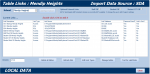
However, many have more link types. The screenshot shows the relink tables form for a database with 8 external links (including 2 web databases - now deprecated) though in this example not all are in use at any time

attachment.php


The next screenshot shows a form where details for each link type can be edited

attachment.php


As you can see, this shows 35 records as it includes all link details for each client

Another form is used to edit the details of each linked table.

attachment.php


In this case there are 147 linked tables
The largest database has about 330 linked tables - almost all are in the SQL datafile
If linked tables are added/deleted or renamed e.g. to manage new features in a version update, this is easily handled using this form

Before apps are distributed to clients via my website, all links are removed from the FE.
For a new install, clients are guided through the process of adding link types (SQL or Access) and the form in the first screenshot is used to relink all tables.
Details of the link types for that client are added to the Access configuration file and are automatically emailed to me for inclusion in future updates

For a version update, the link types details are recovered from the config file and the links recreated.

Relinking takes less than 30 seconds for the largest database of around 330 tables

Of course, the relinking needs to be done on one PC only and the new/updated FE is then distributed to users' workstations without any additional configuration needed on each user's workstation. From memory, I have only once needed to assist a client with obtaining new SQL Server drivers. Normally, the required drivers are already installed on the client PC so the process is brainless

To me, this is so straightforward that I find it hard to understand why it isn't the standard approach used by all developers. If there is an easier way of managing split databases for use with with many clients each having multiple workstations, I would like to know about it!

HTH

 

Attachments

  • EditTableLinks.PNG
    EditTableLinks.PNG
    23.5 KB · Views: 339
  • RelinkTablesForm.PNG
    RelinkTablesForm.PNG
    62.1 KB · Views: 345
  • ManageTableLinksForm.PNG
    ManageTableLinksForm.PNG
    99.6 KB · Views: 329
Last edited:
I see, that makes sense if the runtime version uses the "SQL Server" driver.
At this time, I do not use runtime. I remember attempting to use it earlier, but for some reason it did not work well. All of our machines currently have a full Office version, now...but if I could get a runtime to work and connect without additional drivers...
I may look into that, especially when I want to use tablets - this would be great for taking inventory and receiving incoming freight at the other end of the plant.
 
While typing my last post, I did not notice there were two pages to this discussion, which is why it doesn't seem to flow with the convo.
Colin,
your management system looks nice. Do you also have a way of:
1) seeing who is currently online,
2) kicking users to update the BE
3) notifying users that the update is complete and available for use?

We have about 45 machines that I would like to use a system like yours to manage the connections, and FE/BE updates.

From what I gather, it sounds easier to use DSN-less connections, use code to determine driver installed, and use tables to store the remote/local table names and target path (backend tables).

I need to ponder on this for a bit.

I definitely would like some kind of management/admin form(s).
 
Colin,
your management system looks nice. Do you also have a way of:
1) seeing who is currently online,
2) kicking users to update the BE
3) notifying users that the update is complete and available for use?

We have about 45 machines that I would like to use a system like yours to manage the connections, and FE/BE updates.

From what I gather, it sounds easier to use DSN-less connections, use code to determine driver installed, and use tables to store the remote/local table names and target path (backend tables).

I need to ponder on this for a bit.

I definitely would like some kind of management/admin form(s).

In answer to the above
1. Yes - list of current users visible to adminstrators
2. Yes - users can be kicked out after a specified warning period when necessary. The system sends messages to all staff currently online and prevents new users logging in during the time needed for the update/system maintenance.
Updates to the SQL BE are normally done using a script. In many cases, this can be done without kicking users out. Otherwise, a scheduled task can often be done overnight
3. Yes - After running the update, a new message can be sent to inform users the system is available again

NOTE: a similar system is also used to update the BE from external data sources each night. This is done automatically using a scheduled task at e.g. 2am

I also have code to
a) inform admin users that a new version is available from my website
b) automatically download updated versions of the FE to end users from a network location

The above code is used in several of my school based apps and has been thoroughly tested over a number of years
I have published sections of my code in various places including this forum
However, I do not currently have a complete version available as a 'standalone utility' that I could upload.
It would take time to extract the code and so I would need to charge for my time.
If you want to discuss that further, please send me a PM or email me using the link in my signature line

45 machines is no problem. The system has been used for 200+ machines in more than one client school for over 10 years

I think it is MUCH easier to use DSN less connections which is why I always use that method. I regularly use it for connecting linked tables in Access, SQL Server, Excel spreadsheets & CSV files. I've also used XML files and more. I've never used PostgreSQL or MySQL but both should work fine AFAIK

Yet for whatever reason, it appears to be far less widely used than using the wizard to connect to ODBC data sources

After you've had a ponder, feel free to get back to me

HTH
 
Last edited:

Users who are viewing this thread

Back
Top Bottom