Table Overkill ?

DUD poll . sorry

  • no

    Votes: 0 0.0%
  • no

    Votes: 0 0.0%
  • no

    Votes: 0 0.0%
  • no

    Votes: 0 0.0%

  • Total voters
    0
  • Poll closed .

Cameroncha

Registered User.
Local time
Today, 22:19
Joined
Jul 1, 2002
Messages
58
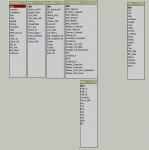
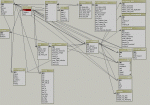
I have attached a picture of my tables / Relationships.

I would like to create a form that fields from many tables.
I have created a query to combine all info to pull into my report but the form is not editable.

All my relationships are 1:1 and i have checked properties of each field in the form that i have created.

help.
 

Attachments

  • capture_07012002_115111.gif
    capture_07012002_115111.gif
    90 KB · Views: 375
After a quick look at your relational dependencies, I'd suggest to normalize your database structure first.
Just to prevent you from Access working against you, not with you.

Search the forum for "normalize".

RV
 
Overkill

I dont have any redundancy in the tables except the SKU field which i have designated as my primary key.

Is this not the right approach ... putting SKU in every table ?
 
One-to-One relationships are generally rare

They are usually limited to circumstances where the data either comes from different sources and thus cannot be in one table, or part of the data needs to be password protected but not all, or separating off fields that are only rarely filled in (like Comment/Memo fields, for example).

Generally, though, a series of One-to-One tables can be combined into One Table with minimal impact on the database. Can you give a brief rundown of your tables, what they do, and why they need to be separate but connected?
 
generally, this database is going to be used by apprx. 10 employees to update information for upcoming titles [videos and DVDs] Reading "Running Microsoft Access" i came to believe that seperation of the information is important so i made my tables as specific as possible.


I will be using this db for many things.

1) Contracts VIDF [general], BW [faxed contract', then Color [Hard signed copy]

2) Descriptions - many forms needing to be combined in certain ways. Eg - some people need desc. with user reviews, locations, some dont. Many areas will need to update this info.

2) Web - This is what i would work on most myself. I use this to combine [sandwich] html tags for upload to a site.

4) New Products - This is to track information that is new to the company - Status tags marked as "P" designate as a new title so i have tried to run filters to show only that.

5) Sample outs -- who has demo tapes of incoming titles.

6) DVD Tracking -- Track tasks needed for our DVD authoring dept. I would like this to filter off of a criteria off newproducts when new products responds yes / no for DVD authoring.

7) 6) VHS Tracking -- Track tasks needed for our DVD authoring dept -- I would like this to filter off of a criteria off newproducts when new products responds yes / no for Graphic sleeve art creation

8) mastering is tracking the duplication of the VHS and DVDs in out ect.

Thanks.
 
Simplified things a bit

Ok... taking it to this level.... should i just combine all into one sheet so that forms will work correctly or should i link 1 to 1 with Cascade delete enabled. ?
 

Attachments

  • 1.gif
    1.gif
    45.2 KB · Views: 312

Users who are viewing this thread

Back
Top Bottom