Textbox Validation - stopping user putting something other than a date

Ian Mac

Registered User.
Local time
Today, 08:02
Joined
Mar 11, 2002
Messages
179
All,

I'm trying to get the correct syntax to Validate a Textbox.
I'm trying to use BeforeUpdate bet can't figure out the how.

Rules:

Person must enter a Date:
>=#09-11-04# and <=Date()

The problem I have is that I need to run some code to update 3 other Fields on the form, If the above is true.

BUT! how do I stop someone entering 'Ian' or % or whatever and trap it
It seems that the 'Short Date' format validation kicks in before the BeforeUpdate event. Or stops it, or something.

I'm a little confused and could do with some help,
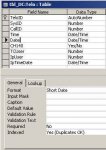
 
It seems that the 'Short Date' format validation kicks in before the BeforeUpdate event. Or stops it, or something.

Nope, it never is.
It comes down to using he correct event and event code.
Define a Before Update event on your textbox.
Code should be like this:

Code:
If Me.YourTextboxName >=#09-11-04# AND Me.YourTextboxName <=Date() Then
'code to update your 5 other controls
Else
MsgBox "Date doesn't fall between 09-11-04 and cuuent date, re enter"
Me.Undo
Cancel = True

Take into acount that VBA uses the US date format, so #09-11-04# represents 11 September 2004.

RV
 
Pat Hartman said:
If the field is defined as a date, Access won't let you leave the field unless it contains a valid date. You would only need to edit that the date is in the correct range. Not that it was a valid date. You don't need an input mask, in fact I find them annoying and never use them and format does not control what is input. It only controls how the date is displayed.

If you find that you need to edit a non-date field, you can use the IsDate() function. It will return true if the string you pass it contains a valid date.

Cheers Pat,

I'm a little usure of what you mean.

I have no validation on the Table or the Control
I also not using an Input Mask (I agree with you 100% on that)

The field is a Date/Time Field which I'm assuming is causing problem.

Where I'm falling down is, I'd like to trap this before I it even gets to Writing the record.
e.g. A person maybe Tabbing through the form and hit ` by accident.
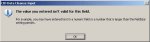
I get the error thown back at this stage, the users don't know that ESC will get them out of this.

I'm trying to use the BeforeUpdate Cancel to sort this out.

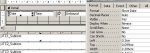
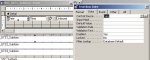
See the attached as to what I have.
 

Attachments

  • Shortdate.jpg
    Shortdate.jpg
    17.5 KB · Views: 170
  • Control.jpg
    Control.jpg
    20.1 KB · Views: 187
  • Control Validation.jpg
    Control Validation.jpg
    24.5 KB · Views: 174
  • Warning.jpg
    Warning.jpg
    11 KB · Views: 178
RV said:
Nope, it never is.
It comes down to using he correct event and event code.
Define a Before Update event on your textbox.
Code should be like this:

Code:
If Me.YourTextboxName >=#09-11-04# AND Me.YourTextboxName <=Date() Then
'code to update your 5 other controls
Else
MsgBox "Date doesn't fall between 09-11-04 and cuuent date, re enter"
Me.Undo
Cancel = True

Take into acount that VBA uses the US date format, so #09-11-04# represents 11 September 2004.

RV

I have actually stated that I'm using the BeforeUpdate event,
However I mean Format not Validation on the Field.

Also, it is updating 3 other Fields bound to the Form not controls actually on it:

Me!IpUser = PidtoSys(UserName)
Me!IpTimeDate = [Forms]![frm_CID:DC-InputMain].txt_NOW
Me!CallID = 1

This is in addition to my last post not a slant on your advise.

I'm more trying to trap the NON dates before they even Write the record.
Can this be done?
 
Also, it is updating 3 other Fields bound to the Form not controls actually on it:

What you call fields is actually called controls.

As for notifying the users on entering an invalid character, use Pat's suggestion.
Another option would be to define an On Error event on your form to capture the standard Access error message, replace it with your own message.

RV
 
Pat,

How can I use this Event to set the focus AND clear the contents of the box?
I'm just getting my head round Events and geesh!!! :)

Both,

are the Fields of the Forms Control Source still controls if you don't add them to the form? If so I did not know that!
The ones I'm updating are part of the Forms Control Source but not actual, physical Controls???

Thank you very much both of you so far BTW.
 

set the validation codes in the BeforeUpdated event.

within those code, using Me!TextBoxName.Undo

It will highlight the content of TextBox.


or you just don't use Undo function, which the cursor will set back to that TextBox automatically
 

Users who are viewing this thread

Back
Top Bottom