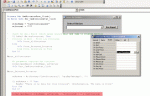
AccessNewbie72, your screenshot image suggests that the form is not open before the query is run. Maybe a very simple example that you can play around with would help.
In the attached database, you can open the form, select a vendor from the combo box and click on the Preview Report button to view a report, or click on the Run Query button to run a query.
Then you can open the form in Design view and note these three essential properties of the combo box in the Properties sheet:
Name
Row Source
Column Count
And to view the code in the On Click event of a command button, you can click on one of the command buttons and look for the On Click property in the Event tab. When you put the mouse cursor in that property, a small button with three dots will appear at the end. You can click on that small button to open the code window and view the code for the On Click event of that command button.
.