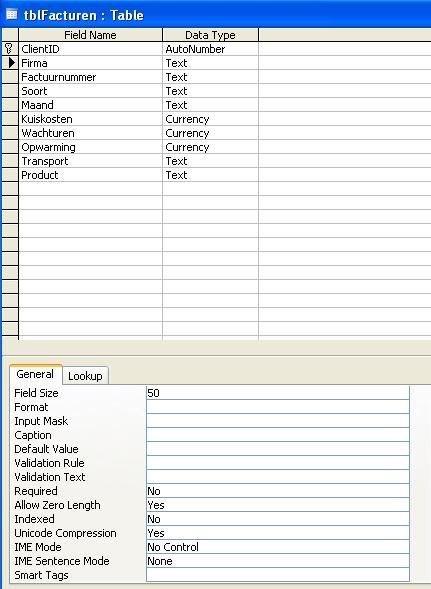
I'm making use of a value list to add firms in a column. Now I would like to try something out. Suppose there is another firm that isn'nt in the value list. I selected no for the Limit To List question.
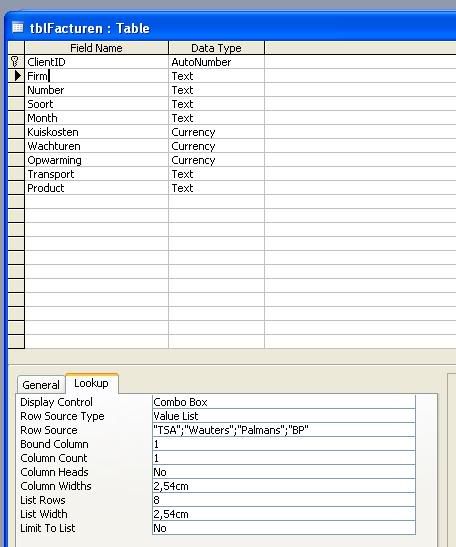
This makes it possible to type a firm in the firm column that is not in the list. I typed "CargoTex" as example.
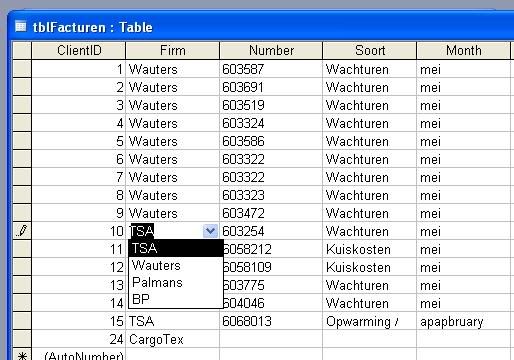
The problem I have is that "Cargotex" isn't featured in the list after I typed it in record 24. How can I make it possible that when I add a different firm to the firm column, it will be shown in the value list for the next time. A bonus feature would be that the word would be alpabethically organised within the list.
This makes it possible to type a firm in the firm column that is not in the list. I typed "CargoTex" as example.
The problem I have is that "Cargotex" isn't featured in the list after I typed it in record 24. How can I make it possible that when I add a different firm to the firm column, it will be shown in the value list for the next time. A bonus feature would be that the word would be alpabethically organised within the list.