Solo712
Registered User.
- Local time
- Today, 12:36
- Joined
- Oct 19, 2012
- Messages
- 836
Hi everyone,
Every so often I see requests on Access boards inquiring about a way to streamline events for multiple controls of the same kind, so they are executed as a single function. Surprisingly, most answers are negative in the sense that VBA (unlike VB) doesn't know control arrays. Then someone may come and say, no it's quite possible and offers a solution managing the controls and events associated with them via a class module. This of course works (in theory), but such approach is costly in terms of overhead.
There is another solution which strikes me as much simpler. It is based on the observation that VBA controls on a form come with a numeric suffix which can be managed so they become a set of ordinals 1 to x, with no breaks. Such collection of controls can easily easily be utilized to provide an identifying argument to a function called by any event. So, one function to many, many controls of a kind. No formal collection needs to be created and controls encapsulated, because the controls have a numeric identifier already, which can be used to control the associated events individually.
A classical example of a form with a considerable number of controls would be a monthly calendar. You need 37 rectangles, and within them 37 combo/listboxes if you want to track multiple activities within that day. To implement the controls as pseudoarrays and link them to the event functions all you need is something like this:
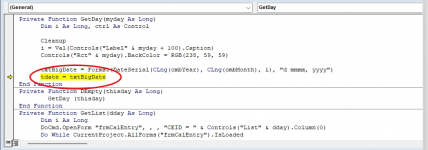
The event functions then identify the calling control and relate the event to it exclusively binding it (via workday offset) to the particular day of the month.
Few notes on editing the listboxes:
1) You need to establish the active day in the month. (By default, current month is displayed and today is the active day. It is marked red on top of box.) You can establish another day as active in one of two ways:
a) by clicking on any part of the listbox that is not an entry. The active day will be displayed in the right bottom corner and the top of the box. Then you click the Edit Day Entries button at the bottom. All the day's entries will be in the recordset.
b) by clicking directly on an entry of the listbox, in which case you will be allowed to access that record only.
In both cases, the single calendar entry form will appear.
2) Relocation of entries to another day (even in another month) is permitted except for new entries. They must be made in the "active day".
3) The editing form for a single calendar entry will tell you when it gets dirty by displaying an pencil icon in the upper right corner. While the form is in edit mode, you may not exit. You either have to "Save" the record or "Undo" the changes.
Have fun with it.
Jiri
Every so often I see requests on Access boards inquiring about a way to streamline events for multiple controls of the same kind, so they are executed as a single function. Surprisingly, most answers are negative in the sense that VBA (unlike VB) doesn't know control arrays. Then someone may come and say, no it's quite possible and offers a solution managing the controls and events associated with them via a class module. This of course works (in theory), but such approach is costly in terms of overhead.
There is another solution which strikes me as much simpler. It is based on the observation that VBA controls on a form come with a numeric suffix which can be managed so they become a set of ordinals 1 to x, with no breaks. Such collection of controls can easily easily be utilized to provide an identifying argument to a function called by any event. So, one function to many, many controls of a kind. No formal collection needs to be created and controls encapsulated, because the controls have a numeric identifier already, which can be used to control the associated events individually.
A classical example of a form with a considerable number of controls would be a monthly calendar. You need 37 rectangles, and within them 37 combo/listboxes if you want to track multiple activities within that day. To implement the controls as pseudoarrays and link them to the event functions all you need is something like this:
Code:
Private Sub InitializeEventsforControlArrays()
   Dim ctl As Control, i As Long

   For i = 1 To 37
     Set ctl = Me.Controls("List" & i)
     ctl.OnClick = "=GetList(" & i & ")"
     ctl.OnMouseDown = "=DEmpty(" & i & ")"
     '
     Set ctl = Me.Controls("Rct" & i)
     ctl.OnClick = "=GetDay(" & i & ")"
     '
   Next i

   Set ctl = Nothing
The event functions then identify the calling control and relate the event to it exclusively binding it (via workday offset) to the particular day of the month.
Few notes on editing the listboxes:
1) You need to establish the active day in the month. (By default, current month is displayed and today is the active day. It is marked red on top of box.) You can establish another day as active in one of two ways:
a) by clicking on any part of the listbox that is not an entry. The active day will be displayed in the right bottom corner and the top of the box. Then you click the Edit Day Entries button at the bottom. All the day's entries will be in the recordset.
b) by clicking directly on an entry of the listbox, in which case you will be allowed to access that record only.
In both cases, the single calendar entry form will appear.
2) Relocation of entries to another day (even in another month) is permitted except for new entries. They must be made in the "active day".
3) The editing form for a single calendar entry will tell you when it gets dirty by displaying an pencil icon in the upper right corner. While the form is in edit mode, you may not exit. You either have to "Save" the record or "Undo" the changes.
Have fun with it.
Jiri
Attachments
Last edited: