
Reminder message

rainbows

Registered User.
Local time
Today, 12:24
Joined
Apr 21, 2017
Messages
428
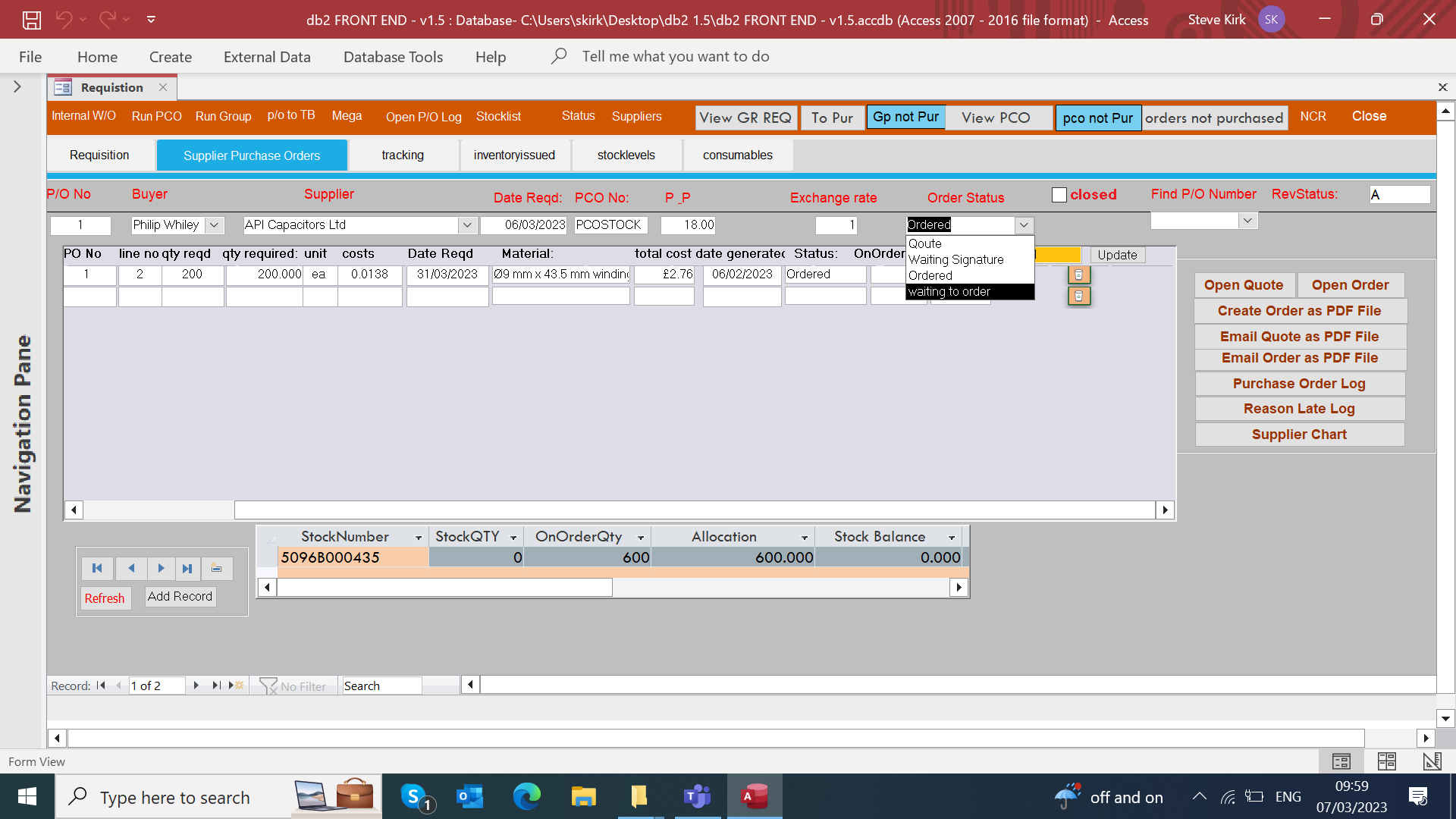
i have noticed that when they select the word "ordered" from the drop down box then are not pressing the button called " update" this changes the on order qty and the allocation requirements that goes into the stock table , is it possible to get a message that reminds them to press the update button after they have selected the word ordered or could we get it that the message that has a yes or no button on it if yes run macro Macro name " ordered" or if no just close the message

thanks steve


1678183217073.png
 
Last edited:
Shouldn't you be able to query that automatically, without trying to keep track of it.
The query would look at all confirmed orders that haven't been picked and that would be the correct allocated quantity all the time.

That would remove the need to keep a second table updated, which is fraught with uncertainties.
What happens if that order line is deleted? The query would be correct still but your table wouldn't be?
 
i have just done that which works automatically. but i am concerned now about what you said that if they delete a line after selecting the word "ordered" it would not alter the on order qty , nor allocation qty back down

also as the system is new to everyone i was trying to make is that they are sure what they have done and are 100 percent committed to the order

steve


1678187299453.png
 
but i am concerned now about what you said that if they delete a line after selecting the word "ordered" it would not alter the on order qty , nor allocation qty back down

I'm saying don't store those anywhere, you don't need to as they should be calculated on the fly so they are live and correct at all times.
 

Users who are viewing this thread

Back
Top Bottom