electricjelly
Registered User.
- Local time
- Today, 01:08
- Joined
- Apr 3, 2014
- Messages
- 26
Hello,
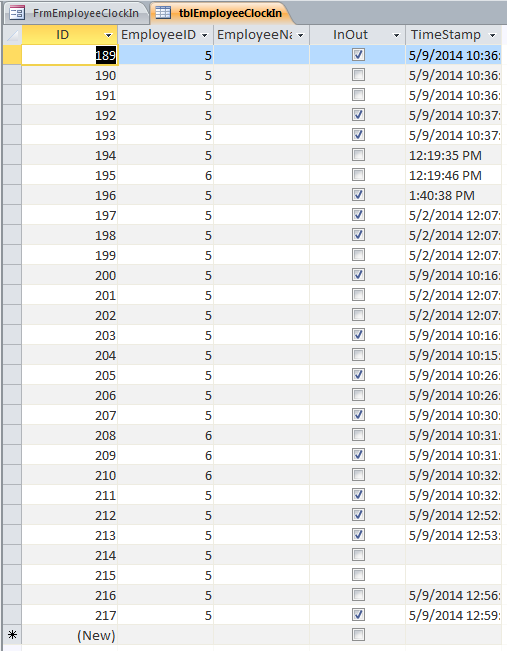
I am not sure how to do this. I have a database with a table with [Time IN] and [Time OUT] as two seperate fields along with other fields (Employee ID and Employee Name). I would like it so that if I input an Employee ID Access would search for the last record with the same Employee ID and whether the [Time IN] or [Time OUT] has a filled record and then input the new data in the opposite field.
For Example: I input something into the Employee ID Field. Then Access searches for the last record in the employee ID field with matching information. After that Access checks whether the last record has either the field [Time IN] or [Time out] filled in, lets assume [Time IN] was filled with "9am" then Access will fill in the [Time OUT] field with the current time and date (=Now()) or vice versa in the new record.
This is a little tough to explain so please do not hesitate to ask for a rephrasing or similar. I am confused on how I could accomplish this, Thank you to whomever is able to help.
I am not sure how to do this. I have a database with a table with [Time IN] and [Time OUT] as two seperate fields along with other fields (Employee ID and Employee Name). I would like it so that if I input an Employee ID Access would search for the last record with the same Employee ID and whether the [Time IN] or [Time OUT] has a filled record and then input the new data in the opposite field.
For Example: I input something into the Employee ID Field. Then Access searches for the last record in the employee ID field with matching information. After that Access checks whether the last record has either the field [Time IN] or [Time out] filled in, lets assume [Time IN] was filled with "9am" then Access will fill in the [Time OUT] field with the current time and date (=Now()) or vice versa in the new record.
This is a little tough to explain so please do not hesitate to ask for a rephrasing or similar. I am confused on how I could accomplish this, Thank you to whomever is able to help.