
Question Access with MySql

TexRanger

Registered User.
Local time
Today, 06:33
Joined
Jul 5, 2013
Messages
20
I am trying to build a shipping information system, which will enable the company to track all its export and import consignments. This particular system is to be developed in MS Access 2007/2010 and MySQL database, should i

1] Design & develop unbound forms with Passthrough Queries
or
2] Design Normal forms bound to tables. but doing this results in "ODBC - Insert on linked table failed" error, every time i tried inserting a record through the bound form.

my first preference would be to go with bound forms, any help on how to resolve this Insert error would be greatly appreciated.

many thanks in advance
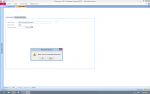
 

Attachments

  • Screenshot (79).png
    Screenshot (79).png
    65.9 KB · Views: 137
i would design for bound forms

if the form is generating an error - try opening a table, and entering directly in the table. i expect this will fail also.

in which case, it is likely to be an error with the tables/ODBC link/MySql database etc etc.
 
I would have to agree.

Also if you exported tables from Access to MySQL check the Data Types. Some Types but not many do not export too easily. Nothing you can't fix though.

I see you have used a Combo Box. Lookups in the Tables of MySQL do not work.
 
Successfully inserted a record from access into the table (attachment-1 & 2). however doing it from the forms fails miserably. I guess, i have to use the passthrough at the time of insert/update into the table.
 
Stay with the BOUND Form.

Is your problem with the Combo Box?

Run some tests to see where the save fails. Just write to one field at first, then two etc.
 
Last edited:
Dear All,
After a lot of investigation into the matter, it just dawned on me, that it is the only at the time of insertion of new record that the whole thing fails with a "COULD NOT INSERT into [table name]-ODBC error", now i just need to get around this problem.

thanks for all your support
;):o
 
Have you tested to see if you can write to any of the fields from the table in the front end.

The error message may be misleading.
 

Users who are viewing this thread

Back
Top Bottom