
Automatically create records in subform and nested subform

DataBass

Registered User.
Local time
Today, 00:09
Joined
Jun 6, 2018
Messages
68
I have a main form called frmItemDetail. Inside frmItemDetail, I have a subform called frmActivity. Nested within frmActivity is a subform called frmCategory. frmActivity is linked to the frmItemDetail by ItemID and frmCategory is linked to both its parents with ItemID and StageID and things work as they should.

Here is what I would like to do:

When a user selects a 'type' from the combo box called Type, I would like to automatically generate records in both the subform and the nested subform, as shown in the attached picture.

For example, if the user selects "Test" from the Type combo box, I would like to generate 8 records in the Activity subform with only the 'Stage' field filled out.

There would be 8 records as follows:
1. Stage 1
2. Stage 2
3. Stage 3
4. Stage 4
5. Stage 5
6. Stage 6
7. Stage 7
8. Stage 8.

Here is the really difficult part: For each of these records, I would like to generate 1 or more records in the nested datasheet with these exact strings in the Category field
1. Stage 1
Plan

2. Stage 2
Draw

3. Stage 3
Consult
Review

4. Stage 4
Edit
Estimate

5. Stage 5
Model
Render
Review

6. Stage 6
Consult

7. Stage 7
Final

8. Stage 8.
Show


I found a way to crudely add the records in the frmActivity subform by setting the focus on the frmActivity subform, setting the value of the 'Stage' field and then using DoCmd.GoToRecord acNewRec. It isn't pretty but it worked. I'm sure it isn't the best way to do it. However, I am at a complete loss as to how to create the records in the nested subform, frmCategory and link them to the parent records. Should this be done within the form? Should it be done behind the scenes with something like 'AddNew? I have no idea.

Any help with this would be greatly appreciated. Seriously. I'm stuck
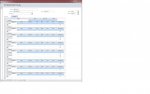
 

Attachments

  • AddSubRows1.jpg
    AddSubRows1.jpg
    88.5 KB · Views: 239
I would use an append query for both.
 
JHB, Thanks for the suggestion. I looked into Append/Insert Queries and gave it a shot. Believe it or not, it actually worked! Amazing!

I used an SQL Insert query for each new record in the After Update event of the cboType combo box.

Uncle Gizmo, since I was frantically typing code when you made your post, I didn't see it in time. I will check out your blog as soon as I'm done here.

Would anyone mind looking at my code and telling me if there is a better way to do this? Or if there is a way I could better re-write what I have and/or make it more compact, or more DRY?

Thanks again for the suggestions!

Code:
Private Sub cboType_AfterUpdate()

Dim ItemID As Long

Dim Stage1ID As Long
Dim Stage2ID As Long
Dim Stage3ID As Long
Dim Stage4ID As Long
Dim Stage5ID As Long
Dim Stage6ID As Long
Dim Stage7ID As Long
Dim Stage8ID As Long

ItemID = Me.ItemID

If Me.cboType = "Test" Then

    'Insert 8 new records into tbl Activity with correct stages 

    DoCmd.RunSQL "INSERT INTO tblActivity(ItemID, Stage)" & "VALUES (ItemID, '1. Stage 1')"
    DoCmd.RunSQL "INSERT INTO tblActivity(ItemID, Stage)" & "VALUES (ItemID, '2. Stage 2')"
    DoCmd.RunSQL "INSERT INTO tblActivity(ItemID, Stage)" & "VALUES (ItemID, '3. Stage 3')"
    DoCmd.RunSQL "INSERT INTO tblActivity(ItemID, Stage)" & "VALUES (ItemID, '4. Stage 4')"
    DoCmd.RunSQL "INSERT INTO tblActivity(ItemID, Stage)" & "VALUES (ItemID, '5. Stage 5')"
    DoCmd.RunSQL "INSERT INTO tblActivity(ItemID, Stage)" & "VALUES (ItemID, '6. Stage 6')"
    DoCmd.RunSQL "INSERT INTO tblActivity(ItemID, Stage)" & "VALUES (ItemID, '7. Stage 7')"
    DoCmd.RunSQL "INSERT INTO tblActivity(ItemID, Stage)" & "VALUES (ItemID, '8. Stage 8')"

    Me.frmActivity.Requery

    'Lookup primary keys of records just added above and assign them to variables

    Stage1ID = DLookup("StageID", "tblActivity", "ItemID=" & [Forms]![frmItemDetail]![ItemID] & "AND Stage = '1. Stage 1'")
    Stage2ID = DLookup("StageID", "tblActivity", "ItemID=" & [Forms]![frmItemDetail]![ItemID] & "AND Stage = '2. Stage 2'")
    Stage3ID = DLookup("StageID", "tblActivity", "ItemID=" & [Forms]![frmItemDetail]![ItemID] & "AND Stage = '3. Stage 3'")
    Stage4ID = DLookup("StageID", "tblActivity", "ItemID=" & [Forms]![frmItemDetail]![ItemID] & "AND Stage = '4. Stage 4'")
    Stage5ID = DLookup("StageID", "tblActivity", "ItemID=" & [Forms]![frmItemDetail]![ItemID] & "AND Stage = '5. Stage 5'")
    Stage6ID = DLookup("StageID", "tblActivity", "ItemID=" & [Forms]![frmItemDetail]![ItemID] & "AND Stage = '6. Stage 6'")
    Stage7ID = DLookup("StageID", "tblActivity", "ItemID=" & [Forms]![frmItemDetail]![ItemID] & "AND Stage = '7. Stage 7'")
    Stage8ID = DLookup("StageID", "tblActivity", "ItemID=" & [Forms]![frmItemDetail]![ItemID] & "AND Stage = '8. Stage 8'")

    'Insert 12 new records into tblCategory as sub-records to the records added above using variables
    
    DoCmd.RunSQL "INSERT INTO tblCategory(ItemID, StageID, Stage, Category)" & "VALUES (ItemID, '" & Stage1ID & "', '1. Stage 1', 'Plan')"
    DoCmd.RunSQL "INSERT INTO tblCategory(ItemID, StageID, Stage, Category)" & "VALUES (ItemID, '" & Stage2ID & "', '2. Stage 2', 'Draw')"
    DoCmd.RunSQL "INSERT INTO tblCategory(ItemID, StageID, Stage, Category)" & "VALUES (ItemID, '" & Stage3ID & "', '3. Stage 3', 'Consult')"
    DoCmd.RunSQL "INSERT INTO tblCategory(ItemID, StageID, Stage, Category)" & "VALUES (ItemID, '" & Stage3ID & "', '3. Stage 3', 'Review')"
    DoCmd.RunSQL "INSERT INTO tblCategory(ItemID, StageID, Stage, Category)" & "VALUES (ItemID, '" & Stage4ID & "', '4. Stage 4', 'Edit')"
    DoCmd.RunSQL "INSERT INTO tblCategory(ItemID, StageID, Stage, Category)" & "VALUES (ItemID, '" & Stage4ID & "', '4. Stage 4', 'Estimate')"
    DoCmd.RunSQL "INSERT INTO tblCategory(ItemID, StageID, Stage, Category)" & "VALUES (ItemID, '" & Stage5ID & "', '5. Stage 5', 'Model')"
    DoCmd.RunSQL "INSERT INTO tblCategory(ItemID, StageID, Stage, Category)" & "VALUES (ItemID, '" & Stage5ID & "', '5. Stage 5', 'Render')"
    DoCmd.RunSQL "INSERT INTO tblCategory(ItemID, StageID, Stage, Category)" & "VALUES (ItemID, '" & Stage5ID & "', '5. Stage 5', 'Review')"
    DoCmd.RunSQL "INSERT INTO tblCategory(ItemID, StageID, Stage, Category)" & "VALUES (ItemID, '" & Stage6ID & "', '6. Stage 6', 'Consult')"
    DoCmd.RunSQL "INSERT INTO tblCategory(ItemID, StageID, Stage, Category)" & "VALUES (ItemID, '" & Stage7ID & "', '7. Stage 7', 'Final')"
    DoCmd.RunSQL "INSERT INTO tblCategory(ItemID, StageID, Stage, Category)" & "VALUES (ItemID, '" & Stage8ID & "', '8. Stage 8', 'Show')"
        
    Me.frmCategory.Requery
  
End If

End Sub
 
Last edited:
The best way to solve this sort of problem is to realise that your forms are for viewing/editing/adding the data.

Forms are for adding records too and a form is how this should be done.

Instead of attacking the problem from the form angle you attack the problem from the table angle. In other words you need to add records to the tables.

Not really. Proforma virtual records that don't actually exist in a table can be made to appear in a form by putting them in the form's recordset using an outer join query. They only become real records after entering values into other bound controls and allowing the record to save.

See the sample in Post 3 of this thread.

The crux of the technique is the subform RecordSource query. No code is required. (The code in the example is just to write another value chosen in the main form as the record is saved.)

No insert queries required. And importantly, no records saved unless they are actually used. This allows the subform to present any number of potential records without cluttering up the table with essentially empty records. It is ideal where a range of optional attributes are to be recorded in a subform.

The next part is not in the sample database and I have not tried it.

In the case of the current thread, the records in the subform may be able to be filtered using the subformcontrol LinkFields with the LinkMasterField being the main form's unbound combo used to select what DataBass has called the Type. (BTW Type is reserved so don't use it as an object name. Let's call it RecordType)

The LinkChildField would be a field in the subform SourceObject's recordset. It need not be displayed on the form. In the sample, RecordType would be a field included in the query from the Student table. In that case it would be used to select the appropriate Student records (probably the Stage records in the current thread).

If this doesn't work, then use a RecordSource query for the subform with a Where clause based on the RecordType selection combo on the main form and Requery the subform after the selection. I'm sure this would work.

This structure should be able to be extended to a second level subform or further.

This technique is remarkably simple and powerful but I have never seen it suggested by anyone else let alone documented. Everyone seems to always suggest the brute force Insert route for these situations.

I have suggested it on a few other threads but I am not sure that anyone understood it well enough to implement in their situation. It is easier than it looks and would be an excellent subject for one of Tony's tutorial videos.

Tony, I'm sure you will be able to understand this technique but let me know if I need to clarify anything.
 
Galaxiom,

Thanks for the reply. I read your post, I read the thread that you referred to and I looked at the sample grades.mdb.

I'm not seeing how these approaches would allow me to automatically generate the records I need. It appears that the user still needs to manually enter the data on the form. This is what I am trying to avoid.

The code I posted, while it may not be pretty, did exactly what I need. Is there really a way to add these 20 records automatically without code and insert queries?

Could you please enlighten me if I am missing something here?
 
@ OP,
Taking ONE step back, what happens if they change the value in your combo box?

For myself, I would NEVER add the child records UNTIL the parent has been saved and the user KNOWS it.

For program flow, I'd have them create the parent, hit the "SAVE" button (which saves the record and creates children) THEN get moved to an update form that has the child records on it and NO combo box.

This will avoid the headache you have with orphan/excess records if the user decides to up and change your combo box on you.
 
@ OP,
Taking ONE step back, what happens if they change the value in your combo box?

For myself, I would NEVER add the child records UNTIL the parent has been saved and the user KNOWS it.

Mark_, Good question and good point. The code that adds the records will only execute if there are zero records in the subforms. If they try to change to value of the combo box and records exist in the subforms, they get a MsgBox explaining that they can't change it unless they manually remove the records from the subforms. Also, I have added a confirmation MsgBox before the records are added so the user can be sure he selected the correct value in the combo box. It may not be ideal but everyone involved is ok with this.

I'm still at a loss for how I might apply Galaxiom's approach.
 
Even if my code above is not the ideal method, it does work.

Just for my own understanding, would anyone be willing to give me some ideas for how I could compact/improve what I already have? It seems that there is so much repetition in there, but I'm not sure how best to avoid that.

Thanks
 
Open the form in the attached database, put in an ItemId then click the button.
The result is going into tables tblActivity and tblCategory.
 

Attachments

Wow.

JHB, That's really something. Sooo much simpler!

It never occurred to me to make separate tables and append the records this way.

Great idea.

I am trying to apply this to my project, but I'm having difficulty with one particular issue.

ItemID is the top level ID for the main form. In your example, we generate this ID manually, not a problem.

In tblActivity, each record needs to have an ItemID AND a StageID. I have added StageID as an autonumber PK.

So far so good, everything still works

Here is the difficulty: Each record in tblCategory needs to have the ItemID, StageID and it's own CategoryID so that each Category record will be tied to a specific StageID. I have added these fields and made CategoryID an autonumber PK.

I have also set up a one-to-many relationship between tblActivity and tblCategory, using StageID.

Using append queries, how would I link the Category to the correct StageID? Should I use Dlookup to get the StageID?

Thanks again for your response.
 
Uncle Gizmo,

Thanks for taking the time to spell that out. I have not used For Next loops in VBA, but I have used For Each loops in javascript and they appear to be the same thing essentially. Great idea.

I have very limited experience with recordsets. I'm playing with the idea a bit now for setting bookmarks.

Yes, I knew there has to be a better way to make my code work but I just didn't know where to start. Loops and recordsets, will give me plenty to experiment with.

Thanks for your input
 
If categories belong to stages, then looking up the category will get you the stage ID. You don't need to save it.
 
Do the attached database now fulfilled you requirement?
Else explain where it is wrong, (printscreen)! :)
 

Attachments

JHB,

Amazing. That did it. I'm going to dig into your sample and figure out how you did that.

This is great.

THANK YOU!!

Where should I send the beer?
 
Last edited:
Amazing. That did it. I'm going to dig into your sample and figure out how you did that.
..THANK YOU!!

Where should I send the beer?
The StageID is coming from the tblActivity, (so no magic at all)! :)
You're welcome! :)
Send it to Denmark, (prefer a cold Tuborg from the bottle). :D:D
 
This should keep you happy for a while

JABtU4
tuborg-beer-650-ml-x-12-bottles.jpg


Thanks again
2Q==
 
Last edited:
I've run into an interesting problem.

When I adapt this method to my current project I get an error when doing the append queries on a totally new record on the main form. It works fine if I append to an Item that previously existed.
It says it failed to append the records due to primary key violations. If I save the main record first, then append, it works.

Any idea why this might be happening? I'm guessing I need to start with fresh tables with no data because JHB's example works perfectly.
 
It happens because the value from ItemID isn't in the table for new created records, (until it is saved).
How do you add/create the records in the subform, click a button or how?
 
The new records are added as part of the After Update event when the cboItemType combo box is changed.
I forced it to save the record and it works, but I didn't think I should have to do that because your example works without saving the record.
 

Users who are viewing this thread

Back
Top Bottom