
how to display multiple item on form

luzz

Registered User.
Local time
Yesterday, 21:29
Joined
Aug 23, 2017
Messages
346
Dear all,

Would like to seek help in how to display multiple items on the form.
Based on my screenshot I attached, I selected two colors (item in black) and retrieve on my form, but it populates two same colors onto my textbox. How to display two different colors on the textbox?
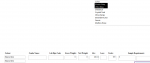
 

Attachments

  • form.png
    form.png
    10.6 KB · Views: 233
Set the form property to:
Continuous form
 
luzz,

I'm with Tony on this --seems there's a lot of info missing. More detail and even a "mock up" or two to show exactly what you need/expect as output is needed.

Perhaps ranman has guessed successfully --if so, we may need to have him select some lotto numbers.
 
Is the control on top where you make your selection a multiselect listbox? Are you trying to edit or add multiple records?

Cheers,
Vlad
 
Is the control on top where you make your selection a multiselect listbox? Are you trying to edit or add multiple records?

Cheers,
Vlad

Is a multi select listbox, where i want to display mutiple color on my textbox then save it to the database
 
luzz,

I'm with Tony on this --seems there's a lot of info missing. More detail and even a "mock up" or two to show exactly what you need/expect as output is needed.

Perhaps ranman has guessed successfully --if so, we may need to have him select some lotto numbers.

I want to be able show the two colors that i have mutiselect from my lisbox on the textbox on my form. Currently i am only able to show one color on my form.

Example; I selected two colors on the listbox but it will only show one color on on page of the form and the color on the next form. What i mean by next form is that i will need to click on the next button that i have coded to show the next color
 
I goggle online and result show that maybe i can use dlookup function in my textbox. Therefore i tried, but i keep getting error.

Below is my dlookup query:
=DLookUp("[Colour]","[Lst_PO]","[GLGPO]=" & [GLGPO])

Would appreciate if you all can tell me where i go wrong
 
I also believe that a continuous subform is the solution. Can you explain what didn't work about the continuous subform?

I've attached a sample that shows how to use a multi-select listbox to control a subform.

The reason why i said that continuous form does not work is because, i am unable to see the change of color when i scroll through the form. Hmm, what i want to achieve is that when i select two colors from the listbox on the form, i will be able to see two different colors on the textbox on the form. However, now i am only able to see one color.
 
Could you post some sample data + your form?
 

Users who are viewing this thread

Back
Top Bottom