Is Form being Loaded as a SubForm

Hi Mark

Yes that makes sense ... I think but I'd need to try it to be sure I understand properly.
Unfortunately, I don't have the time right now either!

I don't blame you in the least for not spending the time on the challenge
If you had asked me to do the same in reverse, I would probably have declined as well!

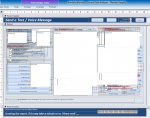
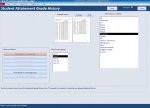
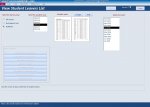
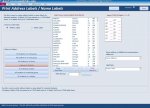
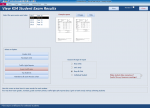
Just to give you an idea of the multi-purpose form I mentioned, attached are 4 randomly selected views showing a few of its many different uses.
Also attached is the same form in design view though most of the controls are hidden under other controls ....

Its taken many years to reach this level of complexity & it works well.
The main advantage is being able to reuse the same code repeatedly
BUT whether I'd do it again like this if I started again now is another matter...:)
 

Attachments

  • frmSelectReviewDesign.PNG
    frmSelectReviewDesign.PNG
    76.1 KB · Views: 171
  • frmSelectReview1.jpg
    frmSelectReview1.jpg
    89.4 KB · Views: 219
  • frmSelectReview2.jpg
    frmSelectReview2.jpg
    87.4 KB · Views: 219
  • frmSelectReview3.jpg
    frmSelectReview3.jpg
    94.9 KB · Views: 153
  • frmSelectReview4.PNG
    frmSelectReview4.PNG
    98.6 KB · Views: 150
That's the ultimate question!
The answer is 42....

LOL

Apologies to the OP - this thread has moved away from the original question onto a much wider discussion
In fact following Tony's reply, possibly the most fundamental question of all

I remember using Douglas Adams famous answer to
"what's the meaning of life, the universe and everything?"
as a personal reference to re-check some rarely used & obscure code which in my view was a bit of a muddle i.e.
at sixes and sevens
Hopefully the connection is obvious...

NOTE: for non English residents, Wikipedia lists the phrase as
"At sixes and sevens" is an English idiom used to describe a condition of confusion or disarray.

Anyway, as it was obscure, I promptly forgot about the code until about a year later a client demanded to know why the app gave had a message box saying 42 when he performed a particular action ....

Needless to say they'd never heard of Douglas Adams so it was a bit hard to explain :D

Anyway, the real answer is that I not only would, but do, continue to create multi-purpose forms.
However, none so far have reached the same degree of complexity as the one I described
 
Last edited:
I wouldn’t do it in each instance of the subform, I’d do it from the Main Form….

Also, I'm uncomfortable when an Error is triggered deliberately to make something happen. However, it can't be avoided all of the time and is sometimes a necessary evil.

In this particular case I can see a way which would avoid such an abuse of MS Access!

I would look at the problem from a different perspective.

There's no such thing as a “Sub-Form”! What you have on your “Main Form” is an ordinary form housed within a subform/subreport control, which I refer to as a subform window. The term “Subform” is a useful way of explaining what you see, however the term does tend to take your eye off the ball so to speak, because the form (Subform) isn’t actually on the Main Form it actually resides within the subform/subreport control.

There is a natural tendency to think about Controls, Forms, Objects as individual entities, however most things in MS Access are members of a collection. There's no exception in this case, your command button is one of the controls in the controls collection of the form it’s on. The form itself is housed within the subform window. It’s not necessary to refer to this form by its full name, you just refer to it as an object, as the object contained within that subform window a “Form”

Once you think about writing your code to take advantage of these Collections of Controls, then there are loads of fascinating and interesting things you can do. In this case, I would approach the problem from the “Main Form” perspective, not the subform perspective.

I would write code in the main form that would traverse the Main Form’s Controls Collection when the main form loads.

in your main form's “Load Event” (the form housing all of the identical subforms), run the code below. The code will seek out all of your subforms it will look in each form and see if it has a command button named “btnToHide” and set it's visible property to false...

Code:
Private Sub Form_Load()
Dim Ctrl As Control

    For Each Ctrl In Me.Controls
   
        Select Case Ctrl.ControlType
            Case acSubform
                Ctrl.Form.btnToHide.Visible = False
       
        End Select
   
    Next Ctrl

End Sub      'Form_Load
Thanks, this is OLD, but I found my solution, I just tweak it a bit.
I wanted to avoid a control "SubForm" to open if the superadmin is login [me], so that I can perform a Compact and Repair thru VBA, I ask the question here in the forums, but I had no luck:

https://www.access-programmers.co.uk/forums/threads/open-a-form-with-a-sub-form.332459/#post-1939406

so, I started lurking around and I found your code, I modify it, possibly not the best solution, but surely works for me [SO FAR].

So, this is the final code, if you have any suggestions, it will be appreciated.

Code:
' 
Private Sub Form_Load()
Code by @Uncle Gizmo [AWF]
' https://www.access-programmers.co.uk/forums/threads/is-form-being-loaded-as-a-subform.297204/
'

Dim Ctrl As Control
For Each Ctrl In Me.Controls

    Select Case Ctrl.ControlType
        Case acSubform
            'Ctrl.Form.btnToHide.Visible = False
            ' Stops the Subform from Loading ?
            Me.AuthorizationsView.Enabled = False
            Me.AuthorizationsView.SourceObject = "AuthFullViewDummyF"
            
            
    End Select

Next Ctrl
End Sub

Thanks

Maurice.
 
Hi Morris,

Great code! I made a small tweak by wrapping the Me.AuthorizationsView lines in a With statement for a bit of extra clarity and efficiency. It’s not essential here, but useful if more properties get added in the future.

Code:
Private Sub Form_Load()
    'Code by @Uncle Gizmo [AWF]
    'https://www.access-programmers.co.uk/forums/threads/is-form-being-loaded-as-a-subform.297204/
   
    Dim Ctrl As Control
    For Each Ctrl In Me.Controls
   
        Select Case Ctrl.ControlType
            Case acSubform
                ' Example code where we're using a With statement
                With Me.AuthorizationsView
                    .Enabled = False
                    .SourceObject = "AuthFullViewDummyF"
                End With
               
        End Select
       
    Next Ctrl
End Sub
Thank you, sir, I am working in a small option, if it works, I will post it.
 

Users who are viewing this thread

Back
Top Bottom