PMP Database issues

a7mad1990

New member
Local time
Today, 05:17
Joined
Feb 17, 2023
Messages
26
I'm New in Access
I was Design anew database to manage my villas

I need to vba Code to:

1. when i enter the new customer in (Navigation_Form) "The First Tab" and go to "second tab" i need to select that customer to hiring his Project with "Villa Number and Location".
2. in (Q_Cust_Proj_Work) form i need to hiring Works from Table (Works_Help) with filtering Works "Finishing or Structure" and when I click the "Add" Button it will Put Automaticity the "Finishing Works Or Structre Works" to this "Customer" i was Selected.

The Same Idea is On The (Loan) Form
But I need To applicate This Idea To My Database From Form (Q_Cust_Proj_Work) and Table (Works_Help)


I'm Sorry The Database is in Arabic Language

The Database is Attached

PLZ Help Me be Edit My Database Or Get Me VBA Code
 

Attachments

PLZ Help Me be Edit My Database Or Get Me VBA Code
unable to open your database, missing reference on Camtasia.
even if i am able to open it there is no guarantee that i can edit your form
since you made it in Arabic Office.
 
unable to open your database, missing reference on Camtasia.
even if i am able to open it there is no guarantee that i can edit your form
since you made it in Arabic Office.
the database make by office 2021 English but the data in Arabic Language
 
Hello I need VBA Code To:

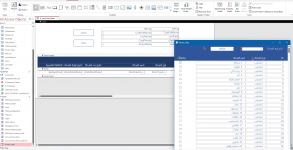
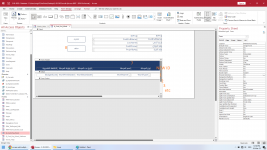
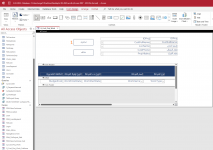
  • Pic1: When Open Form "Q_Cust_Proj_Work" and Click on button No.1
  • Pic2: and select the items on Form "Works_Help" by filter them uses Combobox No.2 and click button No.5 it automatically copy that selected items No.4 to "Q_Cust_Proj_Work".
  • Pic3: Finally Generate New ID Start With Number 1 to etc. selected and when I Click Button No.8 it will delete all items.


that I mean


Thanks For All

Ahmed Amer
 

Attachments

  • 3-03-2023.zip
    3-03-2023.zip
    2.1 MB · Views: 198
  • 1.png
    1.png
    94.1 KB · Views: 182
  • 2.png
    2.png
    157.9 KB · Views: 185
  • 3.png
    3.png
    201.4 KB · Views: 183
too many "missing reference"...
 
make by office 2021 English but the data Entry in Arabic Language PLZ Help ME
 
i remove some "missing reference" from your database (i don't have them).
so what you need to do is test first this db if it is ok for you.
if it is ok, what you need to do is:

1. Copy TblWorksOnly (i change the structure) to your db (replace your table).
2. Copy Form Q_Cust_Proj_Work to your db.
3. Copy Form Q_Cust_Proj_Work_Subform to your db.
4. Copy Module Module1 to your db.

or just re-instate all reference back in VBA on this db.


//Edit i just copied the forms/table myself so the attached db is not yet tested.
 

Attachments

Last edited:
7 missing references but it compiled without them...possibly only because Option Explicit is missing on several code modules
 
I have 4 departments in the company and I want to make this database as an automatic incoming and outgoing system between users so that each user enters his name and password and sends letters, records and files as rows to the concerned departments and the user name is attached to the application

I've made a table called "outgoing" so what's next?
 

Attachments

Sorry but I don't have time to look at this further. Hopefully someone else will do so.
Have you sorted out the 7 unused references yet?
 
As previously stated, 7 references are marked as MISSING
1679328072748.png

I unticked all of those and the code compiled. Therefore, none of those references are being used. You should remove them
 

Users who are viewing this thread

Back
Top Bottom