Solved Read Text File Into Table Issue

Cotswold

Well-known member
Local time
Today, 08:54
Joined
Dec 31, 2020
Messages
1,035
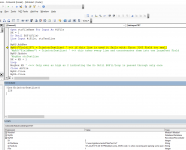
Hello All, I need to read various plain TEXT files into an Access Table but am unable to get it to read the lines separately. I know that using the Access TransferText function will do the job but there will be different text files that I need to handle and I would rather decide in the code how to handle them, instead of creating a new Specification for each new file that arises. Which will not be practical in this instance.

I have extracted the code I have an issue with. Is anyone able to tell me why the following code will only import all of the contents of a text file into one LargeText field rather than each line into separate fields?

Line 18 fails with Error 3163 Field too small to accept data. (with lengths less than 60 characters each in the text file)
Line 19 works as all the lines in PlainText.txt File are concatenated and saved in the Table T1030 FieldMemo which is a LongText type.
The text lines in the text file will not be longer than 128 and there will usually be from about 20 to up to 150 lines of text to read in.
Code:
Private Sub btnImportTXT_Click()
'
001 ' Access Table
002 Dim MyDb As DAO.Database
003 Dim MyRS As DAO.Recordset
004 Dim XX As Integer
005 Set MyDb = CurrentDb
006 Set MyRS = MyDb.OpenRecordset("T1030")
007 '--------- Text txt
008 Dim strFileName As String: strFileName = "c:\Path\Path\PlainText.txt" ' hard coded in example
009 Dim strTextLine As String
010 Dim iFile As Integer: iFile = FreeFile
011 '
012 Open strFileName For Input As #iFile
013 XX = 1
014 Do Until EOF(iFile)
015     Line Input #iFile, strTextLine
016     '
017     MyRS.AddNew
018     MyRS("Field128") = Trim(strTextLine) ' <<< if this line is used it fails with: Error 3163 Field too small
019     'MyRS("FieldMemo") = Trim(strTextLine) ' <<< this takes every line and concatenates them into one LargeText Field
020     MyRS.Update
021     'MsgBox strTextLine
022     XX = XX + 1
023     Loop
024     MsgBox XX ' <<<< Only ever as high as 2 indicating the Do Until EOF()/Loop is passed through only once
025     Close #iFile
026     MyRS.Close
027     MyDb.Close
'
End Sub   ' btnImport()

***********
 
Last edited:
I had problems importing CSV data a while back.

I found changing the database text fields to memo fields solved some problems.

No idea if it's relivant to your situation, just thought I should mention it ...
 
What is/are your end of line character(s)?
 
I had problems importing CSV data a while back.

I found changing the database text fields to memo fields solved some problems.

No idea if it's relivant to your situation, just thought I should mention it ...
Thanks Uncle G, but I prefer to avoid LongText or Memo fields if at all possible
 
you can only have 255 chars in a short text field.
 
What is/are your end of line character(s)?
I guess in the main it will be a CR, CHR(13) and it is in my test files. But it could be LF, Chr(10) I suppose, Either is Ok
 
Do you have some test data you can post and share?
What is the design of "T1030"?
 
I just tested a small text file using the logic in your code.
I set up field128 (128 chars short text( in table T1030. My line terminator is Cr Lf
Here's a png after getting the 3163 error

CotswoldTest.PNG
 
I just tested a small text file using the logic in your code.
I set up field128 (128 chars short text( in table T1030. My line terminator is Cr Lf
Here's a png after getting the 3163 error

View attachment 96832
That is the same err as I have. I'll send a copy of a database and text file on the next response. The problem is that in the loop it is not looking line by line but gathers every line in the text file.
 
I attach a database with one table and one form, plus a text file in a zip file. The Text File will have to be in the C:\Temp\ folder unless you amend the code to the button's ClickEvent(). What I want to do is to put each of the lines from the Text File into a separate field in the Field128 in the T1030 table. All I can do is slam the lot into the FieldMemo. I don't even need a Do Until/Loop if I wanted to do that.

Which begs the question: What is the point of the Do Until EOF()/Loop ?
I could remove the loop, load them all up from the Text File and string handle each line into separate records in the Table...but I don't really want to do it that way.
Regards
 

Attachments

Last edited:
Thanks for that Pat but it doesn't explain why the Do/Loop doesn't work. Some files will be CSVs with varying numbers of fields. If I can import from the plain text file I can do the CSV as well. It is just easier to test on a plain file. The routine is all over the place, MS included, as a VBA solution to import/extract text file data and I cannot see why it will not work. As I say, the loop is not reqd to read the data of the whole file into a variable.
 
Dealing with text files can be "fun"....

Without seeing your text file of course, I can only speculate, but feel free to post a sanitized sample if you wish and I will check it out, I am interested in what the problem is.

One quick 'n dirty solution is, read the text slowly into VBA (or however you want) to get the actual character code between lines.
(or whatever your definition of a new line IS - for all I know it could be a newline character or the word Spaghetti - but Access doesn't automatically know that).....and then code to replace all instances of that character with something you KNOW Access will recognize, such as, vbnewline, chr(10), chr(13), or both of the last two at once.

Edit: sorry, just saw your earlier zip attached. When I use an Access database to read that text file in, it has no problem separating it automatically into 6 records. Are you experiencing different behavior when importing with no specs?

Notepad++ does show a linefeed at the end of each line. (Notepad++ is great to analyze 'what' is in a file)
 
Here's another import with a better format of multiple record types. This is a standard EDI (Electronic Data Interchange) 835 which is used for transmitting medical billing information between providers. EDI is a standard format managed by ONE company and used by thousands to simplify data transmission. Each transaction type is very complicated with multiple records within a single transaction and they cannot be handled by any straight SQL method so it is code and more code to decode the input file. The documentation for each transaction runs about $800 each. Companies are not supposed to give the layouts to their trading partners. Each party is supposed to buy it's own manuals.
Code:
Public Function Import835(frm As Form) As Boolean
Dim db As DAO.Database
Dim td As DAO.TableDef
Dim qd As DAO.QueryDef
Dim rs As DAO.Recordset
Dim td835 As DAO.TableDef
Dim rs835 As DAO.Recordset
Dim str As String
Dim FileNum As Long
Dim RecCount As Long
Dim ary1 As Variant
Dim aryColumns As Variant
Dim aryPCode As Variant
Dim sTranCode As String
Dim sRecBlob As Variant
Dim i As Long
Dim i2 As Long
Dim strFullFileName As String
Dim saveEMS As Variant
Dim saveSendID As Variant
Dim saveReceiveID As Variant

Dim HoldReceivedID As Variant
Dim HoldTransmittalNum As Variant
Dim HoldRecNum As Variant
Dim HoldErrGroup As Variant
Dim HoldErrCode As Variant
Dim HoldEMS As Variant
Dim HoldFromDT As Variant
Dim HoldToDT As Variant
Dim HoldpCode As Variant
Dim HoldUnits As Variant
Dim HoldBilledAmt As Variant
Dim HoldPaidAmt As Variant
Dim HoldCoPay As Variant
Dim HoldRec As Boolean
Dim HoldInvNum As Variant

Dim TranCount As Long
Dim LineCount As Long

    On Error GoTo Err_Proc

    Set db = CurrentDb
    Set td = db.TableDefs("tbl835BlobImport")
    Set rs = td.OpenRecordset(dbOpenDynaset, dbSeeChanges)
    Set td835 = db.TableDefs("tbl835")
    Set rs835 = td835.OpenRecordset(dbOpenDynaset, dbSeeChanges)
  
    'Open FileNum For Input As #1
    strFullFileName = frm.txtFileName
    FileNum = FreeFile
    Close FileNum
    Open strFullFileName For Input As FileNum
  
    HoldRec = False
    TranCount = 0
    LineCount = 0
  
    Do Until EOF(1)
        Line Input #FileNum, str          'because records are not correctly delimited, entire file is read as a blob
        ary1 = Split(str, "~")     'split blob into records
        For i = 0 To UBound(ary1)   'for each record in blob
            sRecBlob = ary1(i)
            LineCount = LineCount + 1
            If sRecBlob & "" = "" Then
            Else
                sTranCode = Left(sRecBlob, InStr(sRecBlob, "*") - 1)
                aryColumns = Split(sRecBlob, "*")
            'add record to  table
                    rs.AddNew
                        rs!ImportBatchID = frm!txtImportBatchID
                        If sTranCode = "NM1" Then
                            If aryColumns(1) = "QC" Then
                                saveEMS = aryColumns(9)
                            End If
                        End If
                        If sTranCode = "CLP" Then
                            saveSendID = aryColumns(1)
                            saveReceiveID = aryColumns(7)
                            rs!SendID = saveSendID
                            rs!ReceiveID = saveReceiveID
                        End If
                                            
                        rs!TranCode = sTranCode
                    
                        'can't populate EMS on CLP because we don't get the correct EMS until after writing the CLP record.  Update later with query.
                        If sTranCode = "CLP" Or sTranCode = "PLB" Or sTranCode = "SE" Or sTranCode = "GE" Or sTranCode = "IEA" Then  'don't populate EMS for these codes
                        Else
                            rs!ems = saveEMS
                            rs!SendID = saveSendID
                            rs!ReceiveID = saveReceiveID
                        End If
                      
                        For i2 = 1 To UBound(aryColumns)
                            rs.Fields(i2 + 4) = aryColumns(i2)
                        Next i2
                    rs.Update
                    RecCount = RecCount + 1
                    ''''' save 835 rec
                    Select Case sTranCode
                        Case "CLP"
                            If HoldRec = True Then
                                GoSub Write835
                            End If
                            GoSub Clear835
                            HoldRec = True
                            HoldReceivedID = aryColumns(7)
                            HoldInvNum = aryColumns(1)
                            HoldTransmittalNum = Left(aryColumns(1), 5)
                            HoldRecNum = Mid(aryColumns(1), 6)
                            HoldBilledAmt = aryColumns(3)
                            HoldPaidAmt = aryColumns(4)
                            HoldCoPay = IIf(aryColumns(5) & "" = "", Null, aryColumns(5))
                        Case "NM1"
                            If aryColumns(1) = "QC" Then
                                HoldEMS = aryColumns(9)
                            End If
                        Case "DTM"
                            Select Case aryColumns(1)
                                Case "232"
                                    HoldFromDT = CDate(Left(aryColumns(2), 4) & "/" & Mid(aryColumns(2), 5, 2) & "/" & Right(aryColumns(2), 2))
                                Case "233"
                                    HoldToDT = CDate(Left(aryColumns(2), 4) & "/" & Mid(aryColumns(2), 5, 2) & "/" & Right(aryColumns(2), 2))
                            End Select
                        Case "SVC"
                            aryPCode = Split(aryColumns(1), ":")        'this field has multiple parts separated by colons.  The second one is pcode
                            HoldpCode = aryPCode(1)
                            HoldUnits = aryColumns(5)
                        Case "CAS"
                            HoldErrGroup = aryColumns(1)
                            HoldErrCode = aryColumns(2)
                    End Select
                End If
        Next i
    Loop
      
    If HoldRec = True Then
        GoSub Write835          'write last record
    End If
  
    Set qd = db.QueryDefs!q835UpdateCLPwithEMS  'populate EMS on CLP records
    qd.Execute
  
    MsgBox "Import Complete", vbOKOnly
  
    'close files and release
    rs.Close
    Set rs = Nothing
    Close FileNum
    Debug.Print RecCount
    frm.txtTranCount = TranCount
    frm.txtLineCount = LineCount
Exit_Proc:
    On Error GoTo 0
    Exit Function

Write835:
    TranCount = TranCount + 1
    rs835.AddNew
        rs835!BatchID = frm!txtImportBatchID
        rs835!ICN = HoldReceivedID
        rs835!TransmittalNum = HoldTransmittalNum
        rs835!RecNum = Left(HoldRecNum, 5)
        rs835!ResubmitCD = Right(HoldRecNum, 2)
        rs835!ErrGroup = HoldErrGroup
        rs835!ErrCode = HoldErrCode
        rs835!ems = HoldEMS
        rs835!FromDT = HoldFromDT
        rs835!ToDT = HoldToDT
        rs835!pCode = HoldpCode
        rs835!Units = HoldUnits
        rs835!BillAmt = HoldBilledAmt
        rs835!PaidAmt = HoldPaidAmt
        rs835!copay = HoldCoPay
        rs835!PaidCD = IIf(HoldBilledAmt = HoldPaidAmt, 1, IIf(HoldPaidAmt = 0, 3, 2))
        rs835!InvNum = HoldInvNum
    rs835.Update
    Return
  
Clear835:
    HoldReceivedID = Null
    HoldTransmittalNum = Null
    HoldRecNum = Null
    HoldErrGroup = Null
    HoldErrCode = Null
    HoldEMS = Null
    HoldFromDT = Null
    HoldToDT = Null
    HoldpCode = Null
    HoldUnits = Null
    HoldBilledAmt = Null
    HoldPaidAmt = Null
    HoldCoPay = Null
    Return
  
Err_Proc:

    Select Case Err.Number
        Case Else
            MsgBox "Error " & Err.Number & " (" & Err.Description & ") in procedure Import835 of Module modEDI"
    End Select
    Resume Exit_Proc
    Resume Next
End Function

That looks familiar. Not the code, the explanation. I used to work at a healthcare revenue cycle management company and we had a few occasions to write special scripts for their silly file formats...ha....it is really something.

Now of course they COULD potentially re-structure all that in some normalized way, it would just increase the number of separate files and datasets.....but I think medical file formats are one of those things that just got started one day back when, and never got changed because it seems to hard for everyone.

I mean think about it. If I were raised by wolves and had never heard of a database, tables, records, columns, or even seen Excel.....I might say something like this:
  • Whenever I type @@, that's the start of a new record.
  • Whenever I type ^%^3 followed by "Detail-#", that's the detail of the subclaim of that # that belongs to the.....
(You get the gist - just literally dreaming it up with no guiding principle of any kind).
It's like........the first caveman invented EDI formats, the next one XML at least..

Think of the difficulty when they simply went from icd9 to icd10.
We used to use a program called Market Prominence for medicare stuff and I had to create export files for it. Very interesting stuff..I remember something called the "BE response file" but I can't now remember what in the world it was...just that I had to generate a lot of mumbo jumbo that made no sense unless you knew how to decode it, and the government would decode it and send another file back. Really crazy stuff in place of good programming IMO..
 
Thanks to everyone, I've got it working now in a similar way to Pat's idea of a character at a time. Only one strange issue and that is that I have to cobble the code somewhat illogically to get the last record.

The whole object of this is to do with importing bank statement records. Different banks have wildly different CSV export layouts and it is unlikely that I could have examples of them all. One a came across had three lines of pointless information, six blank lines, then the Header and data.

Instead of using the CSV imports, I have been looking at the OFX/QBO/QIF files. The OFX is supposed to be a standard. However, in common with all standards created by committees there are quite a few versions. That's the good thing about standard layouts, there are so many of them.
I've sorted a couple of the OFXs and QBO, so pretty well sorted now as they should cover most of them.

When I came across the issue with the EOF/Loop importing the whole file, I thought unless I sort it now, when I need it later I'll be starting over from scratch. In case anyone has the same issues I've attached an updated ZIP file as before with the copy of the text file used in the code.

Thanks again, Will
 

Attachments

Last edited:
Nogmaals, ik weet niet zeker wat het nut van de oefening is. U moet nog steeds een nieuw bestand openen vanuit een nieuwe bron en erachter komen wat u hebt.

Toen ik hetzelfde project voor een klant deed, gebruikte ik able2Extract. Het had een batch-modus die geweldig was. Elke nieuwe bank vereiste een iets ander formaat met andere codes, enz. Nadat ik helemaal klaar was, ontdekte ze dat er een machineleesbaar formaat was, maar je hebt gelijk, het was inconsistent, dus we bleven gewoon bij de OCR-methode en able2Extract deed echt geweldig werk door de pdf's om te zetten naar bruikbare gegevens. Ik kon linken naar de spreadsheets gemaakt van de PDF's en met behulp van aangepaste criteria, identificeren van de rijen met zinvolle gegevens.

2021-12-16 (2).png
 
Last edited:
Bedankt daarvoor Lamje, maar heeft hetzelfde probleem en mist het opslaan van het 6e of laatste record in het tekstbestand naar de toegangstabel. Het heeft nog een AddNew nodig buiten de lus, zoals ik in mijn code heb opgemerkt. Waarom is een raadsel, net als de reden waarom mijn origineel niet zou werken zoals verwacht. Maar hé, ho!

Thanks for that Lamje, but has the same problem and misses saving the 6th or last record in the text file to the access table. It needs another AddNew outside the loop, as I noted in my code. Why is a mystery, as is the reason why my original wouldn't work as expected. But hey, ho!
 
Bedankt daarvoor Lamje, maar heeft hetzelfde probleem en mist het opslaan van het 6e of laatste record in het tekstbestand naar de toegangstabel. Het heeft nog een AddNew nodig buiten de lus, zoals ik in mijn code heb opgemerkt. Waarom is een raadsel, net als de reden waarom mijn origineel niet zou werken zoals verwacht. Maar hé, ho!

Bedankt daarvoor Lamje, maar heeft hetzelfde probleem en mist het opslaan van de 6e of laatste record in het tekstbestand naar de toegangstabel. Het heeft nog een AddNew buiten de lus nodig, zoals ik in mijn code heb opgemerkt. Waarom is een raadsel, net als de reden waarom mijn origineel niet zou werken zoals verwacht. Maar hé, ho!
 

Attachments

Hi Lampje, As I understood from your suggestion on #20 this was your code.

Code:
Do Until EOF(iFile)
    strTextLine = strTextLine & Input(1, #iFile) ' Ex Lampje
    If Asc(Right(strTextLine, 1)) = 10 Or Asc(Right(strTextLine, 1)) = 13 Then
        MyRS.AddNew
        MyRS("Field128") = Trim(strTextLine)
        MyRS.Update
        strTextLine = ""
    End If
Loop
Close #ifile
MyRs.Close
MyDb.Close

If your code shown above is run then the last record is skipped. The database you attached on #22 has my code running and will append the last record (the sixth) in the text file. You need to add the following between Loop and Close #iFile
Code:
MyRS.AddNew
MyRS("Field128") = Trim(strTextLine)
MyRS.Update


I can only reiterate that I cannot see why that is necessary but it is.
 
Last edited:
In the base, use the Line Input Import Text button

Gr. L
 

Users who are viewing this thread

Back
Top Bottom