Table Field Name Size

BLD

New member
Local time
Today, 03:03
Joined
Jun 26, 2015
Messages
6
All,

Is there any way to increase the Default size of a Table Field Name of 64 characters in Access 2016?

I know this is the default but was hopeful it could be done somehow or a work around other than limiting the import field names I am working with.

Thanks,

BLD
 
..
Is there any way to increase the Default size of a Table Field Name of 64 characters in Access 2016?
..
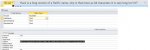
Not directly, but you can use the Field's Caption property.
attachment.php
 

Attachments

  • LongFieldName.jpg
    LongFieldName.jpg
    45.4 KB · Views: 316
That's a pretty good suggestion, JHB.
 
I wonder why anyone would want to have a table name that long. I try to name tables meaningfully and as short as possible. I've maybe had some join tables as long as into the teens but nowhere near 64.
 
column heading is probably from excel -something like


Balance Friday before last adjusted for fish, chips and rock'n'roll but not Baywatch or Dallas
:D:D:D:D:D
 
Probably imported from something else that includes a really verbose column title. I've been known to be a BIT verbose... but 64 characters as a column/field name? Sheesh!
 
To all,

Thanks for your comments. Yes it is not normalized. I am working with an excel questionnaire of about 50 questions and I am trying to compile all of the answers. I would have to write too many formulas in excel and wanted to move the data into access. I am thinking about creating multiple tables and maybe create some kind of lookup table with new field names. I do like the idea of the caption property.

Many thanks!
 

Users who are viewing this thread

Back
Top Bottom