
Update Totals on Related Tables

fedebrin

Registered User.
Local time
Today, 06:06
Joined
Sep 20, 2017
Messages
59
I have the following related tables with corresponding fields
Actions have multiple Initiatives: one to many relationship(1 to *)
  • ActionsTable
    • ActionTitle
    • ActionID(1)
    • ActionTotal
  • InitiativesTable
    • InitiativeDetail
    • InitiativeID
    • ActionID(*)
    • InitiativeTotal
Every time an initiative is added or modified, I would like the ActionTotal amount to be updated with the sum of all corresponding InitiativeTotals

Understand Macros cannot do this and it needs to be done with a Query but I would like the query to run only for specific Actions that have been modified, not for all Actions because it will take too long to run.

Is there a way to do this or a simple way to have it done?

thanks!
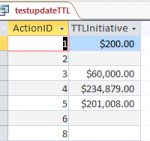
 
this is not a good idea - you will need complex routines to manage this if your 'source' table changes - deduct the old value, add back the new etc

better to simply use an aggregate query when required - perhaps something like this

Code:
SELECT tblActions.ActionID, Sum(tblInitiatives.InitiativeTotal) AS ttlIinitiatives
FROM tblActions LEFT JOIN tbltblInitiatives ON  tblActions.ActionID=tbltblInitiatives.ActionID
GROUP BY tblActions.ActionID

use a left join so ActionID's without and initiatives still get reported
 
Thanks but somehow it did not work.

I tried it this way:
Code:
SELECT Actions.ActionID, Sum(Initiatives.InitiativeTotal) AS Initiatives
FROM Actions LEFT JOIN Initiatives ON  Actions.ActionID=Initiatives.ActionID
GROUP BY Actions.ActionID

For visualization purposes it is ideal that the sum of the Initiatives is added as the total in the Action
 
'did not work' means what exactly?

and as already explained, storing this sort of data is bad practice.

edit, just noticed you have

Sum(Initiatives.InitiativeTotal) AS Initiatives

you cannot have a column name the same as a table or field name
 
ok, I edited as per below


Code:
SELECT Actions.ActionID, Sum(Initiatives.InitiativeTotal) AS TTLInitiatives
FROM Actions LEFT JOIN Initiatives ON Actions.ActionID=Initiatives.ActionID
GROUP BY Actions.ActionID;

Query just turns into DataSheet with the recap amounts (see attached)

What would be the next step in your solution?

thanks
 

Attachments

  • Capture.PNG
    Capture.PNG
    5.2 KB · Views: 148
Thanks Pat, CJ_London,

As mentioned my intention is for the next step is for these numbers to be joined to the ActionsTable under the field InitiativeTotal matched by the ActionID... I understand it is not good practice to store these calculations there but it is needed for visibility...

Could you let me know what would be the code to add it there?

thanks again!
 
where is 'there'? what does 'there' look like? what are you going to do 'there'? if it is in a form or report, include it in the recordsource. If it is a query, what else do you need? ActionTitle? If so, just include it in the query you have
 
I would like to have this sum on the ActionTotal from the ActionsTable

Could you help me showing how the code will be for this?

Thanks
 
I repeat

where is 'there'? what does 'there' look like? what are you going to do 'there'?
 
Please see an example below, we need the sum of all InitiativeTotal to show on the ActionTotal

ActionID
1 will have the sum of InitiativeIDs 454, 616 & 1264

Capture.PNG


thanks
 
using tables in this way is not a good idea, you should be using a form. Tables are for storing data, not presentation (which is what totals are)

however modify your query to include actiontitle (group by), then click on the top part of the query window (where the tables are showing) and select properties from the ribbon (or right click and select properties). A window should open titled 'query properties'.

In the subdatasheet name property select your initiatives table from the dropdown and put ActionID against both link child and link master properties. Now open your query and you should see something like your example when you click on the +
 
ok, thanks CJ_London!

Following your recommendation, if I am to add the same total in a form, how would the formula be?
 
depends on your form design, but in principle in the form footer you would have a control with a controlsource something like =sum([InitiativeTotal])

with regards your datasheet view, if you are using 2010 or later you can use the totals property of a query - click anywhere in the view and then select totals in the home ribbon - a total row will appear at the bottom. click in this row in the column you want to total and select sum from the dropdown. You'll need to save the query to save this setting and if you change the query you will need to redo it. This functionality is really intended for 'quick and dirty' rather than a design solution.
 
Dear CJ,

The Total drop-down will work for the all the actions Total, what we need is the Total of all the Initiatives to show in each action

Capture.PNG


I tried also the =sum([InitiativeTotal]) as control source but it is giving me an error

Capture 2.PNG


thanks again for your help
 
that is not a form, it is a datasheet. For the total row, I was referring to the initiatives datasheet (the sub datasheet). If you are sticking with datasheets, stick with my suggestion in post #12.
 
Thanks CJ but this is not working - user also needs to edit the data in this "form"

With the Select Query solution, we are only able to see the data.
 
you didn't say that when I asked 'what are you going to do 'there'? ' - so what exactly do you want the user to be able to edit?

As explained before - this is not the way you should be using access.
 
User will need to be able to edit all fields in that form.

Is there a way add an unbound box to a regular Datasheet Form that looks up and updates the total?

thanks
 
with respect, that is a vague requirement and simply not possible to edit all fields

with the current setup you can edit the initiative table, the only thing you can't edit is the action table. and if you could, the only field you could edit is the title.

to do that, modify your query to use the dsum function instead of summing the records - here is a link https://support.office.com/en-gb/article/dsum-function-08f8450e-3bf6-45e2-936f-386056e61a32

I'm very uncomfortable attempting to provide a solution to something that is a) poorly defined, b) in a way that goes against everything I have learned about best practice over the last 20+ years and c) I'm pretty sure the answer to your next question (which I expect will be 'the total value doesn't update when I change the initiative table') will be 'only possible in a form'

So at this point I am going to drop out, perhaps someone else will guide you down the path you want to go.

good luck with your project
 
Part of the problem is your fixation that the total needs to be in the table. No, it doesn't. (Yes, I know it is YOUR design and not mine, but bear with me.)

Everything you do with Access should be centered around recordsets. These can come from either tables or queries. Rather than store totals in a table, you compute them in a query when you need to see them. You can open the query in the same place as you could open the table. BUT... the aggregate field cannot be updated. And it SHOULDN'T be.

If this field is to represent the count or total of something that is in another table, nobody should be able to edit that to make it anything other than the count or total. I.e. if you store it and allow it to be edited later (you said "edit all fields..."), then it has no meaning because Joe Schmuckatelli can come in and bollix up that table totally so that it has no relationship to reality.

Stated another way, the records in the Initiatives table represent real things that can be added or removed from consideration. That, I understand. But fields representing COUNTS or TOTALS of real things are NOT real things. They are meta-data, statistical data, about those real things. As they are descriptive and intended to reflect reality, they should NEVER be editable. They can be changed by changing the table on which they are based but should never be changed by the man on the street. EVER.
 

Users who are viewing this thread

Back
Top Bottom