interesting. you got me. I must have missed it. I remember distinctly reading that post from you earlier and my eyeballs must have been on vacation because it's obvious you were aware of my presence. sorry. on a side note, how were able to provide a hyperlink to that thread and add the representative text of "this one from today" by posting here? I only see a hyperlink "button" on my pages, and that only has one input arg for the hyperlink itself, and when it's inserted into the box it no longer contains the duplicate [ url ] tags that were used a few months ago, that used to produce the results you just showed. what am i missing? do you know the literal HTML markup code used to get that done? I miss that feature....
interesting. you got me. I must have missed it. I remember distinctly reading that post from you earlier and my eyeballs must have been on vacation because it's obvious you were aware of my presence. sorry. on a side note, how were able to provide a hyperlink to that thread and add the representative text of "this one from today" by posting here? I only see a hyperlink "button" on my pages, and that only has one input arg for the hyperlink itself, and when it's inserted into the box it no longer contains the duplicate [ url ] tags that were used a few months ago, that used to produce the results you just showed. what am i missing? do you know the literal HTML markup code used to get that done? I miss that feature....
This thread is little redundant because you're communicating with both me and dbGuy. I have no idea if dbGuy has me on his ignore list because he hasn't addreessed me directly in any recent thread, but since I read your last message, I started doing a sample for you, so I finished it. Unfortunately, I must have accidentally checked a box or something when downloading office 365 that specified I don't want to use macros with forms and controls in word. I got blocked by microsoft when i attempted to modify a text box property on the userform I had created in word. but none-the-less, this is what you can do to educate yourself on what you want to do:
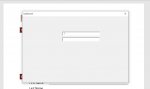
I downloaded a "template form" by using microsoft's wizard when word opens up. the one I tested was NOT a form after all, but rather a document. see attached image "downloaded form template actually a word document". so be aware that not all templates are actually forms, apparently.
to open a word document up using access vba code, you simply have to write this:
Code:
Function open_word_doc()
Dim w As Word.Application
Dim d As Word.Document
Set w = New Word.Application
w.Visible = True
Set d = w.Documents.Open("path of file here")
End Function
after you open the document with code, you have to point to the form. and the controls on it to be able to throw data to those controls. this code points to a userform's first indexed control that was created by selecting "insert - userform" on the menu in the vba editor in word (which is not the same as a form created from a template file):
If this helps you, let everyone here know. This is as far as I go in terms of helping. I'm sure you can use this information to get started and eventually get what you need.
I have found the cause of the error in word that was preventing me from giving you an example of inter-office coding. if you still need one, let us know and we (or I) can give you one. I'm pretty sure, I can, make it work now as I've been able to get past the block microsoft word previously threw at me.
I have found the cause of the error in word that was preventing me from giving you an example of inter-office coding. if you still need one, let us know and we (or I) can give you one. I'm pretty sure, I can, make it work now as I've been able to get past the block microsoft word previously threw at me.
well that's a little bit vague Alhakeem....please let us know...what have you tried on your own? were you able to learn anything on your own by way of your own research since the last time you posted here?
interesting. you got me. I must have missed it. I remember distinctly reading that post from you earlier and my eyeballs must have been on vacation because it's obvious you were aware of my presence. sorry. on a side note, how were able to provide a hyperlink to that thread and add the representative text of "this one from today" by posting here? I only see a hyperlink "button" on my pages, and that only has one input arg for the hyperlink itself, and when it's inserted into the box it no longer contains the duplicate [ url ] tags that were used a few months ago, that used to produce the results you just showed. what am i missing? do you know the literal HTML markup code used to get that done? I miss that feature....
n a side note, how were able to provide a hyperlink to that thread and add the representative text of "this one from today" by posting here? I only see a hyperlink "button" on my pages
You highlight the text before you select the url that creates the link, or you overwrite the second part of the link.?
hey gasman! theDbGuy opened my eyes to this little trick! he called it "bbCodes". Apparently that's a popular notion. what you're asking to do used to be able to be done by clicking the "insert URL" button here when writing a post, but maybe Jon eliminated it? I don't know. for instance, if you want to write this: this is google, the proper construction with the keyboard is:
Code:
[ url = "site address here" ] representative text here [ /url ]
without any of the whitepace/spaces
<edit>
sorry gasman, I thought you were actually *asking* me how to do this. oops! If I remember right, highlighting the text and then selecting the "insert URL" button no longer works for me either nowadays. but i'll check it out next time I need a hyperlink. thanks.
Yes you're way works, and it's a lot quicker than what dbGuy recommended. I will use it from now on. thanks! It seems someone here changed the feature and how it operates, because your method is a different way to do it than the way it behaved by default years ago. But none the less, it's still very easy.
The way I have used and seen it on other forums is the alternative text part is highlighted after selecting the url, one just overtypes that highlighted portion.?
That is what you can do here.? I just found that highlighting prior to pasting the url works as well.


 on a side note, how were able to provide a hyperlink to that thread and add the representative text of "this one from today" by posting here? I only see a hyperlink "button" on my pages, and that only has one input arg for the hyperlink itself, and when it's inserted into the box it no longer contains the duplicate [ url ] tags that were used a few months ago, that used to produce the results you just showed. what am i missing? do you know the literal HTML markup code used to get that done? I miss that feature....