create inventory in Access

So a Client gives you a Sales Order and you use that for the Purchase Order for the Supplier? How? You may want to order more than just the one Client ordered.

If you change the quantity on the Order than it also changes it for the Client. You also have to consider trying to to Stock-on-Hand. How will you know what is part of Inventory and what is actually sold.
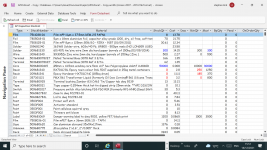
 
In my opinion You need supplier orders. you need goods inwards , which books in part shipments , reject parts by the QC Department , you need stores to book in the inspected parts in . you need sales that allocated the parts from inventory for that order. you can have allocated ( pending suppler orders due in )
 
1639497632235.png

1639497879053.png

1639497942037.png

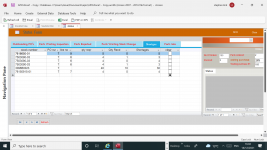
this is how I set mine up
 

Attachments

  • 1639497459557.png
    1639497459557.png
    268.5 KB · Views: 194
  • 1639497750693.png
    1639497750693.png
    192.9 KB · Views: 189
have done with below query

SELECT tblProducts.*, tblVendor.VendorName, tblFolio.*, tblFolioType.*, IIf([tblFolioType]![TypeofFolio]="Purchase",[tblFolio]![Qty],-[tblFolio]![Qty]) AS ActualQty
FROM tblVendor INNER JOIN (tblProducts INNER JOIN (tblFolioType INNER JOIN tblFolio ON tblFolioType.FolioID = tblFolio.TypeofFolio) ON tblProducts.ProductsID = tblFolio.Product) ON tblVendor.VendorID = tblProducts.Vendor;
 
have done with below query

SELECT tblProducts.*, tblVendor.VendorName, tblFolio.*, tblFolioType.*, IIf([tblFolioType]![TypeofFolio]="Purchase",[tblFolio]![Qty],-[tblFolio]![Qty]) AS ActualQty
FROM tblVendor INNER JOIN (tblProducts INNER JOIN (tblFolioType INNER JOIN tblFolio ON tblFolioType.FolioID = tblFolio.TypeofFolio) ON tblProducts.ProductsID = tblFolio.Product) ON tblVendor.VendorID = tblProducts.V
I'm not seeing how that query is going to give you quantity-on-hand. Is that the problem?
 
I'm not seeing how that query is going to give you quantity-on-hand. Is that the problem?
have created in Report

can you tell me how can i get the sum of the same products row selected from Sub Form on main form

1639648555782.png
 
have created in Report

can you tell me how can i get the sum of the same products row selected from Sub Form on main form

View attachment 96887
Not with that tables you have. That is what everyone has been trying to explain. You can't put a 3,000 sq. ft. house on a 2,000 sq. ft. foundation.
 
Not with that tables you have. That is what everyone has been trying to explain. You can't put a 3,000 sq. ft. house on a 2,000 sq. ft. foundation.

than can you suggest, how can i complete this
 
there is no such thing as reserved.
either there is a Sale or a Sale Order (this is the reserved. need to be delivered or to be picked-up?)
seems reserved means booked, so as u suggested it should go to sales order, not sales, but the question is how is the reserved treated in store

1. Does it reduce the quantity in store?
2. The booked quantities must have a grace period for the buyer to pick up or make payment to confirm booking
 
seems reserved means booked, so as u suggested it should go to sales order, not sales, but the question is how is the reserved treated in store

1. Does it reduce the quantity in store?
2. The booked quantities must have a grace period for the buyer to pick up or make payment to confirm booking
it will be same like sale, but the invoice details will added later only
 
than can you suggest, how can i complete this
You have to re-draw the flow of the inventory process

Make sure tables exists for each of the processes
Make sure relationships exists between tables that have overlap functions with each other.

Also look at the samples posted by other users on this thread.
 
You have to re-draw the flow of the inventory process

Make sure tables exists for each of the processes
Make sure relationships exists between tables that have overlap functions with each other.

Also look at the samples posted by other users on this thread.
in the sample there is only one table for all transactions like Purchase (+), Sale & Reserve (-)

the same i took
 
seems reserved means booked, so as u suggested it should go to sales order, not sales, but the question is how is the reserved treated in store

1. Does it reduce the quantity in store?
2. The booked quantities must have a grace period for the buyer to pick up or make payment to confirm booking

yes it will reduce with No due date.
 
new to the VB codes, so unable to make that.

want to get the Sub form total with specific product code selected in row on main form.
 
Mabino79

can you post your database so we can see it?
 

Users who are viewing this thread

Back
Top Bottom