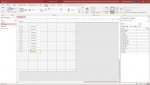
drag and copy a form field

eshai

Registered User.
Local time
Today, 07:43
Joined
Jul 14, 2015
Messages
195
hi:

is there any way to drag and copy a field in design view
most of the software use "shift"
in access copy and paste dropping the field in the upper left of the form
 
Not exactly, but you could select another control before pasting the copied one, and it won't show up in the top left corner. Instead, it should show up in relation to the control you selected.
 
eshai,

When I had to develop a rapid app for whatever reason, I would put 1 textbox on a form in design view, use the clipboard, and paste it as many times as needed to get the number of boxes i needed for data entry. then it's only a short time to size them, move them and make a nice looking form. I'm not sure if that's your goal because you didn't say, but none the less I'm offering you the method if you don't already use it. guy is right too. I think if you copy a control and then you press the "detail" indicator bar in form design and try to copy the control, it appears in the upper left corner. If you just copy and paste in quick succession, the new control appears directly below the old one.

 

Attachments

  • replica controls.jpg
    replica controls.jpg
    99.1 KB · Views: 194
tanks you theDBguy and vba_php
for now i'm using ctrl+c ctrl+v it copies the field and past it below
if there was a drag and copy it was much easier
 
tanks you theDBguy and vba_php
for now i'm using ctrl+c ctrl+v it copies the field and past it below
if there was a drag and copy it was much easier
Sadly, we don't have that. Good luck with your project.
 
This MS Access YouTube Video from "Nifty Access" demonstrates how you can create a new Form, and drag and drop controls anywhere you want on the Form.

Nifty Access - Drag & Drop Controls

I saw some of your videos I didn't know it was you:)
What is in this video I know for a long time
What I would like is that I can duplicate a control by dragging it anywhere on the form like most software do with shift or ctrl or alt etc'
 

Users who are viewing this thread

Back
Top Bottom