Help me to work my first app. in access

sendil099

New member
Local time
Today, 19:56
Joined
Apr 2, 2019
Messages
1
Hi Guys,
I am new to this forum and new to access.
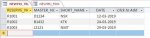
I have created a form and table for my prj.
but couldn't able to link it.
can you please help me...
plz find the attachment.

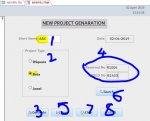
FORM
1. ENTER SHORT NAME
2. CHOOSE OPTION
3. GENERATE BUTTON
4. GENERATED TEXT IN TEXT BOX (EX: R1004 & B1433)
5. SAVE BUTTON TO SAVE RECORD TO TABLE
6. SEARCH RECORD BY ENTERING R1004 OR B1433
6. CLEAR BUTTON TO CLEAR THE RECORD
7 EXIT APPLICATION
 

Attachments

  • NEWPRJ.accdb
    NEWPRJ.accdb
    1.1 MB · Views: 92
  • NEWPRJ_FORM.JPG
    NEWPRJ_FORM.JPG
    44.6 KB · Views: 96
  • NEWPRJ_TBL.JPG
    NEWPRJ_TBL.JPG
    23 KB · Views: 90
Hi. Welcome to the forum. I haven't downloaded your attachment but what do you mean by "couldn't link it?"
 
Looks vaguely like a school project. We don't generally do those for you, but if you have a narrow question about some questionable behavior, we offer help. You need to be specific in describing any such behavior.

For future reference, questions of this type belong under "General" most of the time.
 
The normal way you develop a database is by defining what data you will work with and how it is related. As such, you would design your tables and their relationship BEFORE working on a form.

Once you have your tables defined, you would set up a query that allows you to work with subsets of either records, fields, or both, that you will want for data entry/update.

You would then base a form off of one of your queries and add the fields from the query to your form. This will make sure they are "connected".

Is this about how you created your project? Or did you create the form first and try to work out a table that matches it?
 
The normal way you develop a database is by defining what data you will work with and how it is related. As such, you would design your tables and their relationship BEFORE working on a form.

Once you have your tables defined, you would set up a query that allows you to work with subsets of either records, fields, or both, that you will want for data entry/update.

You would then base a form off of one of your queries and add the fields from the query to your form. This will make sure they are "connected".

Is this about how you created your project? Or did you create the form first and try to work out a table that matches it?

As above.

Plus Select queries allow for fields to be created that are calculations or functions. A very simple example would be if the table had a field for FirstName and a field for LastName a field could be created in the query where the two names were joined as in John Smith and that could be displayed on a form.
 
To "link" the form to the table, you need to set the form's recordsource to that table (or a query based on the table). You also need to set the control source to the corresponding field in the table.
Also, as Date is a reserved word in Access, change the name of your field to ProjectDate or similar.
 

Users who are viewing this thread

Back
Top Bottom